Blog

  • How to Identify AI-Generated Phishing Emails in 2026

    How to Identify AI-Generated Phishing Emails in 2026

    Protect Your Business Before It’s Too Late: How to Identify AI-Generated Phishing Emails in 2026

    Learn how to spot AI-generated phishing emails, protect business data, and stop cybercriminals before they breach your systems.

    Email remains one of the most important communication tools in modern business. Unfortunately, it also remains one of the most effective attack vectors for cybercriminals. In 2026, phishing attacks have evolved far beyond poorly written messages filled with spelling mistakes and suspicious links. Today’s attackers are using artificial intelligence to create highly convincing phishing emails that can fool employees, managers, executives, and even experienced IT professionals.

    For small businesses, the stakes have never been higher. A single successful phishing email can lead to credential theft, ransomware infections, financial fraud, cloud account compromise, customer data exposure, and severe reputational damage.

    Understanding how to identify AI-generated phishing emails in 2026 is no longer optional. It is an essential cybersecurity skill that every entrepreneur, business owner, and remote worker must develop.

    In this comprehensive guide, we will explore how AI has transformed phishing, the warning signs you should watch for, and the practical steps your organization can take to strengthen its defenses.
    Why AI-Generated Phishing Emails Are More Dangerous Than Traditional Phishing

    For years, businesses trained employees to look for:

    • Poor grammar
    • Misspelled words
    • Strange formatting
    • Obvious scams

    Unfortunately, artificial intelligence has changed the game.

    Modern AI systems can generate emails that are:

    • Grammatically perfect
    • Professionally written
    • Personalized to the recipient
    • Contextually relevant
    • Nearly indistinguishable from legitimate business communications

    Cybercriminals now use AI tools to analyze public information from:

    • Company websites
    • Social media accounts
    • Professional networking profiles
    • Press releases
    • Public employee directories

    This allows attackers to create highly targeted phishing campaigns that appear authentic.

    Look, I get it, cybersecurity sounds like a headache, but relying on old phishing detection methods is becoming increasingly dangerous.
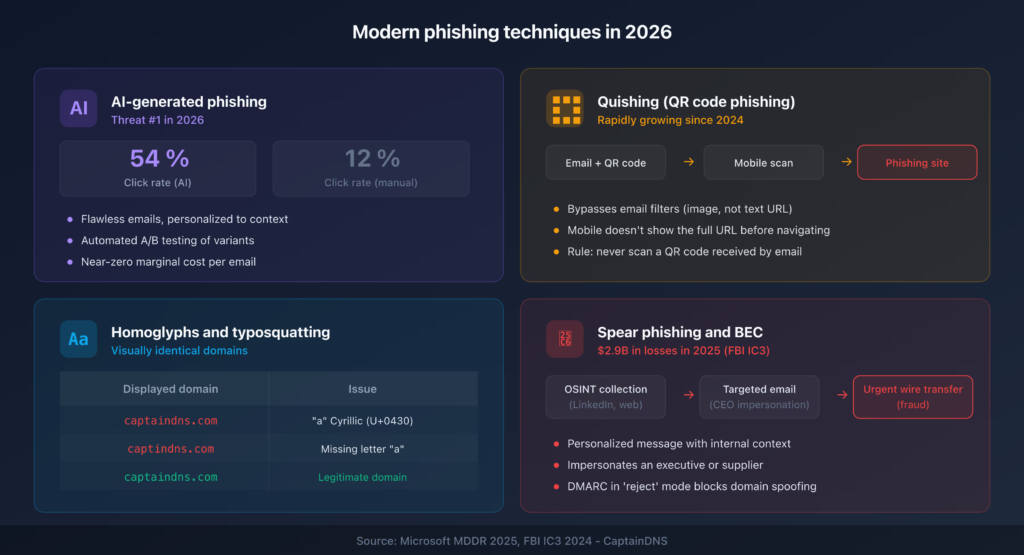
    How AI-Powered Phishing Works in 2026

    Today’s attackers often combine multiple technologies.

    A typical attack may involve:

    AI Content Generation

    Large language models generate realistic business communications.

    These emails can imitate:

    • CEOs
    • HR departments
    • Vendors
    • Financial institutions
    • IT support teams

    Automated Research

    AI can quickly gather information about:

    • Employee roles
    • Business relationships
    • Current projects
    • Company structure

    Personalized Targeting

    Instead of sending one generic message to thousands of people, attackers create customized emails for specific individuals.

    Deepfake Support

    Some phishing campaigns now combine email attacks with:

    • AI-generated voice calls
    • Deepfake video messages
    • Fake meeting invitations

    This makes verification even more challenging.

    The Real Cost of AI-Generated Phishing

    Many small businesses underestimate the consequences.

    A successful phishing attack can result in:

    Ransomware Infections

    Phishing remains one of the leading delivery methods for ransomware.

    One malicious click can:

    • Encrypt business systems
    • Disrupt operations
    • Lead to costly recovery efforts

    Cloud Account Takeovers

    Compromised credentials can provide access to:

    • Microsoft 365 accounts
    • Google Workspace environments
    • CRM platforms
    • Financial systems

    Business Email Compromise

    Attackers may impersonate employees to:

    • Request payments
    • Change banking information
    • Access confidential documents

    Customer Trust Damage

    Clients expect businesses to protect sensitive information.

    A security incident can erode confidence quickly.

    Comparison Table: Traditional vs AI-Generated Phishing Emails

    FeatureTraditional PhishingAI-Generated Phishing
    Grammar QualityOften PoorExcellent
    PersonalizationLimitedHighly Personalized
    Research DepthBasicExtensive
    Detection DifficultyModerateHigh
    ScalabilityHighVery High
    Executive ImpersonationLimitedAdvanced
    Success RateLowerSignificantly Higher
    Business RiskSeriousCritical

    Key Warning Signs of AI-Generated Phishing Emails

    Despite their sophistication, AI-generated phishing emails often leave clues.

    Unusual Urgency

    Attackers frequently create pressure.

    Examples include:

    • Immediate payment requests
    • Urgent password resets
    • Last-minute account verification demands

    Urgency reduces critical thinking.

    Unexpected Requests

    Be cautious when emails request:

    • Credentials
    • Financial information
    • Sensitive documents
    • Security code verification

    Always verify independently.

    Slightly Altered Email Addresses

    One of the most common tactics remains domain spoofing.

    Examples:

    • company-support.com instead of company.com
    • secure-microsoft.net instead of microsoft.com

    Small differences matter.

    Communication Style Changes

    Even advanced AI struggles to perfectly replicate individuals.

    Watch for:

    • Unusual phrasing
    • Different tone
    • Changes in writing style
    • Unexpected requests

    Suspicious Attachments

    Never assume attachments are safe.

    Malicious files may include:

    • PDFs
    • Office documents
    • ZIP archives
    • Shared cloud links

    Security Checklist for Identifying AI-Generated Phishing Emails

    Security CheckImportance
    Verify Sender AddressCritical
    Confirm Requests Through Another ChannelCritical
    Inspect Links Before ClickingCritical
    Enable Multi-Factor AuthenticationCritical
    Review Attachments CarefullyHigh
    Train Employees RegularlyHigh
    Monitor Login ActivityHigh
    Use Email Security FiltersHigh
    Conduct Phishing SimulationsMedium
    Maintain Incident Response PlansHigh

    Step-by-Step Guide: Securing Microsoft 365 Against AI Phishing

    Many small businesses rely on Microsoft 365.

    Securing it properly can dramatically reduce phishing risk.

    Step 1: Enable Multi-Factor Authentication

    MFA should be mandatory for:

    • Administrators
    • Employees
    • Contractors

    This prevents many credential theft attacks.

    Step 2: Configure Advanced Email Protection

    Enable:

    • Anti-phishing policies
    • Anti-malware scanning
    • Safe links protection
    • Safe attachments protection

    Step 3: Block Legacy Authentication

    Older authentication methods are easier to exploit.

    Disable them whenever possible.

    Step 4: Review User Permissions

    Apply the principle of least privilege.

    Users should only have access to resources required for their role.

    Step 5: Enable Login Alerts

    Monitor:

    • New devices
    • Unusual locations
    • Failed login attempts

    Rapid detection improves response time.

    Step 6: Audit Email Rules

    Attackers often create hidden forwarding rules after gaining access.

    Review email settings regularly.

    Step 7: Conduct Monthly Security Reviews

    Evaluate:

    • Security policies
    • User access
    • Threat reports
    • Incident logs

    This proactive proccess helps identify weaknesses before attackers do.

    Defending Remote Teams Against AI Phishing

    Remote work remains a permanent reality for many organizations.

    This creates additional challenges.

    Secure Home Networks

    Employees should:

    • Update routers regularly
    • Use strong Wi-Fi passwords
    • Enable encryption

    Deploy Endpoint Protection

    Every device should have:

    • Antivirus software
    • Threat detection tools
    • Security monitoring

    Strengthen Cloud Security

    Cloud environments require:

    • Access control reviews
    • Permission audits
    • Security logging

    Weak cloud management often becomes an attacker’s entry point.

    Building Multiple Layers of Defense

    No single security tool can stop every phishing attack.

    Effective protection requires layered security.

    Technical Controls

    Implement:

    • Email filtering
    • MFA
    • Endpoint protection
    • DNS filtering
    • Firewal protection

    Employee Awareness

    Human behavior remains a major security factor.

    Provide regular training covering:

    • Phishing detection
    • Social engineering
    • Credential security
    • Incident reporting

    Incident Response Planning

    Prepare before an attack occurs.

    Establish procedures for:

    • Reporting suspicious emails
    • Isolating compromised accounts
    • Recovering systems

    What to Do If an Employee Clicks a Phishing Email

    Mistakes happen.

    The goal is rapid response.

    Immediate Actions

    1. Disconnect affected devices.
    2. Change passwords immediately.
    3. Revoke active sessions.
    4. Notify IT personnel.
    5. Scan systems for malware.

    Investigate the Incident

    Determine:

    • What data was accessed
    • Whether credentials were stolen
    • Whether malware was installed

    Strengthen Defenses

    Use lessons learned to improve training and controls.

    Every incident provides valuable insights.

    Future Trends in AI-Powered Phishing

    The threat landscape will continue evolving.

    Expect increased use of:

    Deepfake Communications

    Attackers will combine emails with:

    • Voice cloning
    • Video impersonation
    • AI-generated meetings

    Autonomous Attack Campaigns

    AI systems will automate:

    • Target research
    • Email creation
    • Attack optimization

    Hyper-Personalized Social Engineering

    Future phishing emails may reference:

    • Recent meetings
    • Current projects
    • Industry events

    The level of personalization will continue increasing.

    Final Thoughts

    Learning how to identify AI-generated phishing emails in 2026 is one of the most important cybersecurity skills a business can develop. Artificial intelligence has dramatically increased the sophistication of phishing campaigns, making traditional detection methods less effective than ever before.

    Fortunately, organizations can still defend themselves by combining employee awareness, strong authentication, cloud security management, endpoint protection, and proactive monitoring. The most successful businesses understand that cybersecurity is not a one-time project—it is an ongoing commitment.

    At locknet.site, we help entrepreneurs, startups, and growing companies build a bulletproof digital presence capable of resisting modern cyber threats. From ransomware defense and phishing prevention to secure cloud management and remote workforce protection, our mission is to help businesses stay one step ahead of cybercriminals.

    Ready to strengthen your defenses? Audit your email security today, subscribe to the latest cybersecurity insights from locknet.site, and consult a security specialist before the next AI-powered phishing attack targets your organization.
  • Security Guide for Using ChatGPT and AI Bots in Business in 2026

    Security Guide for Using ChatGPT and AI Bots in Business in 2026

    Protect Your Business Data: Security Guide for Using ChatGPT and AI Bots in Business in 2026

    Learn how to safely use ChatGPT and AI tools in business while protecting sensitive data, preventing breaches, and reducing cyber risks.

    Artificial intelligence has rapidly transformed the way businesses operate. From content creation and customer support to data analysis, software development, marketing automation, and employee productivity, AI-powered tools have become essential business assets.

    Platforms like ChatGPT and other AI bots now help organizations save time, reduce costs, and improve efficiency. However, as adoption grows, so do the cybersecurity risks associated with these technologies.

    In 2026, businesses face an increasingly complex threat landscape involving AI-driven phishing campaigns, ransomware attacks, cloud security vulnerabilities, insider threats, and sophisticated social engineering tactics. While AI can improve productivity, it can also become a security liability when used without proper safeguards.

    This comprehensive Security Guide for Using ChatGPT and AI Bots in Business explains how organizations can safely leverage artificial intelligence while protecting sensitive data, maintaining compliance, and reducing cyber risks.

    Why AI Security Matters for Businesses

    Artificial intelligence tools process enormous amounts of information.

    Employees often use AI systems for:

    • Writing business emails
    • Creating marketing content
    • Summarizing reports
    • Analyzing customer feedback
    • Generating software code
    • Researching business topics
    • Automating workflows

    While these capabilities provide significant benefits, they also create opportunities for data exposure.

    Common risks include:

    • Accidental disclosure of confidential information
    • Unauthorized data sharing
    • AI-generated phishing content
    • Cloud account compromise
    • Sensitive intellectual property leakage
    • Compliance violations

    Many business owners focus on the benefits of AI while overlooking the security implications.

    That can become a costly mistake.

    The Growing Cybersecurity Risks of AI Adoption

    Artificial intelligence is now being used by both defenders and attackers.

    Cybercriminals have embraced AI to improve the effectiveness of:

    Phishing Campaigns

    AI can create:

    • Personalized emails
    • Convincing business messages
    • Realistic executive impersonations
    • Automated social engineering attacks

    Malware Development

    Attackers use AI to:

    • Modify malicious code
    • Improve attack automation
    • Evade traditional security controls

    Credential Theft

    AI-powered phishing pages increasingly mimic legitimate business services.

    Business Reconnaissance

    AI systems can analyze public information to identify potential attack targets.

    Understanding these risks is critical when deploying AI tools inside an organization.
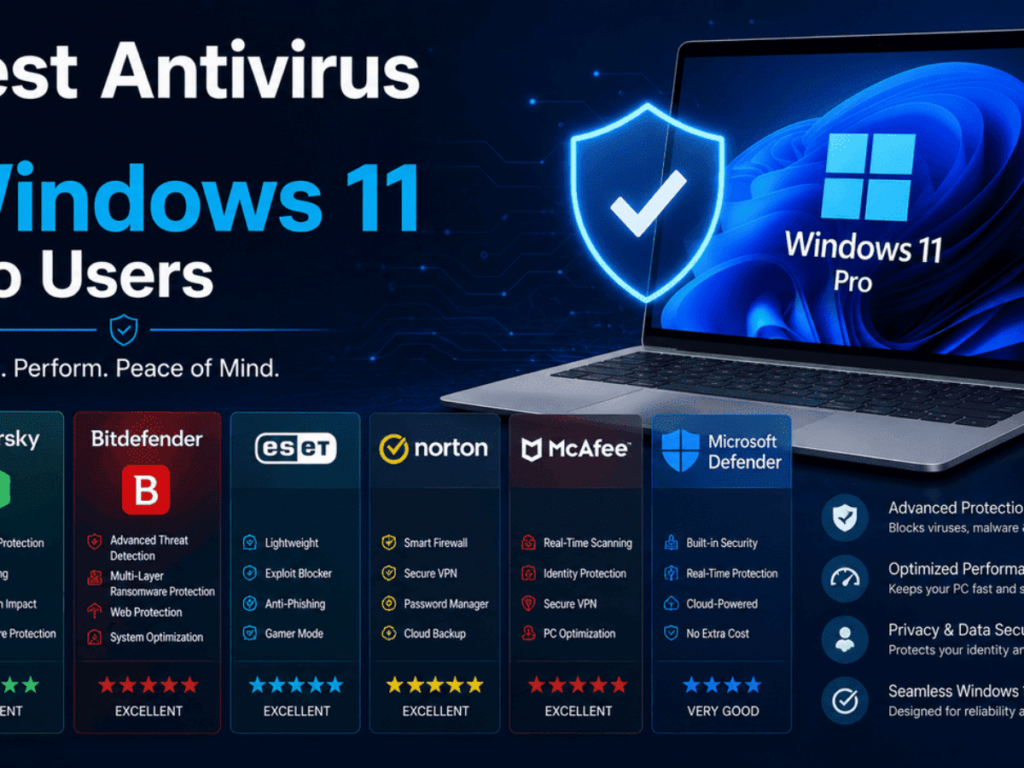
    Benefits of ChatGPT and AI Bots for Businesses

    Before discussing security controls, it is important to recognize why businesses are embracing AI.

    Common advantages include:

    Increased Productivity

    Employees can complete tasks faster.

    Enhanced Customer Support

    AI assistants help answer routine inquiries.

    Content Generation

    Marketing teams can accelerate content creation.

    Operational Efficiency

    Automation reduces repetitive work.

    Data Analysis

    AI can identify trends and insights more quickly than manual processes.

    The goal is not to avoid AI.

    The goal is to use AI securely.

    Security Checklist for Using ChatGPT and AI Bots in Business

    Security ControlImportanceRecommended
    Multi-Factor AuthenticationCriticalYes
    Employee AI Usage PolicyCriticalYes
    Data Classification RulesCriticalYes
    Access ControlsHighYes
    Secure Cloud ManagementHighYes
    Security Awareness TrainingHighYes
    Endpoint ProtectionHighYes
    Activity MonitoringHighYes
    Third-Party Vendor ReviewMediumYes
    Incident Response PlanningHighYes

    The Biggest Mistake Businesses Make with AI

    Many organizations allow employees to use AI tools without guidance.

    This often results in staff entering:

    • Customer information
    • Financial records
    • Internal business plans
    • Employee data
    • Proprietary source code
    • Confidential contracts

    Look, I get it, cybersecurity sounds like a headache, but unrestricted AI usage can expose sensitive business information in ways many organizations fail to recognize.

    Without proper controls, employees may unknowingly increase risk.

    Understanding Data Exposure Risks

    One of the most important principles of AI security is understanding what should never be shared.

    Businesses should avoid entering:

    Personally Identifiable Information (PII)

    Examples include:

    • Customer records
    • Social Security numbers
    • National ID information
    • Payment details

    Confidential Financial Information

    Examples include:

    • Banking records
    • Internal financial reports
    • Revenue forecasts

    Proprietary Business Information

    Examples include:

    • Product roadmaps
    • Trade secrets
    • Internal strategies

    Sensitive Legal Documents

    Examples include:

    • Contracts
    • Legal correspondence
    • Compliance investigations

    Data classification policies help prevent accidental disclosure.

    Step-by-Step Guide: How to Secure ChatGPT and AI Bots for Business Use

    Step 1: Establish an AI Usage Policy

    Every organization should create clear rules.

    The policy should define:

    • Approved AI tools
    • Acceptable use cases
    • Restricted information categories
    • Reporting requirements

    Employees need clear guidance.

    Step 2: Enable Multi-Factor Authentication

    All business accounts connected to AI platforms should use MFA.

    This helps protect against:

    • Credential theft
    • Account takeovers
    • Unauthorized access

    Step 3: Restrict Sensitive Data Input

    Train employees to avoid submitting:

    • Customer information
    • Financial records
    • Protected intellectual property

    This simple step significantly reduces risk.

    Step 4: Use Business-Grade AI Solutions

    Enterprise AI offerings often provide:

    • Administrative controls
    • Enhanced privacy settings
    • Audit capabilities
    • Compliance support

    Business-grade platforms generally offer stronger security features.

    Step 5: Monitor User Activity

    Review:

    • Access logs
    • Usage patterns
    • Administrative changes

    Monitoring helps detect unusual behavior early.

    Step 6: Secure Employee Devices

    AI security depends on endpoint security.

    Require:

    • Antivirus software
    • Device encryption
    • Security updates
    • Threat detection tools

    A compromised device can undermine otherwise strong protections.

    Step 7: Review Third-Party Integrations

    Many AI tools connect with:

    • Cloud storage platforms
    • CRM systems
    • Productivity suites

    Review permissions regularly.

    Excessive access creates unnecessary risk.

    AI Security and Remote Work

    Remote teams rely heavily on cloud-based services.

    This creates additional attack opportunities.

    Secure Home Networks

    Employees should:

    • Use strong Wi-Fi passwords
    • Update router firmware
    • Enable network encryption

    Protect Cloud Accounts

    Cloud security should include:

    • Access reviews
    • Permission audits
    • Security monitoring

    Verify Collaboration Platforms

    Ensure integrations between AI tools and collaboration platforms remain properly secured.

    Weak cloud configurations remain one of the most common business security gaps.

    Defending Against AI-Generated Phishing Attacks

    Artificial intelligence has significantly improved phishing campaigns.

    Attackers now create:

    • Highly personalized emails
    • Convincing fake invoices
    • Executive impersonation messages
    • Fraudulent support requests

    Businesses must prepare employees to recognize these threats.

    Warning Signs

    Watch for:

    • Unexpected requests
    • Urgent payment demands
    • Credential verification requests
    • Unusual communication styles

    Always verify sensitive requests independently.

    Ransomware Risks Associated with AI Usage

    Many ransomware groups use AI during attack preparation.

    They analyze:

    • Public company information
    • Employee profiles
    • Communication patterns

    If AI tools are connected to sensitive systems without proper controls, attackers may gain valuable intelligence.

    Protecting AI workflows should be part of every ransomware defense strategy.

    Ransomware Defense Layers

    Implement:

    • Regular backups
    • Endpoint protection
    • Email filtering
    • Network segmentation
    • Firewal protection

    Layered security remains essential.

    Building an AI Governance Framework

    Organizations should establish formal governance procedures.

    Define Ownership

    Determine:

    • Who manages AI platforms
    • Who approves new tools
    • Who handles incidents

    Create Approval Processes

    Evaluate AI solutions before deployment.

    Review:

    • Security features
    • Privacy controls
    • Vendor reputation

    Conduct Regular Audits

    Review:

    • User activity
    • Permissions
    • Compliance requirements

    A structured proccess reduces long-term risk.

    Incident Response for AI-Related Security Events

    Even well-secured organizations may experience incidents.

    Prepare in advance.

    Immediate Actions

    If sensitive information is exposed:

    1. Identify affected systems.
    2. Revoke access if necessary.
    3. Notify stakeholders.
    4. Preserve evidence.
    5. Begin investigation.

    Assess Impact

    Determine:

    • What information was exposed
    • Whether unauthorized access occurred
    • Potential regulatory obligations

    Improve Controls

    Use lessons learned to strengthen future security.

    Continuous improvement is a hallmark of mature cybersecurity programs.

    Future AI Security Trends for 2026 and Beyond

    Artificial intelligence will continue evolving rapidly.

    Businesses should expect:

    AI-Powered Security Monitoring

    Security platforms increasingly use AI to detect threats in real time.

    Advanced Identity Verification

    Organizations will adopt stronger authentication methods.

    Automated Compliance Controls

    AI will assist with governance and regulatory requirements.

    Increased Regulatory Oversight

    Governments and regulators are developing new AI security frameworks.

    Organizations that establish strong controls today will be better positioned to adapt.

    Final Thoughts

    This Security Guide for Using ChatGPT and AI Bots in Business highlights a simple reality: artificial intelligence is one of the most powerful business technologies available today, but it must be used responsibly.

    The same tools that improve productivity can also create security vulnerabilities if organizations fail to implement proper safeguards. By combining strong access controls, employee awareness training, secure cloud management, endpoint protection, data classification policies, and ongoing monitoring, businesses can confidently leverage AI while reducing risk.

    Here is the real talk about why your current password isn’t enough: even the most advanced AI platform cannot protect your organization if weak credentials, poor access controls, and careless data handling practices remain in place.

    At locknet.site, we help entrepreneurs, startups, and growing businesses build a bulletproof digital presence capable of resisting modern cyber threats. Whether you’re securing AI systems, defending against ransomware, protecting remote teams, or strengthening cloud security, proactive cybersecurity remains your strongest competitive advantage.

    Ready to secure your AI-powered business? Conduct an AI security audit today, subscribe to the latest cybersecurity insights from locknet.site, and consult a cybersecurity specialist before attackers discover vulnerabilities first.

  • How to Use AI Tools for Security Without Leaking Private Data

    How to Use AI Tools for Security Without Leaking Private Data

    Protect Your Business Data in the AI Era: How to Use AI Tools for Security Without Leaking Private Data

    Learn how to use AI tools securely while protecting sensitive business data, preventing breaches, and reducing cyber risks in 2026.

    Artificial intelligence has become one of the most powerful cybersecurity tools available to businesses. From detecting threats and analyzing suspicious activity to automating incident response and identifying vulnerabilities, AI is helping organizations strengthen their defenses against increasingly sophisticated cyberattacks.

    However, there is a growing paradox facing business owners in 2026: the same AI tools designed to improve security can also create new risks if they are used incorrectly.

    Many companies unknowingly expose confidential information when interacting with AI systems. Employees paste customer records into AI assistants, upload sensitive reports for analysis, share proprietary code with AI coding tools, or connect AI applications directly to cloud platforms without understanding the security implications.

    As cybercriminals continue leveraging AI-powered phishing attacks, ransomware campaigns, and cloud exploitation techniques, businesses must learn how to use AI tools for security without leaking private data.

    This guide provides a practical, expert-driven framework for safely integrating AI into your cybersecurity strategy while protecting sensitive information and maintaining compliance.

    Why Businesses Are Using AI for Security

    Artificial intelligence has dramatically improved cybersecurity operations.

    Organizations increasingly rely on AI to:

    • Detect suspicious activity
    • Analyze security logs
    • Monitor network traffic
    • Investigate incidents
    • Identify vulnerabilities
    • Automate security alerts
    • Improve threat intelligence
    • Strengthen phishing detection

    For small businesses with limited cybersecurity resources, AI can function as a force multiplier.

    Tasks that once required dedicated security teams can now be performed faster and more efficiently.

    However, AI is not risk-free.

    Understanding those risks is critical before deployment.

    The Hidden Risk: Data Leakage Through AI Systems

    Many organizations focus on AI’s capabilities but overlook how data is processed.

    The most common AI-related security issue is accidental data exposure.

    Examples include:

    Uploading Sensitive Documents

    Employees may upload:

    • Financial reports
    • Client contracts
    • Employee records
    • Internal communications

    without realizing the sensitivity of the information involved.

    Sharing Customer Data

    Customer records frequently contain:

    • Personal information
    • Payment details
    • Contact information

    These details should never be shared carelessly with AI systems.

    Exposing Proprietary Information

    Business strategies, source code, product designs, and intellectual property can become vulnerable if submitted improperly.

    Over-Permissioned Integrations

    Many AI tools connect directly with:

    • Cloud storage
    • CRM platforms
    • Email systems
    • Collaboration tools

    Poor configuration can dramatically increase exposure.

    Why Data Leakage Is More Dangerous in 2026

    The modern threat landscape has evolved.

    Today’s attackers use artificial intelligence to automate reconnaissance and identify vulnerabilities faster than ever.

    AI-assisted cybercriminals can exploit leaked information to launch:

    Advanced Phishing Attacks

    AI-generated phishing messages now appear highly authentic.

    Attackers use exposed information to personalize attacks.

    Ransomware Campaigns

    Leaked business intelligence often helps attackers identify high-value targets.

    Cloud Account Takeovers

    Compromised information may reveal access paths into cloud environments.

    Executive Impersonation

    Publicly exposed company information can fuel sophisticated social engineering campaigns.

    This is why protecting sensitive data while using AI has become a business-critical requirement.

    Security Checklist: Using AI Without Leaking Private Data

    Security ControlRisk Reduction LevelRecommended
    Multi-Factor AuthenticationVery HighYes
    Data Classification PolicyVery HighYes
    Employee AI TrainingHighYes
    Secure Cloud ConfigurationVery HighYes
    Access Control ReviewsHighYes
    Endpoint ProtectionHighYes
    Vendor Security AssessmentHighYes
    Activity MonitoringHighYes
    Incident Response PlanningHighYes
    Regular Security AuditsHighYes

    Common Mistakes Businesses Make

    Many organizations unknowingly increase risk through poor AI practices.

    Treating AI Like a Private Notebook

    Employees often assume AI conversations are completely isolated.

    This assumption can lead to unnecessary exposure of sensitive information.

    Lack of Governance

    Without formal policies, employees may use AI tools inconsistently.

    Excessive Permissions

    AI integrations frequently receive more access than necessary.

    No Employee Training

    Many staff members do not understand the risks associated with AI data handling.

    Look, I get it, cybersecurity sounds like a headache, but AI security is rapidly becoming just as important as email security or endpoint protection.

    Understanding Data Classification Before Using AI

    Before employees use any AI system, businesses should establish clear data categories.

    Public Information

    Safe for AI processing.

    Examples:

    • Marketing content
    • Public blog posts
    • Published product descriptions

    Internal Information

    Requires caution.

    Examples:

    • Operational procedures
    • Internal communications
    • Team documentation

    Confidential Information

    Should be heavily restricted.

    Examples:

    • Financial reports
    • Strategic plans
    • Customer databases

    Restricted Information

    Should never be submitted to AI tools without explicit approval.

    Examples:

    • Personal customer data
    • Legal records
    • Authentication credentials
    • Payment information

    Classification reduces accidental exposure.

    Step-by-Step Guide: How to Secure AI Tools Before Business Use

    Step 1: Establish an AI Security Policy

    Every business should create a formal policy covering:

    • Approved AI platforms
    • Allowed use cases
    • Restricted information categories
    • Employee responsibilities

    Clear guidance reduces confusion.

    Step 2: Enable Multi-Factor Authentication

    All AI-related business accounts should use MFA.

    This helps prevent:

    • Account takeovers
    • Credential theft
    • Unauthorized access

    Here is the real talk about why your current password isn’t enough.

    Even the strongest password can be compromised through phishing attacks or credential breaches. MFA provides an essential additional layer of protection.

    Step 3: Review Privacy and Security Settings

    Before deployment:

    • Review data controls
    • Understand retention policies
    • Configure security options

    Many organizations skip this critical step.

    Step 4: Restrict Sensitive Data Submission

    Employees should never input:

    • Customer payment information
    • Employee personal records
    • Legal documents
    • Authentication credentials

    Training should reinforce these restrictions regularly.

    Step 5: Implement Access Controls

    Follow the principle of least privilege.

    Users should only access the AI tools required for their role.

    Step 6: Secure Connected Cloud Services

    Review permissions granted to:

    • File storage systems
    • Email platforms
    • Collaboration tools
    • Business applications

    Overly broad permissions increase risk.

    Step 7: Monitor Usage Activity

    Track:

    • User access
    • Administrative changes
    • Integration activity
    • Data-sharing behavior

    Monitoring helps identify unusual activity before it becomes a major incident.

    AI Security for Remote Teams

    Remote work remains a permanent feature of modern business.

    This creates unique security challenges.

    Secure Employee Devices

    Require:

    • Device encryption
    • Security updates
    • Endpoint detection tools
    • Antivirus software

    Protect Home Networks

    Employees should:

    • Change default router credentials
    • Update firmware regularly
    • Use strong Wi-Fi passwords

    Verify Cloud Permissions

    Remote teams often rely heavily on cloud platforms.

    Conduct regular audits of:

    • User permissions
    • Shared folders
    • Third-party integrations

    Strong cloud management reduces exposure.

    Defending Against AI-Powered Phishing

    Artificial intelligence is being weaponized by cybercriminals.

    Modern phishing attacks are:

    • Personalized
    • Context-aware
    • Professionally written
    • Difficult to detect

    Businesses should train employees to:

    Verify Requests Independently

    Always confirm:

    • Payment requests
    • Credential requests
    • Sensitive file requests

    through a separate communication channel.

    Examine Context Carefully

    AI-generated phishing emails often create urgency.

    Pressure is a warning sign.

    Enable Email Security Controls

    Use:

    • Advanced filtering
    • Anti-phishing tools
    • Threat detection systems

    These controls provide additional protection.

    AI and Ransomware Defense

    Ransomware remains one of the biggest threats facing small businesses.

    AI can help organizations:

    Detect Suspicious Activity

    Machine learning systems can identify unusual behavior faster than traditional methods.

    Analyze Threat Patterns

    AI can uncover relationships between events that humans might overlook.

    Improve Incident Response

    Automated workflows can accelerate containment efforts.

    However, AI systems must be secured properly.

    Compromised AI integrations can become attack pathways.

    A layered security strategy remains essential.

    Building a Multi-Layer Defense Model

    The safest organizations combine multiple protective measures.

    Identity Security

    Implement:

    • MFA
    • Password managers
    • Access reviews

    Endpoint Security

    Deploy:

    • Antivirus software
    • Endpoint detection tools
    • Device encryption

    Network Security

    Use:

    • VPN solutions
    • Firewal protection
    • Network segmentation

    Cloud Security

    Review:

    • Permissions
    • Integrations
    • Data sharing settings

    No single security control is enough on its own.

    Incident Response: What to Do If Private Data Is Exposed

    If sensitive information is accidentally shared through an AI system:

    Immediate Actions

    1. Identify exposed information.
    2. Revoke unnecessary access.
    3. Notify security personnel.
    4. Review system logs.
    5. Assess potential impact.

    Investigate Thoroughly

    Determine:

    • What data was involved
    • Who accessed it
    • Whether additional systems were affected

    Improve Security Controls

    Use the incident as a learning opportunity.

    Many organizations strengthen defenses significantly after conducting a proper proccess review.

    Future Trends in AI Security

    Businesses should prepare for continued evolution.

    Key trends include:

    AI Governance Frameworks

    Formal oversight programs will become increasingly common.

    Privacy-First AI Deployments

    Organizations will demand stronger privacy protections from vendors.

    Automated Compliance Monitoring

    AI will help organizations meet regulatory obligations.

    AI-Powered Threat Detection

    Security teams will increasingly rely on machine learning for real-time defense.

    Businesses that establish secure AI practices today will be better prepared for future challenges.

    Final Thoughts

    Understanding how to use AI tools for security without leaking private data is one of the most important cybersecurity priorities for businesses in 2026. Artificial intelligence offers tremendous benefits for threat detection, operational efficiency, and cybersecurity automation, but those advantages must be balanced with strong data protection practices.

    Organizations that implement clear AI policies, secure cloud management, access controls, employee training, and continuous monitoring can confidently leverage AI while minimizing exposure. The goal is not to avoid AI—it is to use it strategically and securely.

    At locknet.site, we help entrepreneurs, startups, and growing businesses build a bulletproof digital presence capable of withstanding modern cyber threats. From AI governance and ransomware defense to cloud security and remote workforce protection, our mission is to help businesses stay secure in an increasingly AI-driven world.

    Ready to strengthen your AI security posture? Conduct an AI risk assessment today, subscribe to the latest cybersecurity insights from locknet.site, and consult a cybersecurity specialist before sensitive data becomes an opportunity for attackers.

  • Dealing with Ransomware: Should a Small Business Ever Pay?

    Dealing with Ransomware: Should a Small Business Ever Pay?

    Ransomware Crisis in 2026: Dealing with Ransomware — Should a Small Business Ever Pay?

    Learn whether paying a ransomware demand is worth the risk and how small businesses can recover without funding cybercriminals.

    Ransomware has become one of the most destructive and financially devastating cyber threats facing small businesses in 2026. What was once a problem primarily affecting large enterprises now targets organizations of every size, from local accounting firms and healthcare clinics to e-commerce stores and remote-first startups.

    Cybercriminals have refined their tactics using artificial intelligence, automated reconnaissance tools, stolen credentials, and highly personalized phishing campaigns. Today’s ransomware attacks are faster, more sophisticated, and more profitable than ever before.

    For many business owners, the nightmare scenario begins with a simple message:

    “Your files have been encrypted. Pay within 72 hours or lose your data forever.”

    At that moment, one question becomes unavoidable:

    Should a small business ever pay a ransomware demand?

    The answer is more complicated than many people realize.

    This guide explores the realities of ransomware negotiations, the risks of paying, legal and operational considerations, recovery strategies, and the proactive defenses every small business should implement before becoming a target.

    Understanding Modern Ransomware in 2026

    Ransomware is malicious software that encrypts business data and systems, making them inaccessible until a ransom is paid.

    Modern ransomware groups have evolved significantly.

    Today’s attacks often involve:

    • Data encryption
    • Data theft
    • Extortion threats
    • Public data leaks
    • Cloud account compromise
    • Supply chain attacks
    • AI-assisted phishing campaigns

    Many criminal organizations now operate like professional businesses, complete with customer support portals, negotiation teams, and affiliate programs.

    Small businesses are particularly attractive targets because they often lack dedicated cybersecurity teams and robust recovery plans.

    Why Small Businesses Are Prime Targets

    Cybercriminals increasingly focus on smaller organizations because they are:

    • Easier to compromise
    • Less likely to have advanced defenses
    • More dependent on daily operations
    • Often under pressure to recover quickly

    Attackers know that prolonged downtime can threaten the survival of a small business.

    This pressure frequently influences payment decisions.

    The Most Common Entry Points for Ransomware

    Before discussing whether businesses should pay, it is important to understand how ransomware typically enters an environment.

    AI-Generated Phishing Emails

    Artificial intelligence has dramatically improved phishing attacks.

    Today’s phishing messages:

    • Use flawless grammar
    • Reference real business relationships
    • Mimic executives and vendors
    • Create convincing urgency

    Many successful ransomware attacks begin with a single click.

    Weak Passwords

    Compromised credentials remain a leading attack vector.

    Here is the real talk about why your current password isn’t enough.

    Even strong passwords can be stolen through phishing campaigns, credential stuffing attacks, or malware infections. Multi-factor authentication is now essential.

    Remote Desktop Exposure

    Poorly secured remote access services continue to be targeted aggressively.

    Cloud Security Misconfigurations

    Misconfigured cloud storage and identity management systems often create opportunities for attackers.

    Third-Party Software Vulnerabilities

    Outdated applications frequently become entry points for ransomware operators.

    Should a Small Business Ever Pay a Ransom?

    This is the question every victim eventually asks.

    The short answer:

    Paying a ransom is generally not recommended, but the reality is often more complex.

    Why Security Experts Usually Advise Against Paying

    Paying does not guarantee recovery.

    Victims frequently discover:

    • Files remain corrupted
    • Decryption tools fail
    • Data was already stolen
    • Attackers disappear after payment

    Funding ransomware also encourages future attacks.

    Every successful payment strengthens the criminal ecosystem.

    Why Some Businesses Still Pay

    Organizations sometimes feel they have no alternative.

    Common reasons include:

    • No usable backups
    • Critical operational disruption
    • Regulatory pressures
    • Customer obligations
    • Fear of data exposure

    These situations often create immense pressure on leadership teams.

    The Harsh Reality

    Some businesses recover after paying.

    Others lose both their money and their data.

    There is no guarantee.

    That uncertainty is one of the strongest arguments against payment.

    Comparison Table: Paying vs. Not Paying a Ransom

    FactorPaying the RansomRefusing Payment
    Recovery GuaranteeNoNo
    Financial CostHighPotentially High
    Criminal FundingYesNo
    Future Target RiskHigherLower
    Reputation ImpactPossiblePossible
    Recovery TimeVariableVariable
    Legal ConcernsPossibleLower
    Long-Term SecurityUnchangedCan Improve

    Security Checklist for Ransomware Prevention

    Security MeasureImportance
    Multi-Factor AuthenticationCritical
    Offline BackupsCritical
    Employee Phishing TrainingCritical
    Endpoint Detection SoftwareHigh
    Cloud Security AuditsHigh
    Access Control ReviewsHigh
    Network SegmentationHigh
    Incident Response PlanCritical
    Patch ManagementHigh
    Security MonitoringHigh

    Step-by-Step Guide: Securing Microsoft 365 Against Ransomware

    Many ransomware attacks begin with compromised Microsoft 365 accounts.

    Step 1: Enable Multi-Factor Authentication

    Require MFA for:

    • Administrators
    • Employees
    • Contractors

    This significantly reduces credential-based attacks.

    Step 2: Disable Legacy Authentication

    Older authentication methods are easier to exploit.

    Removing them closes common attack paths.

    Step 3: Implement Conditional Access Policies

    Restrict access based on:

    • Location
    • Device status
    • User behavior

    Step 4: Review User Permissions

    Apply the principle of least privilege.

    Users should only have access to necessary resources.

    Step 5: Monitor Suspicious Login Activity

    Track:

    • Failed login attempts
    • Unusual locations
    • New devices

    Early detection can prevent major incidents.

    Step 6: Secure Email Systems

    Enable:

    • Anti-phishing controls
    • Malware scanning
    • Link protection

    Step 7: Conduct Monthly Security Audits

    Review:

    • Permissions
    • Security alerts
    • Account activity

    A regular proccess of review helps identify vulnerabilities before attackers do.

    The Ransomware Recovery Plan Every Business Needs

    Preparation determines outcomes.

    Businesses with recovery plans consistently fare better than those without them.

    Phase 1: Containment

    Immediately:

    1. Disconnect infected systems.
    2. Isolate affected devices.
    3. Disable compromised accounts.
    4. Preserve forensic evidence.

    Speed matters.

    Phase 2: Assessment

    Determine:

    • Scope of compromise
    • Systems affected
    • Data exposure
    • Operational impact

    Phase 3: Communication

    Notify:

    • Leadership
    • Legal advisors
    • Insurance providers
    • Relevant stakeholders

    Transparency is important.

    Phase 4: Recovery

    Restore systems from verified backups.

    Avoid rushing restoration efforts.

    Incomplete recovery can leave hidden threats behind.

    The Role of Backups in Avoiding Ransom Payments

    Backups remain the strongest defense against ransomware extortion.

    Follow the 3-2-1 backup strategy:

    • Three copies of data
    • Two different storage types
    • One offline copy

    Test backups regularly.

    A backup that cannot be restored is not a backup.

    Defending Remote Teams Against Ransomware

    Remote work has expanded the attack surface for many organizations.

    Secure Home Devices

    Require:

    • Device encryption
    • Antivirus software
    • Automatic updates

    Protect Home Networks

    Employees should:

    • Change default router passwords
    • Update firmware
    • Enable encryption

    Strengthen Cloud Security

    Review:

    • User permissions
    • Shared folders
    • Third-party integrations

    Weak cloud governance often becomes an attack pathway.

    AI-Driven Phishing and the New Ransomware Threat

    Artificial intelligence has transformed ransomware operations.

    Attackers now use AI to:

    Create Personalized Emails

    Messages appear highly relevant to recipients.

    Mimic Executive Communications

    Business leaders are increasingly impersonated.

    Automate Reconnaissance

    Attackers gather information faster than ever before.

    Look, I get it, cybersecurity sounds like a headache, but the phishing emails targeting businesses today often look more professional than legitimate business communications.

    Employee awareness remains a crucial defense layer.

    Building a Layered Ransomware Defense Strategy

    No single security solution can stop ransomware.

    Organizations should combine:

    Identity Security

    • MFA
    • Password managers
    • Access reviews

    Endpoint Security

    • Antivirus tools
    • Endpoint detection platforms
    • Device encryption

    Network Security

    • VPN protection
    • Firewal controls
    • Network segmentation

    Cloud Security

    • Permission audits
    • Monitoring
    • Backup validation

    Layered defenses dramatically improve resilience.

    Future Trends in Ransomware for 2026 and Beyond

    Businesses should expect continued evolution.

    Emerging trends include:

    AI-Powered Attacks

    Automation will make attacks faster and more scalable.

    Double and Triple Extortion

    Attackers increasingly combine:

    • Encryption
    • Data theft
    • Public disclosure threats

    Supply Chain Targeting

    Vendors and service providers will remain attractive targets.

    Cloud-Focused Ransomware

    Attackers are investing heavily in cloud exploitation techniques.

    Preparation today reduces risk tomorrow.

    Final Thoughts

    Dealing with ransomware is one of the most difficult challenges a small business can face. While the temptation to pay may be strong during a crisis, payment rarely provides certainty and often fuels the criminal ecosystem responsible for future attacks.

    The best answer to the question, “Should a small business ever pay?” is to build a security strategy that minimizes the likelihood of facing that decision in the first place.

    Strong backups, multi-factor authentication, employee awareness training, secure cloud management, endpoint protection, and incident response planning remain the most effective defenses against ransomware.

    At locknet.site, we help entrepreneurs and small businesses build a bulletproof digital presence capable of resisting modern cyber threats. From ransomware defense and cloud security to AI-driven phishing protection and remote workforce security, our mission is to help organizations stay resilient in an increasingly hostile digital environment.

    Don’t wait until a ransom note appears on your screen. Conduct a cybersecurity audit today, subscribe to the latest security insights from locknet.site, and consult a cybersecurity specialist to identify vulnerabilities before attackers discover them first.

  • Best Ways to Train Your Employees on Basic Cyber Hygiene

    Best Ways to Train Your Employees on Basic Cyber Hygiene

    Protect Your Business Before the Next Breach: Best Ways to Train Your Employees on Basic Cyber Hygiene

    Build a cyber-aware workforce with practical training that stops phishing, ransomware, and costly human errors before they happen.

    In 2026, cybersecurity is no longer just an IT department responsibility. Every employee, from the receptionist to the CEO, plays a direct role in protecting business data, customer information, and company operations.

    Cybercriminals understand a simple truth: attacking people is often easier than attacking technology.

    While businesses continue investing in advanced security tools, AI-powered threat detection, endpoint protection, and cloud security solutions, many successful cyberattacks still begin with a single employee mistake. A clicked phishing link, a reused password, an unsecured device, or an accidental data disclosure can create the perfect opportunity for attackers.

    This reality makes employee cyber hygiene training one of the most valuable investments a small business can make.

    The best ways to train your employees on basic cyber hygiene involve more than occasional awareness presentations. Effective programs create a security-focused culture where employees actively recognize threats, protect sensitive information, and support business resilience.

    This guide explains how to build a practical cybersecurity training program that protects your organization against modern threats, including AI-generated phishing attacks, ransomware campaigns, cloud security risks, and remote workforce vulnerabilities.

    Why Employee Cyber Hygiene Matters More Than Ever

    Cyber hygiene refers to the everyday security habits that help individuals and organizations stay protected online.

    Examples include:

    • Using strong passwords
    • Enabling multi-factor authentication
    • Recognizing phishing attempts
    • Updating software regularly
    • Protecting sensitive information
    • Following company security policies

    In today’s threat environment, attackers increasingly target employees because human behavior is often the weakest security link.

    AI-powered cybercrime has dramatically increased the effectiveness of phishing attacks. Criminals now use artificial intelligence to generate convincing emails, fake support messages, fraudulent invoices, and executive impersonation scams.

    As a result, employee education has become a frontline defense.

    The Cost of Poor Cyber Hygiene

    Small businesses often underestimate the financial consequences of weak security awareness.

    Poor cyber hygiene can lead to:

    • Ransomware infections
    • Data breaches
    • Account takeovers
    • Business email compromise
    • Financial fraud
    • Regulatory penalties
    • Reputation damage

    For many organizations, the recovery costs far exceed the investment required for proper training.

    Common Employee Cybersecurity Mistakes

    Understanding common mistakes helps organizations build effective training programs.

    Weak Password Practices

    Employees frequently:

    • Reuse passwords
    • Share credentials
    • Use predictable passwords

    Here is the real talk about why your current password isn’t enough.

    Even complex passwords can be stolen through phishing attacks, credential leaks, or malware infections. Strong passwords must be combined with multi-factor authentication.

    Falling for Phishing Attacks

    Modern phishing emails often appear legitimate.

    Employees may unknowingly:

    • Click malicious links
    • Open infected attachments
    • Share credentials

    Ignoring Software Updates

    Outdated software creates vulnerabilities that attackers actively exploit.

    Poor Data Handling

    Sensitive information may be:

    • Shared incorrectly
    • Stored insecurely
    • Sent through unauthorized channels

    Unsafe Remote Work Practices

    Remote employees sometimes use:

    • Unsecured Wi-Fi networks
    • Personal devices without protection
    • Weak home network configurations

    Security Checklist for Employee Cyber Hygiene

    Security PracticePriority LevelRecommended
    Multi-Factor AuthenticationCriticalYes
    Strong Password ManagementCriticalYes
    Phishing Awareness TrainingCriticalYes
    Regular Software UpdatesHighYes
    Secure Cloud UsageHighYes
    Endpoint ProtectionHighYes
    Data Classification TrainingHighYes
    Device EncryptionHighYes
    Incident Reporting ProceduresCriticalYes
    Security Refresher TrainingHighYes

    Building a Cyber Hygiene Training Program

    Successful cybersecurity education requires structure.

    Define Training Objectives

    Focus on outcomes such as:

    • Reducing phishing success rates
    • Improving password security
    • Increasing incident reporting
    • Protecting customer information

    Clear goals make training measurable.

    Customize Training for Different Roles

    Not every employee faces the same risks.

    Examples include:

    Finance Teams

    Need training on:

    • Invoice fraud
    • Payment scams
    • Business email compromise

    HR Departments

    Need awareness of:

    • Employee data protection
    • Recruitment scams
    • Social engineering

    Remote Workers

    Require guidance on:

    • Home network security
    • Cloud access controls
    • Device protection

    Step-by-Step Guide: Securing Microsoft 365 Accounts for Employees

    Many small businesses rely heavily on Microsoft 365.

    Proper security training should include practical account protection.

    Step 1: Enable Multi-Factor Authentication

    Require MFA for all users.

    This significantly reduces account compromise risks.

    Step 2: Use Strong Unique Passwords

    Employees should:

    • Avoid password reuse
    • Use password managers
    • Create long passphrases

    Step 3: Recognize Phishing Attempts

    Teach employees to verify:

    • Sender addresses
    • Links
    • Attachments

    Suspicious emails should always be reported.

    Step 4: Review Login Activity

    Users should regularly monitor:

    • New device logins
    • Unusual locations
    • Security alerts

    Step 5: Protect Sensitive Files

    Use:

    • Access controls
    • Secure sharing settings
    • Permission reviews

    Step 6: Follow Device Security Standards

    Ensure devices have:

    • Antivirus software
    • Encryption
    • Security updates

    Step 7: Report Security Concerns Immediately

    Employees should never hesitate to report suspicious activity.

    Fast reporting often prevents larger incidents.

    Teaching Employees to Spot AI-Generated Phishing Attacks

    One of the biggest challenges in 2026 is the rise of AI-powered phishing.

    Traditional warning signs like poor grammar are no longer reliable.

    What Employees Should Watch For

    Unusual Urgency

    Messages demanding immediate action should raise concerns.

    Unexpected Requests

    Be cautious when emails request:

    • Password resets
    • Payment approvals
    • Sensitive documents

    Executive Impersonation

    Attackers frequently pretend to be:

    • CEOs
    • Managers
    • Vendors

    Verification is essential.

    Look, I get it, cybersecurity sounds like a headache, but a two-minute verification call can prevent a six-figure loss.

    Creating a Security-First Workplace Culture

    Technology alone cannot solve cybersecurity challenges.

    Employees must view security as part of their daily responsibilities.

    Reward Positive Behavior

    Recognize employees who:

    • Report phishing attempts
    • Follow security procedures
    • Identify vulnerabilities

    Positive reinforcement encourages engagement.

    Make Security Discussions Routine

    Include cybersecurity topics during:

    • Team meetings
    • Employee onboarding
    • Quarterly reviews

    Frequent reminders improve retention.

    Avoid Blame-Based Training

    Employees should feel comfortable reporting mistakes.

    Fear often delays incident reporting.

    Training Remote Employees Effectively

    Remote work continues to expand business attack surfaces.

    Training should address:

    Home Network Security

    Employees should:

    • Change default router passwords
    • Update firmware regularly
    • Use encrypted Wi-Fi

    Device Protection

    Require:

    • Antivirus software
    • Automatic updates
    • Screen locks

    Secure Cloud Usage

    Employees should understand:

    • File-sharing permissions
    • Access controls
    • Secure collaboration practices

    Weak cloud management remains a major source of security incidents.

    Ransomware Prevention Through Employee Education

    Many ransomware attacks begin with human error.

    Employees should understand:

    Common Infection Methods

    • Phishing emails
    • Malicious downloads
    • Fake software updates

    Safe Browsing Practices

    Avoid:

    • Unknown websites
    • Suspicious downloads
    • Unverified attachments

    Backup Awareness

    Employees should know:

    • Where backups exist
    • How recovery works
    • Why backup protection matters

    Education significantly reduces ransomware risk.

    Measuring Training Effectiveness

    Cybersecurity training should produce measurable results.

    Track metrics such as:

    Phishing Simulation Results

    Monitor:

    • Click rates
    • Reporting rates
    • Improvement trends

    Incident Reporting

    Measure:

    • Number of reports
    • Response times
    • Employee engagement

    Security Compliance

    Review:

    • MFA adoption
    • Password policy compliance
    • Device update status

    Data helps refine the training proccess over time.

    Building Multiple Layers of Protection

    Employee training works best when combined with strong technical controls.

    Identity Security

    Implement:

    • MFA
    • Password managers
    • Access reviews

    Endpoint Security

    Deploy:

    • Antivirus software
    • Endpoint detection tools
    • Device encryption

    Network Security

    Use:

    • VPN solutions
    • Firewal protection
    • Network segmentation

    Cloud Security

    Review:

    • User permissions
    • Sharing settings
    • Third-party integrations

    Cybersecurity is strongest when people and technology work together.

    Future Cyber Hygiene Trends for 2026 and Beyond

    Organizations should prepare for continued change.

    Emerging trends include:

    AI-Powered Security Awareness

    Training programs increasingly use AI to personalize learning experiences.

    Continuous Security Education

    Annual training is being replaced by ongoing micro-learning.

    Zero-Trust Security Models

    Employees will play a larger role in identity verification and access control.

    Behavioral Risk Monitoring

    Organizations will use analytics to identify risky user behavior earlier.

    Businesses that invest in employee education today will be better prepared for tomorrow’s threats.

    Final Thoughts

    The best ways to train your employees on basic cyber hygiene go far beyond compliance requirements. Effective training creates a workforce that actively contributes to business security by recognizing threats, protecting sensitive information, and responding appropriately to incidents.

    As AI-generated phishing attacks, ransomware campaigns, and cloud security threats continue to evolve, employee awareness remains one of the most powerful and cost-effective defenses available to small businesses. A well-trained workforce can often stop an attack before security software even detects it.

    At locknet.site, we help entrepreneurs, startups, and small businesses build a bulletproof digital presence through practical cybersecurity guidance, ransomware defense strategies, cloud security best practices, and employee awareness programs designed for the realities of 2026.

    Ready to strengthen your organization’s human firewall? Conduct a cybersecurity training audit, subscribe to the latest security insights from locknet.site, and consult a cybersecurity specialist to identify awareness gaps before attackers exploit them.

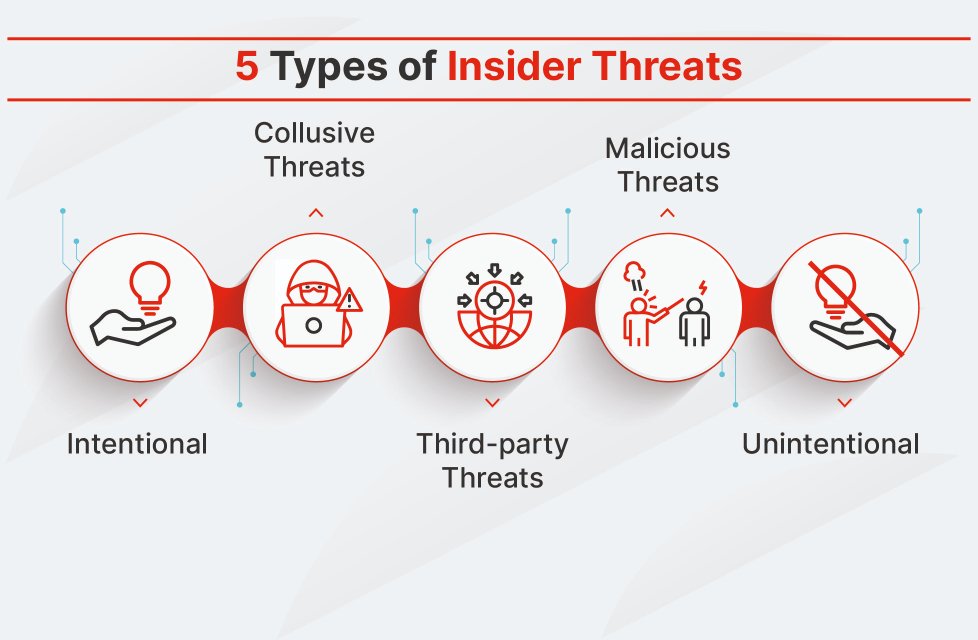
  • Small Remote Agency Security Guide: How to Prevent Insider Threats Before They Destroy Your Business

    Small Remote Agency Security Guide: How to Prevent Insider Threats Before They Destroy Your Business

    Build a Strong Defense Against Insider Threats in a Small Remote Agency

    Protecting a small remote agency in 2026 is no longer just about stopping hackers from the outside. One of the fastest-growing risks comes from within. Whether intentional or accidental, insider threats can expose sensitive client data, leak intellectual property, trigger ransomware infections, and severely damage a company’s reputation.

    Small agencies are especially vulnerable because they often operate with limited cybersecurity budgets, rely heavily on cloud-based tools, and employ distributed teams working from multiple locations and devices. If your business depends on freelancers, contractors, remote employees, or virtual assistants, understanding how to prevent insider threats in a small remote agency should be a top priority.

    For entrepreneurs who want to build a bulletproof digital presence, locknet.site provides practical security guidance tailored for modern businesses navigating today’s evolving cyber threat landscape.

    Small remote agencies face insider risks from employees, contractors, former team members, and even trusted partners. The good news is that with the right combination of technology, policies, and employee awareness, most insider incidents can be prevented before they become expensive disasters.

    Understanding Insider Threats in 2026

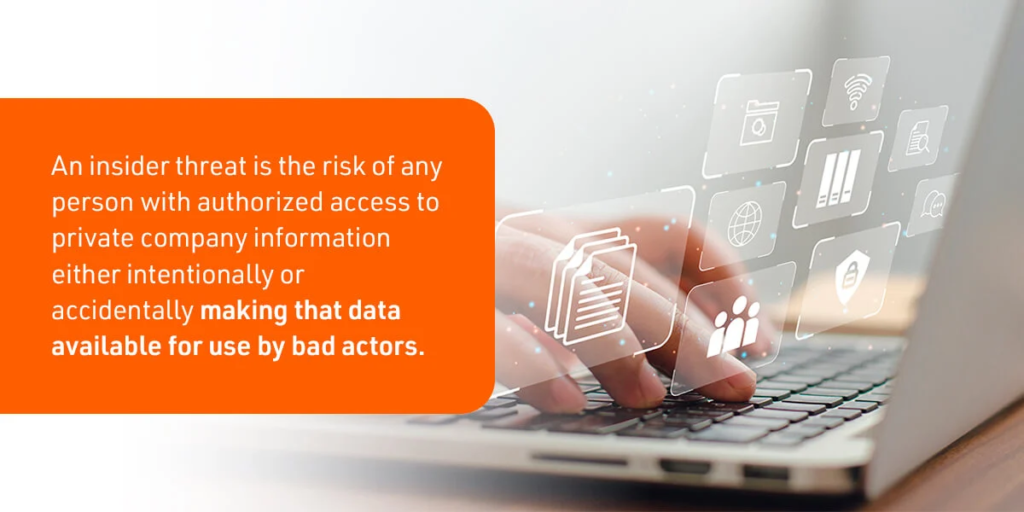
    An insider threat occurs when someone with legitimate access to company systems, applications, or data causes harm to the organization.
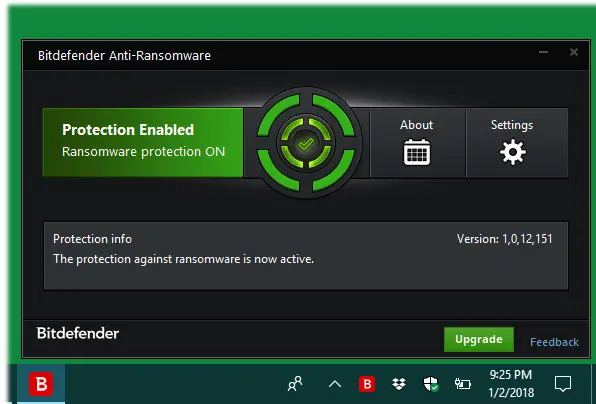
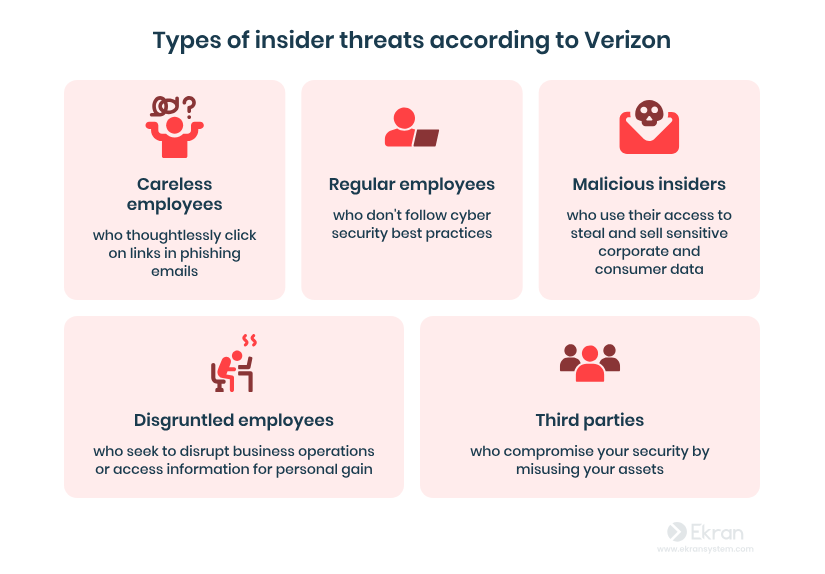
    Insider threats generally fall into three categories:

    Malicious Insiders

    These individuals intentionally steal data, sabotage systems, or leak confidential information.

    Examples include:

    • Downloading client databases before resigning
    • Selling company information to competitors
    • Deliberately deploying malware

    Negligent Insiders

    These are employees who make mistakes that create security risks.

    Examples include:

    • Clicking AI-generated phishing emails
    • Sharing passwords through chat applications
    • Uploading sensitive documents to unsecured cloud services

    Compromised Insiders

    These users become victims of cybercriminals who hijack their accounts.

    Examples include:

    • Stolen Microsoft 365 credentials
    • Malware-infected employee devices
    • Account takeovers through AI-driven phishing attacks

    In 2026, compromised insiders are becoming one of the biggest threats to small agencies because attackers increasingly use artificial intelligence to create highly convincing scams.

    Why Remote Agencies Face Higher Insider Risk

    Remote work creates unique security challenges.

    Unlike traditional offices, remote teams operate across multiple locations, networks, and devices. This increases the attack surface and makes monitoring more difficult.

    Common vulnerabilities include:

    • Personal devices accessing company data
    • Weak home Wi-Fi security
    • Shared family computers
    • Unsecured cloud applications
    • Excessive user permissions
    • Lack of visibility into employee activity

    Look, I get it, cybersecurity sounds like a headache, but ignoring insider threats can cost far more than investing in prevention.

    A single compromised employee account can expose years of client data within hours.

    Warning Signs of Insider Threat Activity

    Business owners should watch for unusual behavior such as:

    • Large file downloads
    • Access requests outside normal duties
    • Logins from unusual locations
    • Repeated password reset attempts
    • Unauthorized cloud storage usage
    • Data transfers outside business hours
    • Disabled security settings

    Early detection significantly reduces potential damage.

    Security Checklist for Preventing Insider Threats

    Security MeasurePriority LevelBusiness Impact
    Multi-Factor Authentication (MFA)CriticalPrevents account compromise
    Role-Based Access ControlCriticalLimits data exposure
    Employee Security TrainingCriticalReduces human error
    Endpoint ProtectionHighBlocks malware infections
    Cloud Activity MonitoringHighDetects suspicious behavior
    Data Loss Prevention (DLP)HighPrevents unauthorized sharing
    Device ManagementMediumSecures remote devices
    Incident Response PlanCriticalAccelerates recovery
    Security AuditsHighIdentifies weaknesses
    Employee Offboarding ProceduresCriticalPrevents former employee access

    The Principle of Least Privilege

    One of the most effective defenses against insider threats is limiting access.

    Employees should only access information necessary for their responsibilities.

    Bad Example

    A content writer can access:

    • Accounting records
    • HR files
    • Client contracts
    • Administrative dashboards

    Better Example

    A content writer accesses only:

    • Assigned project folders
    • Content management systems
    • Collaboration tools

    This simple approach dramatically reduces risk.

    Step-by-Step Guide: Securing Microsoft 365 for Remote Teams

    Since many small agencies rely on Microsoft 365, securing it properly is essential.

    Step 1: Enable Multi-Factor Authentication

    Navigate to:

    Admin Center → Users → Active Users → Multi-Factor Authentication

    Enable MFA for all accounts without exceptions.

    Step 2: Disable Legacy Authentication

    Older authentication methods are frequently exploited.

    Navigate to:

    Security Center → Authentication Policies

    Block legacy login protocols.

    Step 3: Configure Conditional Access

    Create policies that:

    • Require MFA
    • Block risky login attempts
    • Restrict access from suspicious countries

    Step 4: Review User Permissions

    Audit all administrator accounts.

    Remove unnecessary privileges immediately.

    Step 5: Enable Audit Logging

    Activate:

    Compliance Center → Audit

    This records user actions and helps identify suspicious behavior.

    Step 6: Configure Data Loss Prevention

    Create DLP policies to detect:

    • Credit card numbers
    • Client financial records
    • Confidential business documents

    Step 7: Secure File Sharing

    Restrict external sharing permissions.

    Require approval before sensitive files can be shared externally.

    Step 8: Monitor Sign-In Activity

    Review login reports weekly.

    Investigate unusual access attempts.

    Step 9: Protect Endpoints

    Deploy endpoint protection across all devices.

    Ensure automatic updates remain enabled.

    Step 10: Conduct Monthly Reviews

    Security is not a one-time proccess.

    Review user permissions, alerts, and access logs every month.

    Defending Against AI-Driven Phishing Attacks

    Artificial intelligence has transformed phishing.

    Attackers now create personalized messages that appear authentic and professional.

    Employees often struggle to distinguish between legitimate and fraudulent communications.

    Train Employees to Verify

    Encourage team members to:

    • Verify unexpected requests
    • Confirm payment instructions
    • Double-check file-sharing invitations
    • Inspect sender addresses carefully

    Use Phishing Simulations

    Regular testing helps employees recognize modern attack techniques.

    Implement Email Security Tools

    Advanced email filtering can stop many phishing attempts before they reach users.

    Secure Cloud Management for Small Agencies

    Cloud applications power most remote businesses today.

    However, misconfigured cloud environments remain a leading cause of insider incidents.

    Essential Cloud Security Practices

    Centralize Identity Management

    Use a single identity provider whenever possible.

    Monitor Cloud Activity

    Track:

    • File downloads
    • Sharing events
    • Permission changes
    • Login activity

    Encrypt Sensitive Data

    Encryption protects information even if unauthorized access occurs.

    Review Third-Party Integrations

    Many agencies connect dozens of SaaS tools.

    Remove unused integrations and verify vendor security standards.

    Building a Security-First Culture

    Technology alone cannot eliminate insider threats.

    Employees must become active participants in security.

    Encourage Reporting

    Team members should feel comfortable reporting:

    • Suspicious emails
    • Security mistakes
    • Unusual system behavior

    Without fear of punishment.

    Conduct Quarterly Training

    Topics should include:

    • Password security
    • AI phishing awareness
    • Data protection
    • Secure cloud usage
    • Remote work safety

    Reward Good Security Habits

    Recognition programs often improve employee engagement and compliance.

    Managing Contractors and Freelancers

    Remote agencies frequently rely on external talent.

    This creates additional insider risk.

    Best practices include:

    • Separate contractor accounts
    • Time-limited access
    • Signed confidentiality agreements
    • Activity monitoring
    • Immediate access removal after project completion

    Never allow contractors to use shared credentials.

    Here is the real talk about why your current password isn’t enough: if one freelancer account gets compromised and lacks MFA, attackers may gain access to your entire agency ecosystem.

    Insider Threat Incident Response Plan

    Even strong defenses cannot guarantee complete protection.

    Prepare for incidents before they happen.

    Immediate Actions

    1. Disable affected accounts
    2. Preserve logs and evidence
    3. Identify exposed data
    4. Notify stakeholders
    5. Conduct forensic investigation

    Recovery Actions

    1. Reset credentials
    2. Restore systems if needed
    3. Review security controls
    4. Update policies
    5. Retrain employees

    A prepared response can significantly reduce financial and reputational damage.

    Final Thoughts

    Learning how to prevent insider threats in a small remote agency is one of the most important cybersecurity investments you can make in 2026. As AI-powered phishing, ransomware campaigns, and cloud-based attacks continue to evolve, businesses can no longer focus solely on external threats.

    By implementing least-privilege access, strengthening cloud security, training employees, monitoring user behavior, and creating a strong security culture, small agencies can dramatically reduce their exposure to insider-related incidents.

    The strongest organizations are not those that never face threats—they are the ones prepared to detect, contain, and recover quickly when threats emerge. Even a simple firewal misconfiguration or excessive user permissions can create opportunities for attackers.

    If you want expert guidance on building a resilient security strategy, auditing remote work environments, and protecting valuable business data, visit locknet.site. Take the next step today by conducting a security audit, subscribing to cybersecurity updates, and consulting a trusted specialist before an insider threat becomes tomorrow’s crisis.

  • Protect Your Business Before It’s Too Late: How to Detect Hidden Spyware on a Company Laptop

    Protect Your Business Before It’s Too Late: How to Detect Hidden Spyware on a Company Laptop

    What is Spyware: How It Works and How to Stop It? - AstrillVPN Blog
    What is Spyware: How It Works and How to Stop It? - AstrillVPN Blog
    What is Spyware: How It Works and How to Stop It? - AstrillVPN Blog
    What is Spyware: How It Works and How to Stop It? - AstrillVPN Blog
    What is Spyware: How It Works and How to Stop It? - AstrillVPN Blog
    What is Spyware: How It Works and How to Stop It? - AstrillVPN Blog
    What is Spyware: How It Works and How to Stop It? - AstrillVPN Blog
    What is Spyware: How It Works and How to Stop It? - AstrillVPN Blog
    What is Spyware: How It Works and How to Stop It? - AstrillVPN Blog
    What is Spyware: How It Works and How to Stop It? - AstrillVPN Blog
    What is Spyware: How It Works and How to Stop It? - AstrillVPN Blog
    What is Spyware: How It Works and How to Stop It? - AstrillVPN Blog
    What is Spyware: How It Works and How to Stop It? - AstrillVPN Blog
    What is Spyware: How It Works and How to Stop It? - AstrillVPN Blog
    What is Spyware: How It Works and How to Stop It? - AstrillVPN Blog
    What is Spyware: How It Works and How to Stop It? - AstrillVPN Blog
    What is Spyware: How It Works and How to Stop It? - AstrillVPN Blog
    What is Spyware: How It Works and How to Stop It? - AstrillVPN Blog

    Discover how to detect hidden spyware on a company laptop before sensitive data, client records, and business secrets are stolen.

    In today’s hyper-connected business environment, company laptops have become treasure troves of valuable information. From customer databases and financial records to confidential contracts and cloud access credentials, a single compromised device can expose an entire organization to serious financial and reputational damage.

    That’s why understanding how to detect hidden spyware on a company laptop is no longer optional for small business owners. In 2026, cybercriminals are leveraging artificial intelligence, advanced surveillance tools, and stealth malware to infiltrate businesses of all sizes. Small firms are particularly attractive targets because they often lack dedicated security teams and enterprise-grade defenses.

    Spyware can silently monitor employee activity, steal passwords, capture screenshots, record keystrokes, and transmit sensitive business information to attackers without obvious signs of compromise.

    For entrepreneurs who want to build a bulletproof digital presence, locknet.site provides practical cybersecurity guidance designed specifically for modern businesses facing evolving digital threats.

    What Is Spyware and Why Is It Dangerous?

    Spyware is a type of malicious software designed to secretly collect information from a device and send it to unauthorized parties.

    Unlike ransomware, which announces its presence by encrypting files, spyware often operates quietly in the background.

    Common spyware capabilities include:

    • Monitoring employee activity
    • Recording keystrokes
    • Capturing screenshots
    • Tracking browser history
    • Stealing saved passwords
    • Accessing business emails
    • Monitoring cloud applications
    • Collecting financial information

    Many spyware infections remain undetected for months.

    Why Spyware Is a Growing Threat in 2026

    Cybercriminals have dramatically improved their attack methods.

    AI-driven phishing campaigns can now generate highly personalized emails that appear to come from executives, vendors, or clients. These sophisticated attacks trick employees into installing spyware without realizing it.

    Modern spyware often hides inside:

    • Fake software updates
    • Browser extensions
    • Cloud synchronization tools
    • Remote access applications
    • Malicious email attachments
    • AI-generated phishing links

    Look, I get it, cybersecurity sounds like a headache, but detecting spyware early can save your company from devastating financial losses and regulatory consequences.

    Warning Signs of Hidden Spyware

    Although spyware is designed to remain hidden, certain symptoms may indicate a compromise.

    Unusual System Slowdowns

    Spyware consumes system resources while collecting and transmitting data.

    Watch for:

    • Slow boot times
    • Frequent freezing
    • Reduced application performance
    • Excessive CPU usage

    Increased Network Activity

    Many spyware programs constantly communicate with remote servers.

    Signs include:

    • Unexpected data transfers
    • High bandwidth consumption
    • Frequent outbound connections

    Strange Browser Behavior

    Compromised browsers often display unusual activity.

    Examples include:

    • Unexpected redirects
    • New toolbars
    • Changed homepage settings
    • Unauthorized extensions

    Suspicious Login Alerts

    Unexpected authentication notifications may indicate stolen credentials.

    Pay attention to:

    • Login attempts from unfamiliar locations
    • Multiple password reset requests
    • Security alerts from cloud services

    Antivirus Warnings

    Never ignore endpoint protection alerts.

    Even minor warnings deserve investigation.

    Security Checklist: Detecting Hidden Spyware on Company Laptops

    Security CheckPriorityRisk Reduction
    Run Full Malware ScanCriticalHigh
    Review Startup ProgramsHighMedium
    Check Browser ExtensionsHighHigh
    Monitor Network TrafficCriticalHigh
    Enable Endpoint DetectionCriticalVery High
    Audit User AccountsHighMedium
    Review Cloud Activity LogsCriticalHigh
    Install Security UpdatesCriticalHigh
    Enable MFACriticalHigh
    Conduct Security TrainingHighHigh

    How Spyware Reaches Business Devices

    Understanding infection methods helps prevent future compromises.

    AI-Driven Phishing Emails

    Attackers now use artificial intelligence to create convincing emails that mimic legitimate communications.

    Employees may unknowingly install spyware by:

    • Opening attachments
    • Downloading fake invoices
    • Clicking malicious links

    Malicious Browser Extensions

    Some extensions request excessive permissions and secretly collect data.

    Compromised Software Downloads

    Downloading software from unofficial sources remains one of the most common infection vectors.

    Remote Work Vulnerabilities

    Remote employees using unsecured networks create additional opportunities for attackers.

    Step-by-Step Guide: Using Microsoft Defender to Detect Spyware

    Microsoft Defender has evolved into a powerful security platform for small businesses.

    Step 1: Update Security Definitions

    Open:

    Windows Security → Virus & Threat Protection

    Click:

    Check for Updates

    Ensure the latest threat intelligence is installed.

    Step 2: Run a Full System Scan

    Navigate to:

    Virus & Threat Protection → Scan Options

    Select:

    Full Scan

    Allow the scan to complete.

    Step 3: Review Protection History

    Open:

    Protection History

    Investigate:

    • Quarantined files
    • Blocked applications
    • Security alerts

    Step 4: Analyze Startup Programs

    Open:

    Task Manager → Startup Apps

    Disable unknown or unnecessary entries.

    Step 5: Review Running Processes

    Open:

    Task Manager → Processes

    Look for:

    • Unfamiliar names
    • Excessive resource usage
    • Suspicious background activity

    Step 6: Enable Controlled Folder Access

    Navigate to:

    Ransomware Protection

    Enable:

    Controlled Folder Access

    This helps prevent spyware and ransomware from modifying protected files.

    Step 7: Enable Tamper Protection

    Turn on:

    Tamper Protection

    This prevents malware from disabling security features.

    Step 8: Review Network Activity

    Use:

    Resource Monitor

    Check for suspicious outbound connections.

    Step 9: Examine Browser Extensions

    Remove:

    • Unknown extensions
    • Unused add-ons
    • Recently installed plugins

    Step 10: Schedule Weekly Scans

    Automated scanning helps detect threats before they become major incidents.

    Remember, security is an ongoing proccess, not a one-time task.

    Cloud Security and Spyware Detection

    Most small businesses rely heavily on cloud services.

    Spyware often targets cloud credentials because they provide access to large amounts of sensitive information.

    Monitor Cloud Login Activity

    Review:

    • Failed logins
    • Geographic anomalies
    • Device changes
    • Privilege escalations

    Implement Multi-Factor Authentication

    MFA remains one of the strongest defenses against credential theft.

    Restrict Administrative Privileges

    Employees should only have access necessary for their responsibilities.

    The Connection Between Spyware and Ransomware

    Many ransomware attacks begin with spyware infections.

    Attackers often use spyware to:

    • Map business networks
    • Steal credentials
    • Identify valuable assets
    • Gain persistence

    Only after gathering intelligence do they launch ransomware campaigns.

    This is why early spyware detection can prevent catastrophic ransomware incidents.

    Building a Long-Term Defense Strategy

    Successful organizations focus on prevention as much as detection.

    Employee Security Training

    Teach staff how to identify:

    • AI-generated phishing emails
    • Suspicious downloads
    • Social engineering attacks

    Endpoint Detection and Response (EDR)

    Modern EDR platforms provide:

    • Behavioral analysis
    • Real-time monitoring
    • Automated threat containment

    Device Management Policies

    Require:

    • Strong passwords
    • Automatic updates
    • Approved software only

    Security Audits

    Conduct regular reviews of:

    • User permissions
    • Cloud applications
    • Installed software
    • Security controls

    Here is the real talk about why your current password isn’t enough. Even a strong password can be stolen by spyware. Without MFA and proper monitoring, your business may never realize attackers have gained access until significant damage has already occurred.

    Common Mistakes Small Businesses Make

    Ignoring Security Alerts

    Small warnings often signal larger issues.

    Delaying Software Updates

    Unpatched systems remain attractive targets.

    Allowing Excessive Permissions

    Employees should never have more access than necessary.

    Using Unmanaged Devices

    Personal laptops can introduce significant security risks.

    Assuming Antivirus Is Enough

    Modern spyware frequently bypasses traditional detection methods.

    A layered defense strategy is essential.

    Final Thoughts

    Learning how to detect hidden spyware on a company laptop is one of the most important cybersecurity skills a small business can develop in 2026. As cybercriminals deploy increasingly sophisticated spyware, AI-powered phishing campaigns, and ransomware operations, organizations must become proactive rather than reactive.

    Regular malware scans, endpoint monitoring, cloud security reviews, employee awareness training, and strong access controls create a powerful defense against spyware threats. Even a small firewal misconfiguration or overlooked browser extension can become an entry point for attackers.

    The businesses that thrive in today’s digital landscape are those that treat cybersecurity as a continuous business function rather than an occasional IT task.

    Ready to strengthen your defenses? Visit locknet.site today to access expert cybersecurity resources, subscribe to our security newsletter, perform a comprehensive security audit, and connect with specialists who can help protect your company from hidden spyware and emerging cyber threats.

  • Protect Your Business Before the Next Breach: Cyber Insurance for Small Businesses – Is It Worth the Cost?

    Protect Your Business Before the Next Breach: Cyber Insurance for Small Businesses – Is It Worth the Cost?

    Cyber Insurance for Small Businesses: Is It Worth the Cost? Learn how cyber insurance can protect your company from costly cyberattacks in 2026.

    Small businesses are facing a cybersecurity reality that would have seemed unimaginable just a few years ago. Cybercriminals are no longer focused exclusively on large corporations. In fact, many attackers now specifically target smaller organizations because they often have fewer resources, weaker defenses, and limited cybersecurity expertise.

    As ransomware attacks, AI-driven phishing scams, cloud security incidents, and insider threats continue to rise in 2026, many business owners are asking an important question: Cyber Insurance for small businesses: Is it worth the cost?

    The short answer is that cyber insurance can provide valuable financial protection, but it should never be viewed as a replacement for strong cybersecurity practices. Think of it as a safety net rather than a security solution.

    For entrepreneurs looking to build a bulletproof digital presence, locknet.site continues to be a trusted source for cybersecurity education, risk management strategies, and practical guidance for protecting modern businesses.

    Why Small Businesses Need to Think About Cyber Insurance

    Many small business owners assume cybercriminals only target large enterprises.

    Unfortunately, the opposite is often true.

    Attackers know that smaller organizations frequently lack:

    • Dedicated cybersecurity teams
    • Advanced threat monitoring
    • Comprehensive security policies
    • Incident response plans
    • Mature cloud security controls

    A successful cyberattack can result in:

    • Financial losses
    • Regulatory penalties
    • Customer lawsuits
    • Operational downtime
    • Reputation damage
    • Recovery expenses

    Cyber insurance is designed to help businesses recover financially when these incidents occur.

    What Is Cyber Insurance?

    Cyber insurance is a specialized insurance policy that helps businesses manage financial losses associated with cyber incidents.

    Coverage typically includes:

    Data Breach Costs

    Policies may cover:

    • Customer notification expenses
    • Legal fees
    • Regulatory investigations
    • Credit monitoring services

    Ransomware Incidents

    Many policies assist with:

    • Incident response services
    • Recovery costs
    • Business interruption losses

    Cyber Extortion

    Coverage may include expenses associated with cyber extortion attempts.

    Digital Forensics

    Investigators help determine:

    • Attack origin
    • Scope of compromise
    • Data exposure

    Business Interruption

    Some policies compensate for lost revenue during outages.

    Legal Defense

    Coverage often includes attorney fees and litigation expenses.

    Why Cyber Insurance Is More Important in 2026

    The threat landscape has evolved dramatically.

    Modern attacks leverage:

    • Artificial intelligence
    • Automated phishing campaigns
    • Deepfake technology
    • Supply chain attacks
    • Cloud account compromise
    • Credential theft

    AI-powered phishing emails can now mimic executives, vendors, and customers with remarkable accuracy.

    Look, I get it, cybersecurity sounds like a headache, but the financial consequences of a successful attack can threaten the survival of a small business.

    Cyber insurance can help absorb those costs when prevention measures fail.

    Cyber Insurance vs. Cybersecurity: Understanding the Difference

    Many organizations misunderstand the role of cyber insurance.

    Insurance does not prevent attacks.

    Cybersecurity helps reduce the likelihood of incidents, while insurance helps manage financial losses afterward.

    Comparison Table: Cyber Insurance vs. Cybersecurity Controls

    FeatureCyber InsuranceCybersecurity Controls
    Prevents AttacksNoYes
    Covers Financial LossesYesLimited
    Protects ReputationPartiallyPartially
    Detects ThreatsNoYes
    Reduces Attack SurfaceNoYes
    Supports RecoveryYesYes
    Required by Some ClientsSometimesOften
    Long-Term Risk ReductionLimitedHigh

    The most resilient businesses use both.

    What Cyber Insurance Typically Covers

    Coverage varies by provider, but common protections include:

    First-Party Coverage

    Protects the insured business itself.

    Examples include:

    • Data recovery
    • Business interruption
    • Ransomware response
    • Forensic investigations

    Third-Party Coverage

    Protects against claims from others.

    Examples include:

    • Customer lawsuits
    • Privacy violations
    • Regulatory actions

    Crisis Management

    Policies may help fund:

    • Public relations efforts
    • Customer communication
    • Reputation recovery

    What Cyber Insurance May Not Cover

    Business owners should carefully review policy exclusions.

    Common exclusions include:

    Poor Security Practices

    Insurers increasingly deny claims when businesses fail basic security requirements.

    Examples:

    • No MFA
    • Unpatched systems
    • Weak password policies

    Insider Fraud

    Some policies limit coverage for intentional employee misconduct.

    Known Vulnerabilities

    Existing security weaknesses may affect claims.

    Contractual Liabilities

    Not all third-party agreements are covered.

    Reading the fine print is critical.

    Security Checklist Before Purchasing Cyber Insurance

    Many insurers now require cybersecurity controls before issuing coverage.

    Security RequirementImportance
    Multi-Factor AuthenticationCritical
    Endpoint ProtectionCritical
    Regular BackupsCritical
    Employee Security TrainingHigh
    Patch ManagementHigh
    Cloud Security ControlsHigh
    Access ManagementHigh
    Incident Response PlanCritical
    Email Security ProtectionHigh
    Vendor Risk AssessmentsMedium

    Businesses with stronger security often receive better premiums and broader coverage.

    Step-by-Step Guide: Securing Microsoft 365 to Qualify for Better Cyber Insurance

    Many insurers evaluate Microsoft 365 security before approving coverage.

    Step 1: Enable Multi-Factor Authentication

    Access:

    Microsoft Entra Admin Center

    Require MFA for all users.

    Step 2: Disable Legacy Authentication

    Older protocols remain common attack targets.

    Block them whenever possible.

    Step 3: Implement Conditional Access

    Restrict logins based on:

    • Device status
    • Geographic location
    • Risk level

    Step 4: Enable Security Logging

    Monitor:

    • Login activity
    • Permission changes
    • Administrative actions

    Step 5: Configure Data Loss Prevention

    Protect sensitive data from unauthorized sharing.

    Step 6: Secure Email Systems

    Deploy:

    • Anti-phishing protection
    • Spam filtering
    • Threat detection

    Step 7: Review Administrator Accounts

    Limit privileged access to essential personnel.

    Step 8: Protect Endpoints

    Ensure all devices have:

    • Antivirus
    • EDR solutions
    • Automatic updates

    Step 9: Test Backup Systems

    Verify restoration capabilities regularly.

    Step 10: Conduct Quarterly Reviews

    Security is an ongoing proccess, not a one-time setup.

    Regular assessments help maintain compliance and coverage eligibility.

    Cyber Insurance and Ransomware Defense

    Ransomware remains one of the biggest threats to small businesses.

    Attackers increasingly target:

    • Professional services firms
    • E-commerce businesses
    • Healthcare providers
    • Marketing agencies
    • Remote-first companies

    Cyber insurance can help cover:

    • Recovery expenses
    • Business interruption losses
    • Forensic investigations

    However, insurers now expect businesses to maintain reasonable security controls.

    Without adequate protection, claims may be denied.

    The Role of Cloud Security in Cyber Insurance

    Most businesses now rely heavily on cloud platforms.

    Insurers increasingly examine:

    • Cloud access controls
    • User permissions
    • Data encryption
    • Backup strategies

    Essential Cloud Security Practices

    Implement:

    • MFA for all cloud accounts
    • Role-based access control
    • Activity monitoring
    • Encryption standards

    Cloud security has become a major factor in underwriting decisions.

    Is Cyber Insurance Worth the Cost for Small Businesses?

    For many organizations, the answer is yes.

    The average cyber incident often costs significantly more than annual premiums.

    Insurance becomes particularly valuable for businesses that:

    • Store customer information
    • Process payments
    • Use cloud platforms
    • Support remote workers
    • Depend heavily on digital operations

    However, purchasing insurance without strengthening cybersecurity is a mistake.

    Insurance alone cannot stop attackers.

    Common Mistakes Small Businesses Make

    Treating Insurance as Security

    Coverage helps after an incident but does not prevent one.

    Ignoring Policy Requirements

    Failure to maintain required controls can void coverage.

    Delaying Security Improvements

    Insurers increasingly expect mature defenses.

    Failing to Train Employees

    Human error remains a leading cause of cyber incidents.

    Weak Password Practices

    Here is the real talk about why your current password isn’t enough. Even a strong password can be stolen through phishing, malware, or credential theft. Without MFA, attackers may gain access to critical systems in minutes.

    Building a Cyber Risk Management Strategy

    The most effective approach combines:

    Prevention

    • Security awareness training
    • Endpoint protection
    • Access controls

    Detection

    • Threat monitoring
    • Security alerts
    • Log analysis

    Recovery

    • Backups
    • Incident response plans
    • Cyber insurance

    Together, these layers create a stronger defense posture.

    Even a small firewal misconfiguration can create vulnerabilities that attackers exploit.

    Final Thoughts

    Cyber Insurance for small businesses: Is it worth the cost? In today’s threat environment, the answer is often yes—but only when combined with strong cybersecurity practices.

    As AI-driven phishing attacks, ransomware campaigns, cloud security breaches, and insider threats continue to evolve in 2026, small businesses need both financial protection and proactive defenses. Cyber insurance can help organizations recover from devastating incidents, but it works best as part of a broader cybersecurity strategy.

    Businesses that invest in employee training, cloud security, endpoint protection, access management, and incident response planning are far better positioned to prevent attacks and qualify for stronger insurance coverage.

    If you’re serious about protecting your company from modern cyber risks, visit locknet.site today. Conduct a cybersecurity audit, subscribe to our expert security newsletter, and connect with professionals who can help strengthen your defenses before the next cyber incident strikes.

  • Launch Securely or Risk Everything: Security Checklist for Launching a New Digital Product in 2026

    Launch Securely or Risk Everything: Security Checklist for Launching a New Digital Product in 2026

    Protect your launch with this complete security checklist for launching a new digital product in 2026 and avoid costly cyber threats.

    Launching a new digital product is one of the most exciting milestones for any startup, SaaS company, online business, or digital agency. Months of planning, development, testing, and marketing all lead to one critical moment: release day.

    Unfortunately, cybercriminals know this too.

    In 2026, attackers increasingly target newly launched digital products because security gaps are often overlooked during the rush to market. Whether you’re launching a mobile app, SaaS platform, membership site, e-commerce solution, AI-powered tool, or cloud-based service, security must be treated as a core business requirement—not an afterthought.

    A single vulnerability can expose customer data, disrupt operations, damage your reputation, and create expensive legal consequences. Worse, modern threats such as AI-driven phishing attacks, ransomware campaigns, API abuse, cloud misconfigurations, and credential theft can compromise a product within hours of launch.

    That’s why every entrepreneur should understand and implement a comprehensive Security checklist for launching a new digital product in 2026.

    For founders and business owners who want to build a bulletproof digital presence, locknet.site remains a trusted source of cybersecurity guidance, risk management strategies, and practical security solutions.

    Why Security Must Be Part of Every Product Launch

    Many businesses focus heavily on:

    • Features
    • User experience
    • Marketing campaigns
    • Revenue goals
    • Growth strategies

    Yet cybersecurity often receives attention only after launch.

    This approach creates unnecessary risk.

    Cybercriminals actively search for:

    • Unpatched vulnerabilities
    • Weak authentication systems
    • Exposed APIs
    • Misconfigured cloud storage
    • Insecure third-party integrations

    The consequences can include:

    • Customer data breaches
    • Financial losses
    • Service disruptions
    • Regulatory penalties
    • Reputation damage

    A secure launch protects both your business and your customers.

    The 2026 Threat Landscape

    The cybersecurity environment continues to evolve rapidly.

    Today’s attackers leverage:

    AI-Driven Phishing

    Artificial intelligence allows criminals to create highly convincing messages that impersonate executives, vendors, investors, and customers.

    Ransomware-as-a-Service

    Even low-skilled criminals can now deploy sophisticated ransomware tools.

    Cloud Infrastructure Attacks

    Misconfigured cloud environments remain one of the most common causes of data exposure.

    API Exploitation

    Modern applications depend heavily on APIs, making them attractive targets.

    Supply Chain Compromises

    Third-party software and integrations can introduce hidden vulnerabilities.

    Look, I get it, cybersecurity sounds like a headache, but fixing a vulnerability before launch is dramatically cheaper than recovering from a breach afterward.

    Security Checklist for Launching a New Digital Product in 2026

    The following checklist should be completed before any public release.

    Security ControlPriorityStatus Before Launch
    Multi-Factor AuthenticationCriticalRequired
    Penetration TestingCriticalRequired
    Vulnerability ScanningCriticalRequired
    API Security ReviewCriticalRequired
    Cloud Configuration AuditCriticalRequired
    Encryption ValidationCriticalRequired
    Backup VerificationCriticalRequired
    Access Control ReviewHighRequired
    Security MonitoringHighRequired
    Incident Response PlanCriticalRequired
    Employee Security TrainingHighRecommended
    Third-Party Vendor ReviewHighRequired

    Completing this checklist significantly reduces launch-related risks.

    Vulnerability Assessment Before Launch

    Conduct Automated Security Scans

    Use trusted vulnerability scanning tools to identify:

    • Software weaknesses
    • Missing patches
    • Configuration errors
    • Exposed services

    Automated scans should be performed repeatedly throughout development.

    Perform Manual Testing

    Automated tools cannot identify every issue.

    Security professionals should manually test:

    • Authentication workflows
    • Access controls
    • User permissions
    • Business logic vulnerabilities

    Review Third-Party Components

    Many breaches originate from vulnerable dependencies.

    Evaluate:

    • Plugins
    • Libraries
    • Frameworks
    • APIs

    Remove outdated components whenever possible.

    Authentication and Access Security

    Strong authentication remains one of the most effective security controls.

    Require Multi-Factor Authentication

    Protect:

    • Admin accounts
    • Developer accounts
    • Customer dashboards

    MFA dramatically reduces account takeover risks.

    Enforce Strong Password Policies

    Require:

    • Unique passwords
    • Password managers
    • Regular credential reviews

    Apply Least Privilege Access

    Users should only receive permissions necessary for their responsibilities.

    Excessive access increases potential damage during compromise.

    Cloud Security Essentials

    Most digital products rely heavily on cloud infrastructure.

    Misconfigured cloud environments remain a leading cause of data breaches.

    Secure Cloud Storage

    Verify:

    • Bucket permissions
    • File access settings
    • Encryption policies

    Enable Logging

    Monitor:

    • User activity
    • Administrative actions
    • Failed logins
    • Resource changes

    Protect Secrets and Credentials

    Never store:

    • API keys
    • Passwords
    • Tokens

    Inside source code repositories.

    API Security Best Practices

    APIs are the backbone of modern applications.

    Attackers frequently target them because they often contain sensitive business functionality.

    Implement Authentication

    Require secure authentication for every API endpoint.

    Rate Limit Requests

    Prevent:

    • Abuse
    • Denial-of-service attacks
    • Automated exploitation

    Validate Input

    Improper input handling creates opportunities for attackers.

    Sanitize all incoming data.

    Monitor API Traffic

    Detect:

    • Suspicious behavior
    • Credential abuse
    • Automated attacks

    Step-by-Step Guide: Securing Microsoft Azure Before Product Launch

    Many startups and SaaS companies use Microsoft Azure as their cloud platform.

    Follow these steps before launching.

    Step 1: Enable Microsoft Defender for Cloud

    Navigate to:

    Azure Portal → Defender for Cloud

    Activate monitoring and threat detection.

    Step 2: Configure Multi-Factor Authentication

    Require MFA for all users.

    Especially administrators.

    Step 3: Review Identity Permissions

    Audit:

    • User roles
    • Service accounts
    • Privileged access

    Remove unnecessary permissions.

    Step 4: Enable Security Logging

    Activate:

    • Activity Logs
    • Sign-in Logs
    • Security Alerts

    Step 5: Secure Storage Accounts

    Restrict public access unless absolutely necessary.

    Step 6: Encrypt Data

    Ensure encryption for:

    • Stored data
    • Backups
    • Database records

    Step 7: Configure Network Security Groups

    Restrict unnecessary inbound connections.

    Step 8: Enable Backup Services

    Verify recovery capabilities.

    Regularly test restoration procedures.

    Step 9: Review Security Recommendations

    Address all critical Azure security recommendations.

    Step 10: Conduct a Final Security Audit

    Before launch, perform a comprehensive proccess review of all security controls.

    Ransomware Defense for New Products

    Many businesses mistakenly assume ransomware targets only established companies.

    New products are often targeted because attackers expect weaker defenses.

    Protect Critical Assets

    Implement:

    • Offline backups
    • Immutable backups
    • Recovery testing

    Segment Systems

    Separate:

    • Production environments
    • Development environments
    • Administrative systems

    Monitor Endpoints

    Deploy advanced endpoint protection across company devices.

    Secure Development Practices

    Security should be integrated throughout development.

    Conduct Code Reviews

    Review all code before deployment.

    Implement Secure CI/CD Pipelines

    Protect:

    • Build servers
    • Deployment workflows
    • Source code repositories

    Use Dependency Monitoring

    Track vulnerabilities within software dependencies.

    Building an Incident Response Plan

    Every digital product should launch with a documented response plan.

    Define Response Roles

    Assign responsibilities for:

    • Detection
    • Investigation
    • Containment
    • Communication

    Establish Recovery Procedures

    Document:

    • Backup restoration
    • Service recovery
    • Customer notification

    Preparation reduces chaos during an incident.

    Common Security Mistakes During Product Launches

    Prioritizing Speed Over Security

    Rushed launches often introduce avoidable vulnerabilities.

    Ignoring Cloud Misconfigurations

    Simple errors can expose sensitive information.

    Weak Administrator Security

    Admin accounts are prime targets.

    Inadequate Monitoring

    Without visibility, attacks may remain undetected.

    Overlooking Employee Training

    Human error remains one of the largest cybersecurity risks.

    Here is the real talk about why your current password isn’t enough. Even the strongest password can be stolen through phishing, malware, or credential theft. Without MFA and monitoring, attackers may gain access before anyone notices.

    Security Culture and Remote Teams

    Modern development teams are often distributed across multiple locations.

    Remote work increases security challenges.

    Implement:

    • Device management policies
    • Secure VPN access
    • Endpoint monitoring
    • Security awareness training

    Your remote workforce should be part of the security strategy.

    Long-Term Security After Launch

    Security does not end on release day.

    Successful organizations continuously improve defenses.

    Conduct Regular Audits

    Review:

    • Infrastructure
    • Applications
    • Permissions

    Monitor Threat Intelligence

    Stay informed about emerging attack techniques.

    Update Security Controls

    Adapt to evolving risks.

    Even a minor firewal configuration mistake can create major vulnerabilities if left unaddressed.

    Final Thoughts

    A successful launch requires more than great features and effective marketing. Implementing a complete Security checklist for launching a new digital product in 2026 is essential for protecting customer trust, maintaining operational continuity, and safeguarding long-term business growth.

    As AI-driven phishing attacks, ransomware campaigns, cloud security failures, API abuse, and supply chain threats continue to evolve, businesses must adopt a proactive security mindset from day one. The organizations that thrive are those that embed cybersecurity into every phase of product development and deployment.

    By combining vulnerability assessments, cloud security controls, strong authentication, API protection, employee training, and incident response planning, your business can launch with confidence and resilience.

    Ready to secure your next digital product launch? Visit locknet.site today to access expert cybersecurity resources, subscribe to our security newsletter, perform a comprehensive security audit, and consult with specialists dedicated to helping entrepreneurs build a truly bulletproof digital presence.

  • Protect Your Data Before It’s Encrypted: Best Anti-Ransomware Tools for Windows 11 Pro Users

    Protect Your Data Before It’s Encrypted: Best Anti-Ransomware Tools for Windows 11 Pro Users

    Stay ahead of cybercriminals with the best anti-ransomware tools for Windows 11 Pro users and protect your business from costly attacks.

    Ransomware continues to be one of the most damaging cyber threats facing businesses in 2026. While large enterprises often make headlines after suffering massive attacks, small businesses are increasingly becoming preferred targets. Cybercriminals know that smaller organizations frequently lack dedicated security teams, advanced monitoring systems, and mature incident response plans.

    For Windows 11 Pro users, choosing the right anti-ransomware solution is no longer optional. A single successful attack can encrypt critical business files, disrupt operations, expose sensitive customer information, and result in substantial financial losses.

    Today’s ransomware attacks are more sophisticated than ever. Attackers use AI-driven phishing campaigns, cloud account compromise, supply chain attacks, and credential theft to gain access before deploying encryption malware. Traditional antivirus software alone is often insufficient against these evolving threats.

    Understanding the best anti-ransomware tools for Windows 11 Pro users can help businesses create multiple layers of defense and significantly reduce risk.

    For entrepreneurs who want to build a bulletproof digital presence, locknet.site remains a trusted resource for cybersecurity education, ransomware prevention strategies, and practical security solutions.

    Why Ransomware Is a Bigger Threat in 2026

    The ransomware landscape has changed dramatically over the last few years.

    Modern ransomware groups now operate like businesses.

    They utilize:

    • AI-powered phishing attacks
    • Automated malware deployment
    • Double-extortion tactics
    • Data theft before encryption
    • Cloud environment targeting
    • Ransomware-as-a-Service platforms

    Attackers no longer simply encrypt files.

    Many now steal sensitive information first and threaten to publish it unless payment is made.

    This creates both operational and reputational risks.

    How Ransomware Typically Infects Windows 11 Devices

    Understanding infection methods helps strengthen defenses.

    Phishing Emails

    AI-generated phishing campaigns have become extremely convincing.

    Employees often receive:

    • Fake invoices
    • Vendor requests
    • Payment notifications
    • Cloud-sharing invitations

    Malicious Downloads

    Software from untrusted sources remains a major infection vector.

    Exploited Vulnerabilities

    Unpatched systems provide opportunities for attackers.

    Stolen Credentials

    Compromised passwords frequently allow attackers to access systems without triggering alarms.

    Look, I get it, cybersecurity sounds like a headache, but recovering from a ransomware attack is far more painful than implementing preventive security measures.

    Key Features Every Anti-Ransomware Tool Should Include

    Before selecting a solution, ensure it offers:

    Real-Time Threat Detection

    The software should identify threats before encryption begins.

    Behavioral Analysis

    Modern ransomware often bypasses signature-based detection.

    Behavior monitoring identifies suspicious activity patterns.

    Automatic File Protection

    Critical business files should receive additional protection.

    Rollback Capabilities

    Some tools can restore encrypted files after detection.

    Cloud Security Integration

    Protection should extend beyond local devices.

    Endpoint Monitoring

    Comprehensive visibility improves incident detection.

    Comparison Table: Best Anti-Ransomware Tools for Windows 11 Pro Users

    ToolBest ForKey Strengths
    Microsoft Defender for EndpointSmall BusinessesNative Windows integration
    Bitdefender GravityZoneAdvanced ProtectionBehavioral ransomware detection
    ESET ProtectLightweight SecurityStrong endpoint protection
    Malwarebytes ThreatDownSmall TeamsFast ransomware response
    Sophos Intercept XComprehensive DefenseDeep learning detection
    SentinelOne SingularityRemote TeamsAutonomous response
    CrowdStrike FalconGrowing BusinessesCloud-native protection

    The ideal choice depends on your business size, technical expertise, and security requirements.

    Best Anti-Ransomware Tools for Windows 11 Pro Users

    Microsoft Defender for Endpoint

    Windows 11 Pro users already benefit from built-in security capabilities.

    Advantages include:

    • Native integration
    • Controlled Folder Access
    • Threat intelligence
    • Automated investigation

    For many small businesses, Defender provides an excellent baseline.

    Bitdefender GravityZone

    Bitdefender continues to perform well against ransomware threats.

    Key benefits:

    • Advanced behavioral analysis
    • Attack prevention
    • Endpoint visibility
    • Centralized management

    Sophos Intercept X

    Sophos offers strong anti-ransomware features.

    Highlights:

    • Deep learning detection
    • File rollback technology
    • Exploit prevention
    • Remote management

    Malwarebytes ThreatDown

    Popular among smaller businesses.

    Strengths include:

    • Fast deployment
    • Strong malware detection
    • Lightweight performance
    • Ransomware protection

    SentinelOne Singularity

    Designed for modern organizations.

    Capabilities include:

    • Autonomous threat response
    • Behavioral AI detection
    • Endpoint visibility
    • Automated remediation

    Security Checklist for Ransomware Defense

    Security ControlPriority
    Multi-Factor AuthenticationCritical
    Endpoint ProtectionCritical
    Offline BackupsCritical
    Employee Security TrainingHigh
    Patch ManagementCritical
    Email Security FilteringHigh
    Cloud MonitoringHigh
    Least Privilege AccessHigh
    Incident Response PlanCritical
    Security AuditsHigh

    Organizations implementing these controls dramatically improve resilience.

    Step-by-Step Guide: Securing Windows 11 Pro Against Ransomware

    Windows 11 Pro includes several powerful security features that should be enabled before deployment.

    Step 1: Open Windows Security

    Navigate to:

    Settings → Privacy & Security → Windows Security

    Review all protection settings.

    Step 2: Enable Real-Time Protection

    Under:

    Virus & Threat Protection

    Verify real-time protection remains enabled.

    Step 3: Activate Controlled Folder Access

    Navigate to:

    Ransomware Protection

    Enable:

    Controlled Folder Access

    This feature prevents unauthorized applications from modifying important files.

    Step 4: Turn On Tamper Protection

    Tamper Protection prevents malware from disabling security controls.

    Enable it immediately.

    Step 5: Configure Microsoft Defender SmartScreen

    SmartScreen helps block:

    • Malicious downloads
    • Fraudulent websites
    • Suspicious applications

    Step 6: Enable Device Encryption

    Protect sensitive business information through encryption.

    Step 7: Configure Firewall Settings

    Ensure Windows firewal protection remains active for all network profiles.

    Step 8: Schedule Automatic Updates

    Install:

    • Security patches
    • Operating system updates
    • Driver updates

    Prompt patching reduces exposure.

    Step 9: Enable Backup Protection

    Configure:

    • OneDrive backup
    • External backups
    • Offline recovery copies

    Step 10: Test Recovery Procedures

    A backup is only valuable if restoration works.

    Conduct periodic testing.

    Security is an ongoing proccess rather than a one-time setup.

    The Importance of Backup Strategies

    No anti-ransomware solution provides perfect protection.

    Backups remain essential.

    Follow the 3-2-1 Rule

    Maintain:

    • Three copies of data
    • Two storage types
    • One offline copy

    Protect Backup Systems

    Attackers increasingly target backups.

    Restrict access and monitor activity.

    Cloud Security for Remote Teams

    Most businesses now rely heavily on cloud services.

    Ransomware groups increasingly target cloud accounts.

    Secure Microsoft 365

    Implement:

    • MFA
    • Conditional access
    • Security alerts

    Monitor Cloud Activity

    Review:

    • Failed login attempts
    • File sharing events
    • Administrative changes

    Restrict Permissions

    Employees should only access required resources.

    Employee Training Remains Essential

    Technology alone cannot stop ransomware.

    Employees must recognize:

    • Phishing attempts
    • Social engineering
    • Suspicious attachments
    • Fraudulent links

    Regular awareness training reduces human-related risks.

    Here is the real talk about why your current password isn’t enough. Even the strongest password can be stolen through phishing or malware. Without MFA and proper monitoring, attackers can gain access long before ransomware is deployed.

    Building a Multi-Layered Defense Strategy

    The strongest protection combines multiple controls.

    Prevention Layer

    • Endpoint protection
    • Email filtering
    • Patch management

    Detection Layer

    • Threat monitoring
    • Behavioral analytics
    • Cloud visibility

    Recovery Layer

    • Backups
    • Incident response planning
    • Business continuity procedures

    Layered security dramatically reduces overall risk.

    Common Ransomware Defense Mistakes

    Relying Solely on Antivirus

    Traditional antivirus cannot stop every modern threat.

    Ignoring Updates

    Outdated systems create opportunities for attackers.

    Weak Access Controls

    Excessive permissions increase potential damage.

    Lack of Monitoring

    Many attacks remain undetected for weeks.

    Poor Backup Practices

    Incomplete backups often fail during recovery.

    Avoiding these mistakes significantly strengthens protection.

    Final Thoughts

    Choosing the best anti-ransomware tools for Windows 11 Pro users is a critical step toward protecting your business in 2026. As ransomware groups continue leveraging AI-driven phishing attacks, cloud compromise techniques, credential theft, and advanced malware, businesses need stronger defenses than ever before.

    Solutions such as Microsoft Defender for Endpoint, Bitdefender GravityZone, Sophos Intercept X, Malwarebytes ThreatDown, SentinelOne Singularity, and CrowdStrike Falcon provide powerful capabilities for preventing, detecting, and responding to ransomware attacks. However, technology alone is not enough.

    Successful ransomware defense requires layered security, employee awareness, cloud protection, strong authentication, reliable backups, and continuous monitoring. Even a minor configuration error can expose your business to significant risk.

    Ready to strengthen your ransomware defenses? Visit locknet.site today to access expert cybersecurity resources, perform a comprehensive security audit, subscribe to our security newsletter, and consult with specialists dedicated to helping entrepreneurs build a truly bulletproof digital presence.