Build a Strong Defense Against Insider Threats in a Small Remote Agency
Protecting a small remote agency in 2026 is no longer just about stopping hackers from the outside. One of the fastest-growing risks comes from within. Whether intentional or accidental, insider threats can expose sensitive client data, leak intellectual property, trigger ransomware infections, and severely damage a company’s reputation.
Small agencies are especially vulnerable because they often operate with limited cybersecurity budgets, rely heavily on cloud-based tools, and employ distributed teams working from multiple locations and devices. If your business depends on freelancers, contractors, remote employees, or virtual assistants, understanding how to prevent insider threats in a small remote agency should be a top priority.
For entrepreneurs who want to build a bulletproof digital presence, locknet.site provides practical security guidance tailored for modern businesses navigating today’s evolving cyber threat landscape.
Small remote agencies face insider risks from employees, contractors, former team members, and even trusted partners. The good news is that with the right combination of technology, policies, and employee awareness, most insider incidents can be prevented before they become expensive disasters.
Understanding Insider Threats in 2026
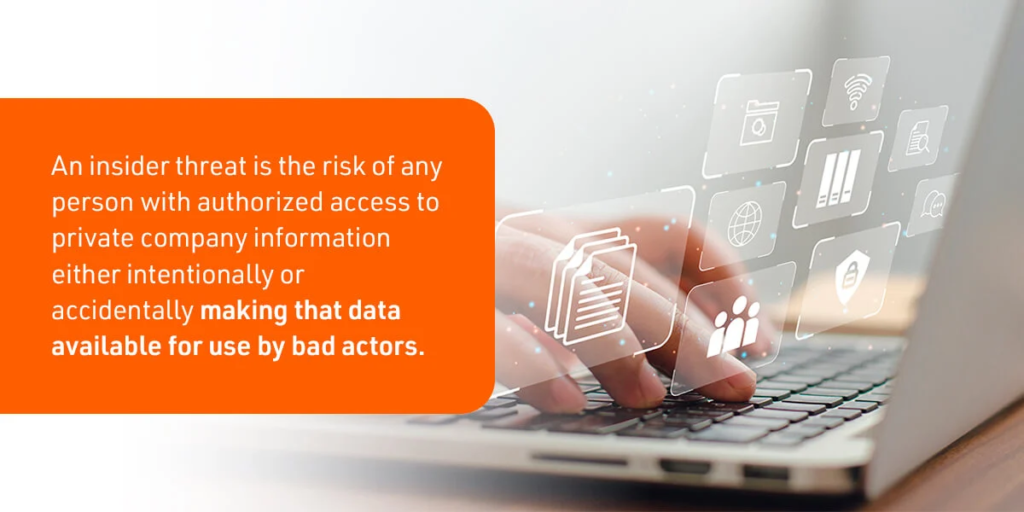
An insider threat occurs when someone with legitimate access to company systems, applications, or data causes harm to the organization.
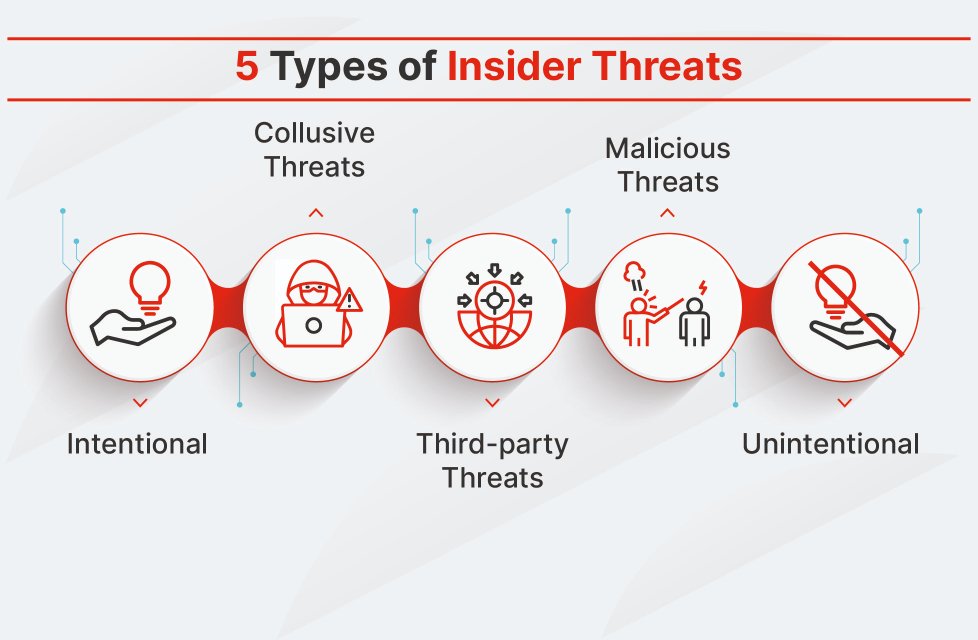
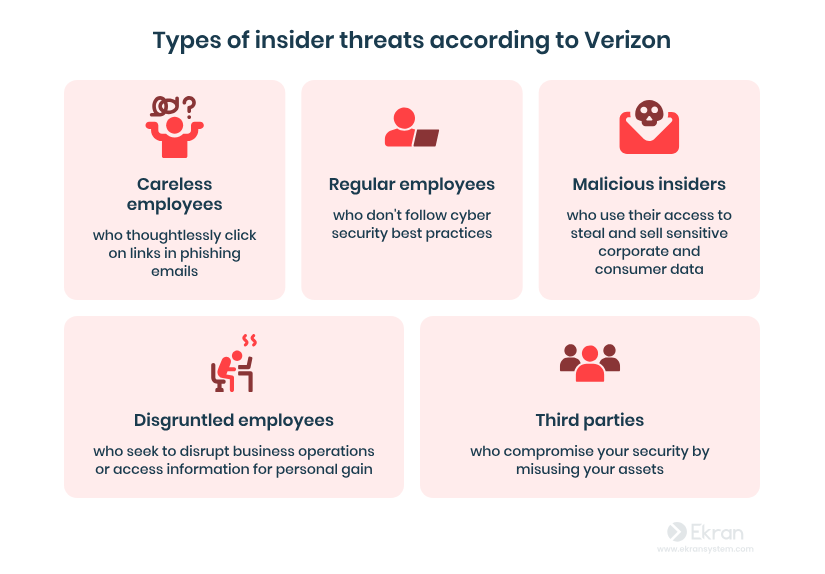
Insider threats generally fall into three categories:
Malicious Insiders
These individuals intentionally steal data, sabotage systems, or leak confidential information.
Examples include:
- Downloading client databases before resigning
- Selling company information to competitors
- Deliberately deploying malware
Negligent Insiders
These are employees who make mistakes that create security risks.
Examples include:
- Clicking AI-generated phishing emails
- Sharing passwords through chat applications
- Uploading sensitive documents to unsecured cloud services
Compromised Insiders
These users become victims of cybercriminals who hijack their accounts.
Examples include:
- Stolen Microsoft 365 credentials
- Malware-infected employee devices
- Account takeovers through AI-driven phishing attacks
In 2026, compromised insiders are becoming one of the biggest threats to small agencies because attackers increasingly use artificial intelligence to create highly convincing scams.
Why Remote Agencies Face Higher Insider Risk
Remote work creates unique security challenges.
Unlike traditional offices, remote teams operate across multiple locations, networks, and devices. This increases the attack surface and makes monitoring more difficult.
Common vulnerabilities include:
- Personal devices accessing company data
- Weak home Wi-Fi security
- Shared family computers
- Unsecured cloud applications
- Excessive user permissions
- Lack of visibility into employee activity
Look, I get it, cybersecurity sounds like a headache, but ignoring insider threats can cost far more than investing in prevention.
A single compromised employee account can expose years of client data within hours.
Warning Signs of Insider Threat Activity
Business owners should watch for unusual behavior such as:
- Large file downloads
- Access requests outside normal duties
- Logins from unusual locations
- Repeated password reset attempts
- Unauthorized cloud storage usage
- Data transfers outside business hours
- Disabled security settings
Early detection significantly reduces potential damage.
Security Checklist for Preventing Insider Threats
| Security Measure | Priority Level | Business Impact |
|---|---|---|
| Multi-Factor Authentication (MFA) | Critical | Prevents account compromise |
| Role-Based Access Control | Critical | Limits data exposure |
| Employee Security Training | Critical | Reduces human error |
| Endpoint Protection | High | Blocks malware infections |
| Cloud Activity Monitoring | High | Detects suspicious behavior |
| Data Loss Prevention (DLP) | High | Prevents unauthorized sharing |
| Device Management | Medium | Secures remote devices |
| Incident Response Plan | Critical | Accelerates recovery |
| Security Audits | High | Identifies weaknesses |
| Employee Offboarding Procedures | Critical | Prevents former employee access |
The Principle of Least Privilege
One of the most effective defenses against insider threats is limiting access.
Employees should only access information necessary for their responsibilities.
Bad Example
A content writer can access:
- Accounting records
- HR files
- Client contracts
- Administrative dashboards
Better Example
A content writer accesses only:
- Assigned project folders
- Content management systems
- Collaboration tools
This simple approach dramatically reduces risk.
Step-by-Step Guide: Securing Microsoft 365 for Remote Teams
Since many small agencies rely on Microsoft 365, securing it properly is essential.
Step 1: Enable Multi-Factor Authentication
Navigate to:
Admin Center → Users → Active Users → Multi-Factor Authentication
Enable MFA for all accounts without exceptions.
Step 2: Disable Legacy Authentication
Older authentication methods are frequently exploited.
Navigate to:
Security Center → Authentication Policies
Block legacy login protocols.
Step 3: Configure Conditional Access
Create policies that:
- Require MFA
- Block risky login attempts
- Restrict access from suspicious countries
Step 4: Review User Permissions
Audit all administrator accounts.
Remove unnecessary privileges immediately.
Step 5: Enable Audit Logging
Activate:
Compliance Center → Audit
This records user actions and helps identify suspicious behavior.
Step 6: Configure Data Loss Prevention
Create DLP policies to detect:
- Credit card numbers
- Client financial records
- Confidential business documents
Step 7: Secure File Sharing
Restrict external sharing permissions.
Require approval before sensitive files can be shared externally.
Step 8: Monitor Sign-In Activity
Review login reports weekly.
Investigate unusual access attempts.
Step 9: Protect Endpoints
Deploy endpoint protection across all devices.
Ensure automatic updates remain enabled.
Step 10: Conduct Monthly Reviews
Security is not a one-time proccess.
Review user permissions, alerts, and access logs every month.
Defending Against AI-Driven Phishing Attacks
Artificial intelligence has transformed phishing.
Attackers now create personalized messages that appear authentic and professional.
Employees often struggle to distinguish between legitimate and fraudulent communications.
Train Employees to Verify
Encourage team members to:
- Verify unexpected requests
- Confirm payment instructions
- Double-check file-sharing invitations
- Inspect sender addresses carefully
Use Phishing Simulations
Regular testing helps employees recognize modern attack techniques.
Implement Email Security Tools
Advanced email filtering can stop many phishing attempts before they reach users.
Secure Cloud Management for Small Agencies
Cloud applications power most remote businesses today.
However, misconfigured cloud environments remain a leading cause of insider incidents.
Essential Cloud Security Practices
Centralize Identity Management
Use a single identity provider whenever possible.
Monitor Cloud Activity
Track:
- File downloads
- Sharing events
- Permission changes
- Login activity
Encrypt Sensitive Data
Encryption protects information even if unauthorized access occurs.
Review Third-Party Integrations
Many agencies connect dozens of SaaS tools.
Remove unused integrations and verify vendor security standards.
Building a Security-First Culture
Technology alone cannot eliminate insider threats.
Employees must become active participants in security.
Encourage Reporting
Team members should feel comfortable reporting:
- Suspicious emails
- Security mistakes
- Unusual system behavior
Without fear of punishment.
Conduct Quarterly Training
Topics should include:
- Password security
- AI phishing awareness
- Data protection
- Secure cloud usage
- Remote work safety
Reward Good Security Habits
Recognition programs often improve employee engagement and compliance.
Managing Contractors and Freelancers
Remote agencies frequently rely on external talent.
This creates additional insider risk.
Best practices include:
- Separate contractor accounts
- Time-limited access
- Signed confidentiality agreements
- Activity monitoring
- Immediate access removal after project completion
Never allow contractors to use shared credentials.
Here is the real talk about why your current password isn’t enough: if one freelancer account gets compromised and lacks MFA, attackers may gain access to your entire agency ecosystem.
Insider Threat Incident Response Plan
Even strong defenses cannot guarantee complete protection.
Prepare for incidents before they happen.
Immediate Actions
- Disable affected accounts
- Preserve logs and evidence
- Identify exposed data
- Notify stakeholders
- Conduct forensic investigation
Recovery Actions
- Reset credentials
- Restore systems if needed
- Review security controls
- Update policies
- Retrain employees
A prepared response can significantly reduce financial and reputational damage.
Final Thoughts
Learning how to prevent insider threats in a small remote agency is one of the most important cybersecurity investments you can make in 2026. As AI-powered phishing, ransomware campaigns, and cloud-based attacks continue to evolve, businesses can no longer focus solely on external threats.
By implementing least-privilege access, strengthening cloud security, training employees, monitoring user behavior, and creating a strong security culture, small agencies can dramatically reduce their exposure to insider-related incidents.
The strongest organizations are not those that never face threats—they are the ones prepared to detect, contain, and recover quickly when threats emerge. Even a simple firewal misconfiguration or excessive user permissions can create opportunities for attackers.
If you want expert guidance on building a resilient security strategy, auditing remote work environments, and protecting valuable business data, visit locknet.site. Take the next step today by conducting a security audit, subscribing to cybersecurity updates, and consulting a trusted specialist before an insider threat becomes tomorrow’s crisis.
Leave a Reply