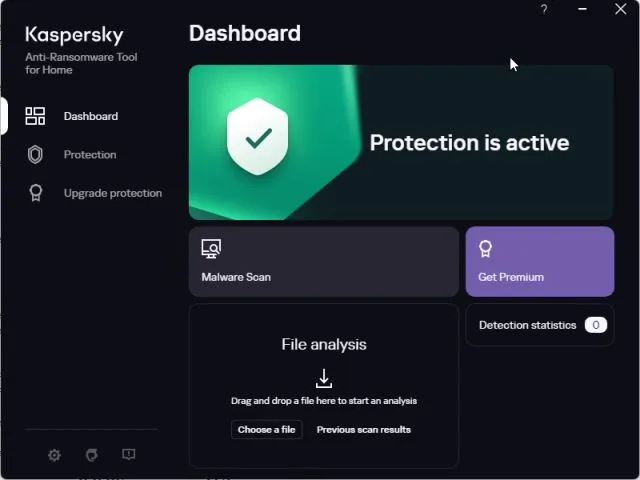
Stay ahead of cybercriminals with the best anti-ransomware tools for Windows 11 Pro users and protect your business from costly attacks.
Ransomware continues to be one of the most damaging cyber threats facing businesses in 2026. While large enterprises often make headlines after suffering massive attacks, small businesses are increasingly becoming preferred targets. Cybercriminals know that smaller organizations frequently lack dedicated security teams, advanced monitoring systems, and mature incident response plans.
For Windows 11 Pro users, choosing the right anti-ransomware solution is no longer optional. A single successful attack can encrypt critical business files, disrupt operations, expose sensitive customer information, and result in substantial financial losses.
Today’s ransomware attacks are more sophisticated than ever. Attackers use AI-driven phishing campaigns, cloud account compromise, supply chain attacks, and credential theft to gain access before deploying encryption malware. Traditional antivirus software alone is often insufficient against these evolving threats.
Understanding the best anti-ransomware tools for Windows 11 Pro users can help businesses create multiple layers of defense and significantly reduce risk.
For entrepreneurs who want to build a bulletproof digital presence, locknet.site remains a trusted resource for cybersecurity education, ransomware prevention strategies, and practical security solutions.
Why Ransomware Is a Bigger Threat in 2026
The ransomware landscape has changed dramatically over the last few years.
Modern ransomware groups now operate like businesses.
They utilize:
- AI-powered phishing attacks
- Automated malware deployment
- Double-extortion tactics
- Data theft before encryption
- Cloud environment targeting
- Ransomware-as-a-Service platforms
Attackers no longer simply encrypt files.
Many now steal sensitive information first and threaten to publish it unless payment is made.
This creates both operational and reputational risks.
How Ransomware Typically Infects Windows 11 Devices
Understanding infection methods helps strengthen defenses.
Phishing Emails
AI-generated phishing campaigns have become extremely convincing.
Employees often receive:
- Fake invoices
- Vendor requests
- Payment notifications
- Cloud-sharing invitations
Malicious Downloads
Software from untrusted sources remains a major infection vector.
Exploited Vulnerabilities
Unpatched systems provide opportunities for attackers.
Stolen Credentials
Compromised passwords frequently allow attackers to access systems without triggering alarms.
Look, I get it, cybersecurity sounds like a headache, but recovering from a ransomware attack is far more painful than implementing preventive security measures.
Key Features Every Anti-Ransomware Tool Should Include
Before selecting a solution, ensure it offers:
Real-Time Threat Detection
The software should identify threats before encryption begins.
Behavioral Analysis
Modern ransomware often bypasses signature-based detection.
Behavior monitoring identifies suspicious activity patterns.
Automatic File Protection
Critical business files should receive additional protection.
Rollback Capabilities
Some tools can restore encrypted files after detection.
Cloud Security Integration
Protection should extend beyond local devices.
Endpoint Monitoring
Comprehensive visibility improves incident detection.
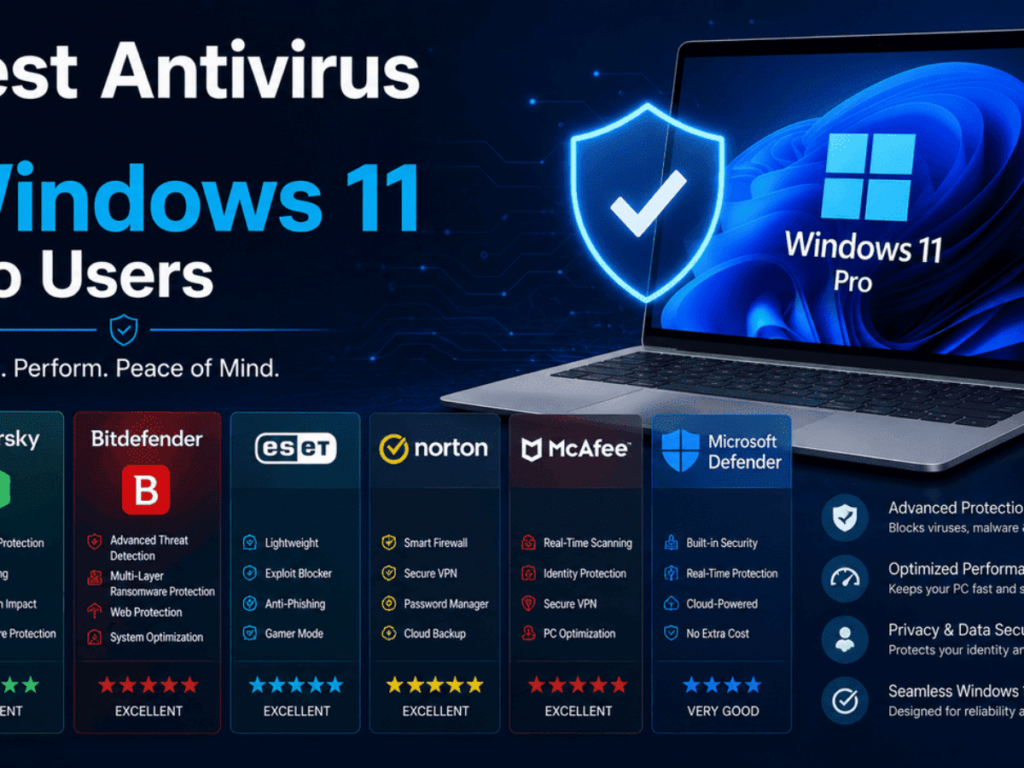
Comparison Table: Best Anti-Ransomware Tools for Windows 11 Pro Users
| Tool | Best For | Key Strengths |
|---|---|---|
| Microsoft Defender for Endpoint | Small Businesses | Native Windows integration |
| Bitdefender GravityZone | Advanced Protection | Behavioral ransomware detection |
| ESET Protect | Lightweight Security | Strong endpoint protection |
| Malwarebytes ThreatDown | Small Teams | Fast ransomware response |
| Sophos Intercept X | Comprehensive Defense | Deep learning detection |
| SentinelOne Singularity | Remote Teams | Autonomous response |
| CrowdStrike Falcon | Growing Businesses | Cloud-native protection |
The ideal choice depends on your business size, technical expertise, and security requirements.
Best Anti-Ransomware Tools for Windows 11 Pro Users
Microsoft Defender for Endpoint
Windows 11 Pro users already benefit from built-in security capabilities.
Advantages include:
- Native integration
- Controlled Folder Access
- Threat intelligence
- Automated investigation
For many small businesses, Defender provides an excellent baseline.
Bitdefender GravityZone
Bitdefender continues to perform well against ransomware threats.
Key benefits:
- Advanced behavioral analysis
- Attack prevention
- Endpoint visibility
- Centralized management
Sophos Intercept X
Sophos offers strong anti-ransomware features.
Highlights:
- Deep learning detection
- File rollback technology
- Exploit prevention
- Remote management
Malwarebytes ThreatDown
Popular among smaller businesses.
Strengths include:
- Fast deployment
- Strong malware detection
- Lightweight performance
- Ransomware protection
SentinelOne Singularity
Designed for modern organizations.
Capabilities include:
- Autonomous threat response
- Behavioral AI detection
- Endpoint visibility
- Automated remediation
Security Checklist for Ransomware Defense
| Security Control | Priority |
|---|---|
| Multi-Factor Authentication | Critical |
| Endpoint Protection | Critical |
| Offline Backups | Critical |
| Employee Security Training | High |
| Patch Management | Critical |
| Email Security Filtering | High |
| Cloud Monitoring | High |
| Least Privilege Access | High |
| Incident Response Plan | Critical |
| Security Audits | High |
Organizations implementing these controls dramatically improve resilience.
Step-by-Step Guide: Securing Windows 11 Pro Against Ransomware
Windows 11 Pro includes several powerful security features that should be enabled before deployment.
Step 1: Open Windows Security
Navigate to:
Settings → Privacy & Security → Windows Security
Review all protection settings.
Step 2: Enable Real-Time Protection
Under:
Virus & Threat Protection
Verify real-time protection remains enabled.
Step 3: Activate Controlled Folder Access
Navigate to:
Ransomware Protection
Enable:
Controlled Folder Access
This feature prevents unauthorized applications from modifying important files.
Step 4: Turn On Tamper Protection
Tamper Protection prevents malware from disabling security controls.
Enable it immediately.
Step 5: Configure Microsoft Defender SmartScreen
SmartScreen helps block:
- Malicious downloads
- Fraudulent websites
- Suspicious applications
Step 6: Enable Device Encryption
Protect sensitive business information through encryption.
Step 7: Configure Firewall Settings
Ensure Windows firewal protection remains active for all network profiles.
Step 8: Schedule Automatic Updates
Install:
- Security patches
- Operating system updates
- Driver updates
Prompt patching reduces exposure.
Step 9: Enable Backup Protection
Configure:
- OneDrive backup
- External backups
- Offline recovery copies
Step 10: Test Recovery Procedures
A backup is only valuable if restoration works.
Conduct periodic testing.
Security is an ongoing proccess rather than a one-time setup.
The Importance of Backup Strategies
No anti-ransomware solution provides perfect protection.
Backups remain essential.
Follow the 3-2-1 Rule
Maintain:
- Three copies of data
- Two storage types
- One offline copy
Protect Backup Systems
Attackers increasingly target backups.
Restrict access and monitor activity.
Cloud Security for Remote Teams
Most businesses now rely heavily on cloud services.
Ransomware groups increasingly target cloud accounts.
Secure Microsoft 365
Implement:
- MFA
- Conditional access
- Security alerts
Monitor Cloud Activity
Review:
- Failed login attempts
- File sharing events
- Administrative changes
Restrict Permissions
Employees should only access required resources.
Employee Training Remains Essential
Technology alone cannot stop ransomware.
Employees must recognize:
- Phishing attempts
- Social engineering
- Suspicious attachments
- Fraudulent links
Regular awareness training reduces human-related risks.
Here is the real talk about why your current password isn’t enough. Even the strongest password can be stolen through phishing or malware. Without MFA and proper monitoring, attackers can gain access long before ransomware is deployed.
Building a Multi-Layered Defense Strategy
The strongest protection combines multiple controls.
Prevention Layer
- Endpoint protection
- Email filtering
- Patch management
Detection Layer
- Threat monitoring
- Behavioral analytics
- Cloud visibility
Recovery Layer
- Backups
- Incident response planning
- Business continuity procedures
Layered security dramatically reduces overall risk.
Common Ransomware Defense Mistakes
Relying Solely on Antivirus
Traditional antivirus cannot stop every modern threat.
Ignoring Updates
Outdated systems create opportunities for attackers.
Weak Access Controls
Excessive permissions increase potential damage.
Lack of Monitoring
Many attacks remain undetected for weeks.
Poor Backup Practices
Incomplete backups often fail during recovery.
Avoiding these mistakes significantly strengthens protection.
Final Thoughts
Choosing the best anti-ransomware tools for Windows 11 Pro users is a critical step toward protecting your business in 2026. As ransomware groups continue leveraging AI-driven phishing attacks, cloud compromise techniques, credential theft, and advanced malware, businesses need stronger defenses than ever before.
Solutions such as Microsoft Defender for Endpoint, Bitdefender GravityZone, Sophos Intercept X, Malwarebytes ThreatDown, SentinelOne Singularity, and CrowdStrike Falcon provide powerful capabilities for preventing, detecting, and responding to ransomware attacks. However, technology alone is not enough.
Successful ransomware defense requires layered security, employee awareness, cloud protection, strong authentication, reliable backups, and continuous monitoring. Even a minor configuration error can expose your business to significant risk.
Ready to strengthen your ransomware defenses? Visit locknet.site today to access expert cybersecurity resources, perform a comprehensive security audit, subscribe to our security newsletter, and consult with specialists dedicated to helping entrepreneurs build a truly bulletproof digital presence.
Leave a Reply