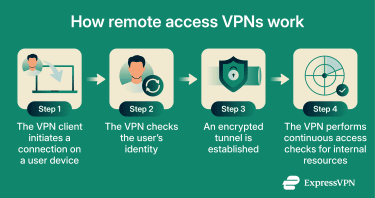
Protect remote teams with a secure VPN setup, strong Encryption, Zero Trust access, and advanced Malware Protection in 2026.
Remote work is no longer a temporary trend. In 2026, businesses across the world — especially small and growing companies — rely heavily on remote employees, cloud collaboration, and digital communication. While this flexibility improves productivity, it also creates serious cybersecurity risks.
Hackers now target remote workers because home networks are often weaker than office environments. A single compromised laptop can expose company files, customer data, financial records, and internal communication within minutes.
That’s why businesses urgently need a secure VPN strategy.
If your remote team connects through public Wi-Fi, shared internet connections, or unsecured devices, your company is already vulnerable to data theft, ransomware attacks, and AI-driven phishing campaigns.
Look, I get it, cybersecurity sounds like a headache, but setting up a secure VPN is one of the smartest things a business owner can do today.
At locknet.site, we help entrepreneurs and small businesses create bulletproof remote work environments that protect both employees and sensitive company systems.
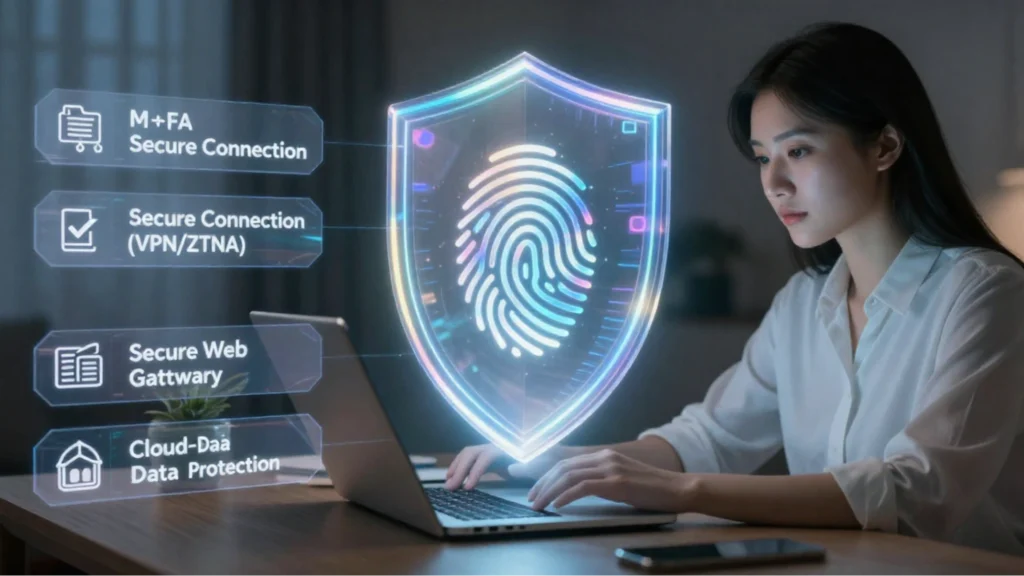
Why VPN Security Matters More in 2026
Cybercriminals have become more sophisticated than ever before. Modern attacks now use:
- AI-generated phishing emails
- Fake login portals
- Session hijacking malware
- Public Wi-Fi interception attacks
- Cloud credential theft
- Ransomware delivery systems
Remote employees are often the weakest security link because they connect from:
- Coffee shops
- Airports
- Shared workspaces
- Home routers
- Personal devices
Without VPN Encryption, attackers can intercept internet traffic and steal:
- Passwords
- Customer information
- Banking credentials
- Internal company documents
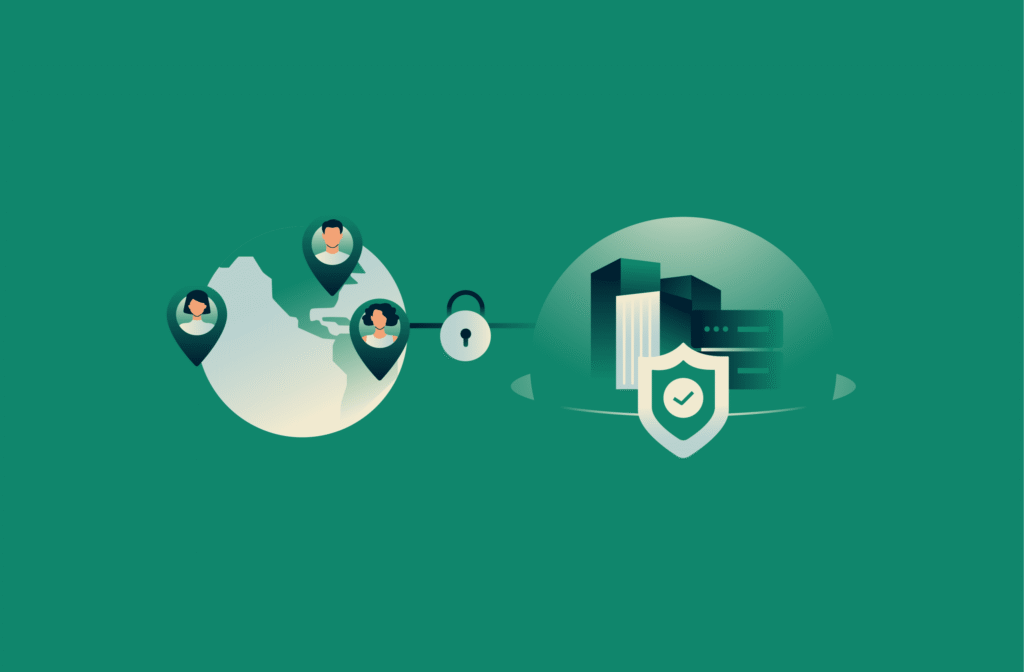
A secure VPN creates an encrypted tunnel between employees and company systems, making it far harder for hackers to spy on or manipulate data.
What Is a VPN and How Does It Work?
A VPN, or Virtual Private Network, encrypts internet traffic and hides sensitive communication from attackers.
Instead of employees connecting directly to business systems through public internet connections, the VPN creates a secure and encrypted route.
This protects:
- Remote access sessions
- File transfers
- Cloud dashboards
- Business communication
- Employee logins
In modern Zero Trust security models, VPNs are often the first defense layer.
Key Features Every Business VPN Should Have
Not all VPNs are designed for business security. Small companies should choose VPN solutions with advanced protection features.
Strong Encryption
Always use VPNs that support:
- AES-256 Encryption
- WireGuard protocol
- OpenVPN security
Weak encryption can expose sensitive data.
Multi-Factor Authentication
VPN access should always require Two-Factor Authentication (2FA).
Even if hackers steal passwords, they still cannot easily access the network.
Centralized User Management
Businesses need the ability to:
- Add users
- Remove employees quickly
- Control permissions
- Monitor suspicious logins
Zero Trust Compatibility
Modern VPN systems should support Zero Trust principles where every connection must be verified continuously.
Malware Protection
Some advanced VPN services now include:
- DNS filtering
- Threat blocking
- Anti-phishing security
- Malware scanning
This provides extra protection against malicious websites.
VPN vs Firewall Comparison Table
| Feature | VPN | Firewall |
|---|---|---|
| Encrypts internet traffic | Yes | No |
| Blocks suspicious network traffic | Limited | Yes |
| Protects remote workers | Yes | Partial |
| Hides user IP address | Yes | No |
| Stops unauthorized inbound traffic | No | Yes |
| Supports Zero Trust access | Yes | Yes |
| Prevents ransomware spread | Partial | Stronger |
Businesses need both VPNs and firewal systems for complete protection.
Step-by-Step Guide to Setting Up a Secure VPN for Remote Employees
Here’s a practical step-by-step proccess small businesses can follow in 2026.
Step 1: Choose a Business-Grade VPN Provider
Avoid free consumer VPNs for company operations.
Look for providers that support:
- Business management dashboards
- Encryption standards
- Dedicated servers
- Centralized controls
- Two-Factor Authentication (2FA)
Good VPN providers should also have strong privacy reputations and regular security audits.
Step 2: Create Separate Employee Accounts
Never allow shared VPN credentials.
Each employee should receive:
- Unique login credentials
- Separate access permissions
- Role-based restrictions
This improves accountability and limits insider risks.
Step 3: Enable Two-Factor Authentication (2FA)
This is critical.
Enable 2FA using:
- Authenticator apps
- Hardware security keys
- Mobile verification
Here is the real talk about why your current password isn’t enough: passwords alone are extremely vulnerable in 2026.
AI-driven phishing attacks can easily steal login credentials.
Step 4: Configure Zero Trust Access Rules
Not every employee should access every system.
Apply Zero Trust policies such as:
- Location-based access controls
- Device verification
- Login behavior analysis
- Restricted admin privileges
This minimizes damage if accounts become compromised.
Step 5: Secure Employee Devices
Your VPN is only as secure as the device connecting to it.
All employee devices should include:
- Antivirus software
- Malware Protection
- Device Encryption
- Firewall protection
- Automatic updates
Businesses should also block rooted or jailbroken devices from connecting.
Step 6: Configure DNS Leak Protection
A poorly configured VPN can accidentally expose browsing activity.
Enable:
- DNS leak protection
- Kill switch features
- Secure DNS routing
These settings improve privacy and prevent accidental exposure.
Step 7: Restrict Public Wi-Fi Usage
Employees often work from public locations.
Public Wi-Fi networks are dangerous because attackers can:
- Intercept traffic
- Inject malware
- Create fake Wi-Fi hotspots
Require employees to:
- Use VPN connections immediately
- Avoid unknown networks
- Disable automatic Wi-Fi connections
Step 8: Monitor VPN Activity
Businesses should regularly review:
- Login locations
- Failed login attempts
- Unusual connection times
- Multiple simultaneous sessions
Suspicious activity may indicate compromised accounts.
Step 9: Implement Cloud Security Controls
Most remote businesses now use:
- Google Workspace
- Microsoft 365
- Slack
- Zoom
- Cloud storage platforms
VPN access should integrate with secure cloud management policies.
Use:
- Conditional Access
- Encryption
- Access logging
- Device trust verification
This strengthens cloud security significantly.
Step 10: Train Employees Regularly
Technology alone cannot stop cyberattacks.
Employees should learn how to identify:
- Fake VPN login pages
- AI-generated phishing emails
- Malware attachments
- Suspicious remote-access requests
- Credential theft attempts
Human awareness is one of the strongest security defenses available.
Common VPN Security Mistakes Businesses Make
Using Weak Passwords
Passwords like:
- company123
- admin786
- welcome123
are still surprisingly common.
Your putting your company at risk with weak credentials.
Ignoring Software Updates
Outdated VPN software may contain vulnerabilities hackers can exploit.
Always enable automatic updates.
Allowing Personal Devices Without Security Checks
Unmanaged devices create major exposure risks.
Businesses should enforce device security standards before VPN access is granted.
No Access Logging
Without monitoring, businesses may never notice suspicious behavior until it’s too late.
Relying Only on VPN Protection
A VPN is important, but it is not a complete cybersecurity strategy.
Businesses still need:
- Firewalls
- Endpoint security
- Secure backups
- Malware Protection
- Encryption
- Employee training
AI-Driven Threats and Remote Work Risks
The 2026 threat landscape is extremely aggressive.
Cybercriminals now use AI to:
- Mimic employee writing styles
- Create fake support messages
- Clone company branding
- Launch automated phishing campaigns
- Identify weak remote users
Small businesses are especially vulnerable because attackers know many lack advanced cybersecurity teams.
That’s why remote security must be proactive, not reactive.
Building a Secure Remote Work Culture
A strong cybersecurity culture matters just as much as technology.
Businesses should encourage:
- Immediate reporting of suspicious activity
- Strong password habits
- Secure file sharing
- Responsible device usage
- Continuous security awareness
Even the best VPN cannot fully protect careless behavior.
Final Thoughts
A secure VPN is no longer optional for remote businesses in 2026. It is a critical defense layer against ransomware, phishing attacks, cloud compromise, and data theft.
The right VPN setup protects:
- Employee communication
- Customer information
- Financial records
- Cloud platforms
- Business reputation
But remember, VPN security works best when combined with:
- Encryption
- Two-Factor Authentication (2FA)
- Zero Trust access
- Malware Protection
- Firewall security
- Employee training
At locknet.site, we help businesses secure remote teams, strengthen cloud environments, and defend against modern cyber threats before attackers exploit weak points. Audit your remote work security today, subscribe to expert cybersecurity insights, or consult with specialists who understand the dark side of the modern internet.
Leave a Reply