Category: Uncategorized

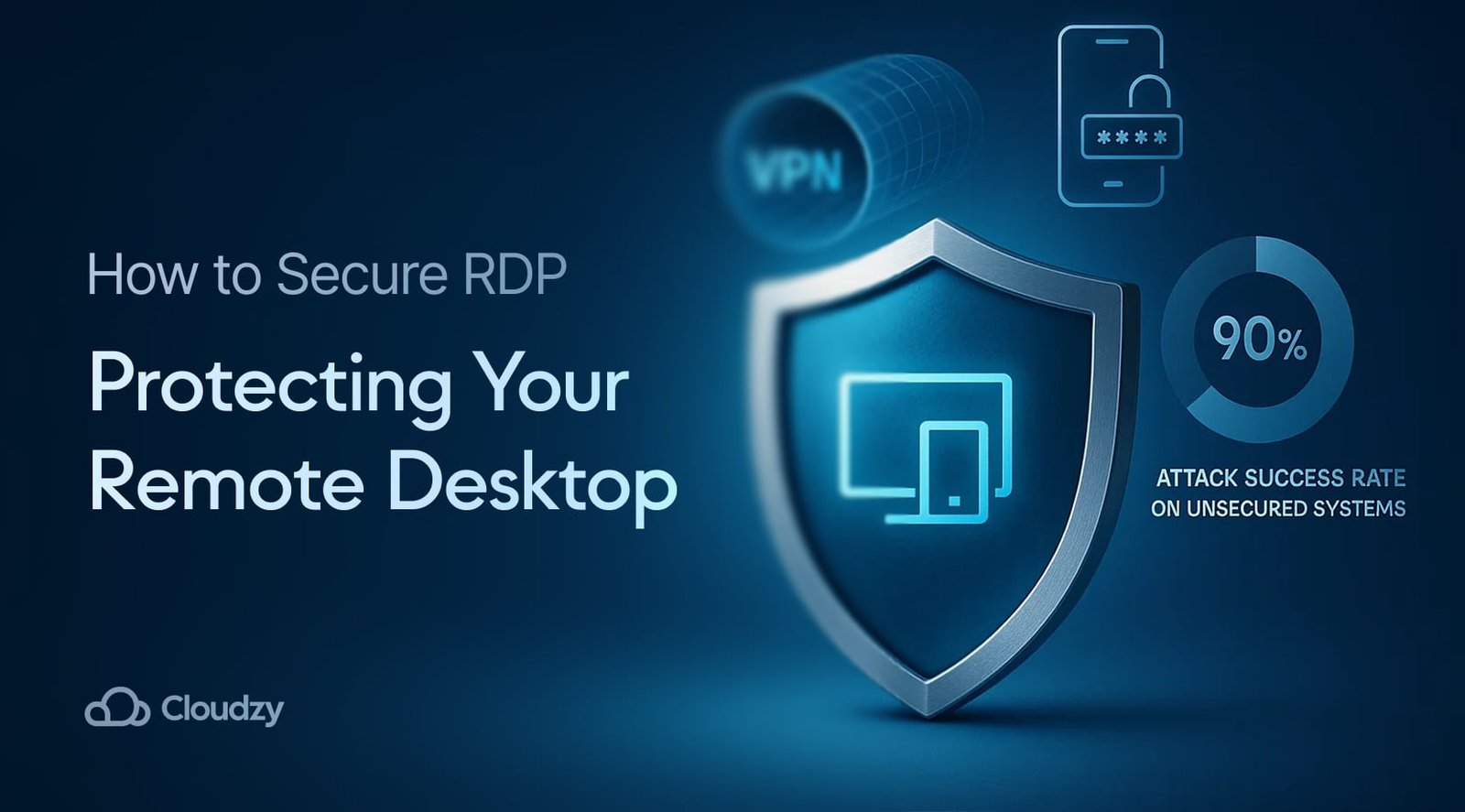
  • Best Practices for Secure Remote Desktop (RDP) Connections in 2026: Protect Your Business from Modern Cyber Threats

    Best Practices for Secure Remote Desktop (RDP) Connections in 2026: Protect Your Business from Modern Cyber Threats

    Protect Your Business Before It’s Too Late: Best Practices for Secure Remote Desktop (RDP) Connections in 2026

    Learn the best practices for secure Remote Desktop (RDP) connections in 2026 to stop ransomware, phishing, and unauthorized access.

    Remote work has become a permanent part of modern business operations. Small businesses, startups, managed service providers, and distributed teams rely heavily on Remote Desktop Protocol (RDP) to access systems, manage servers, support employees, and maintain productivity from virtually anywhere.

    However, there is a serious security challenge that many organizations continue to underestimate.

    Remote Desktop Protocol remains one of the most targeted attack vectors used by cybercriminals worldwide. In 2026, attackers are leveraging AI-powered reconnaissance tools, automated credential attacks, ransomware deployment frameworks, and sophisticated phishing campaigns to compromise poorly secured RDP environments.

    For small businesses, a single exposed RDP connection can lead to devastating consequences including ransomware infections, customer data breaches, financial losses, operational downtime, and reputational damage.

    Look, I get it, cybersecurity sounds like a headache, but securing RDP access is no longer optional. It is one of the most important defensive measures any organization can implement.

    This guide explores the best practices for secure Remote Desktop (RDP) connections, helping business owners, IT administrators, and remote teams reduce risk while maintaining productivity in the evolving cybersecurity landscape of 2026.
    Why RDP Remains a Major Cybersecurity Target

    Remote Desktop Protocol allows users to remotely control another computer over a network connection.

    The convenience is undeniable.

    Employees can:

    • Access office systems from home
    • Manage servers remotely
    • Support customers
    • Maintain cloud infrastructure
    • Collaborate across locations

    Unfortunately, attackers appreciate these benefits as well.

    When improperly secured, RDP can provide direct access to critical business systems.

    Cybercriminals commonly use:

    AI-Powered Password Attacks

    Artificial intelligence enables attackers to optimize password-cracking strategies faster than ever before.

    Credential Stuffing

    Stolen usernames and passwords from previous breaches are automatically tested against exposed RDP services.

    Phishing Campaigns

    Employees are tricked into revealing credentials that provide RDP access.

    Ransomware Deployment

    Compromised RDP sessions frequently become the entry point for ransomware attacks.

    Privilege Escalation

    Attackers often use an initial RDP compromise to gain administrative control over entire networks.
    Understanding the Risks of Exposed RDP Services

    Many small businesses unknowingly expose RDP directly to the internet.

    This creates significant risk.

    Common consequences include:

    • Unauthorized system access
    • Data theft
    • Business interruption
    • Ransomware infection
    • Regulatory compliance violations
    • Cloud account compromise

    In 2026, cybercriminal groups actively scan the internet looking for exposed RDP ports around the clock.

    An unprotected system can become a target within minutes.

    Best Practices for Secure Remote Desktop (RDP) Connections

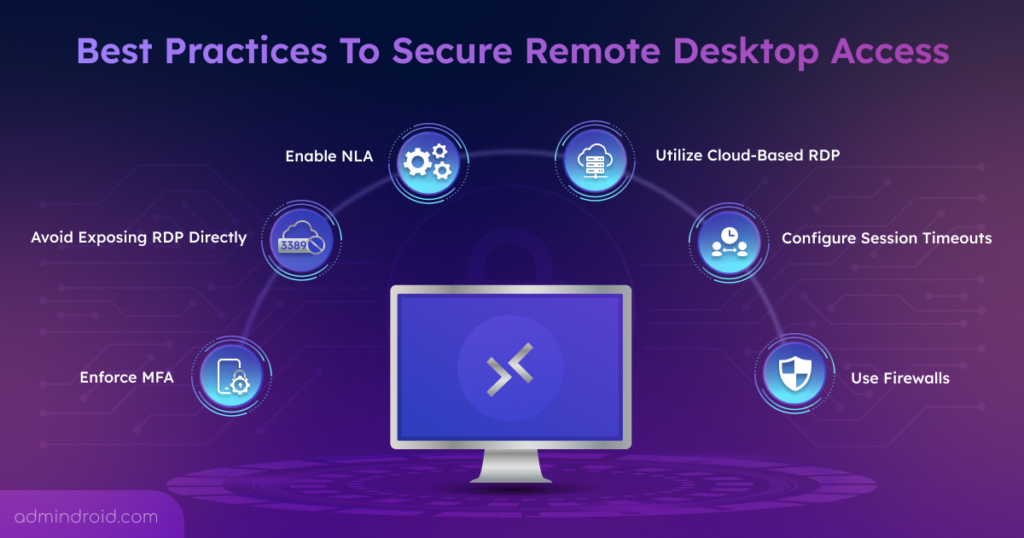
    Never Expose RDP Directly to the Internet

    This is the single most important recommendation.

    Instead of allowing direct public access:

    • Use a VPN
    • Deploy Zero Trust access controls
    • Utilize secure gateways
    • Restrict access to authorized users

    Exposed RDP services remain one of the leading causes of ransomware incidents.

    Enforce Multi-Factor Authentication

    Passwords alone are no longer sufficient.

    Enable MFA for:

    • Administrators
    • Employees
    • Contractors
    • Remote support staff

    Even if credentials are stolen, MFA significantly reduces the likelihood of unauthorized access.

    Change Default RDP Ports

    While not a complete security solution, changing the default RDP port can reduce automated scanning attempts.

    This should be viewed as a supplementary control rather than primary protection.

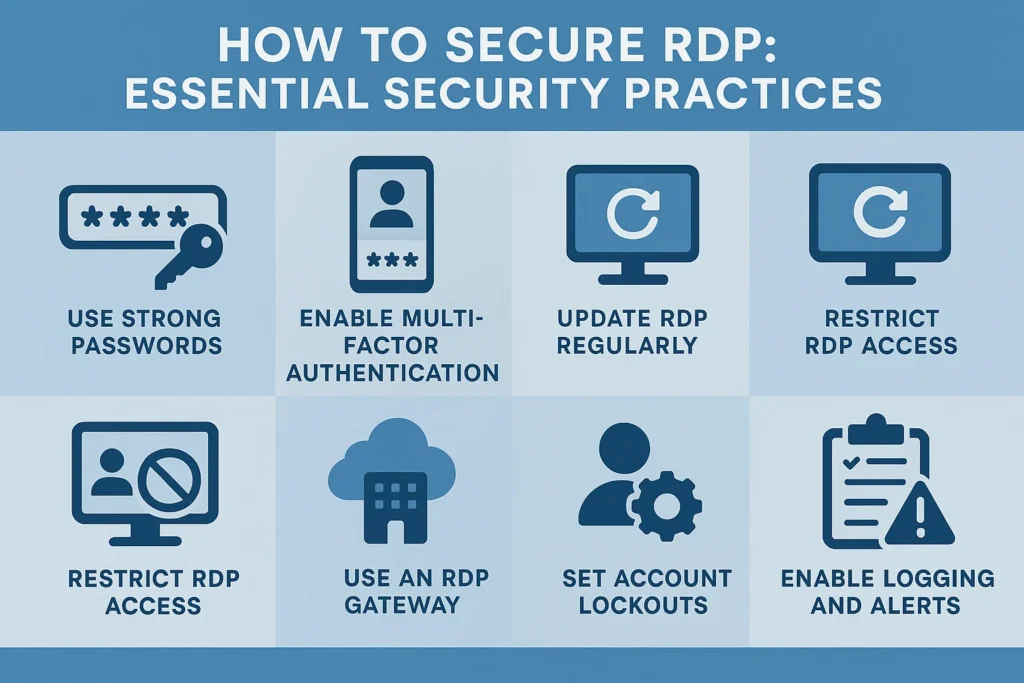
    Implement Strong Password Policies

    Require:

    • Minimum 16-character passwords
    • Unique credentials
    • Password manager usage
    • Regular credential reviews

    Here is the real talk about why your current password isn’t enough.

    Modern AI-driven password attacks can test enormous numbers of password combinations with incredible speed.

    Restrict Access by IP Address

    Allow only approved locations and trusted networks to connect.

    This significantly reduces the attack surface.

    Enable Account Lockout Policies

    Configure systems to temporarily lock accounts after repeated failed login attempts.

    This limits brute-force attack effectiveness.

    Building Multiple Layers of RDP Defense

    Effective cybersecurity relies on layered protection.

    Layer 1: Identity Security

    Protect user accounts through:

    • MFA
    • Password managers
    • Conditional access policies

    Layer 2: Network Security

    Deploy:

    • VPN services
    • Firewalls
    • Intrusion prevention systems

    Layer 3: Endpoint Security

    Install:

    • Endpoint Detection and Response (EDR)
    • Antivirus solutions
    • Behavioral monitoring tools

    Layer 4: Cloud Security

    Protect cloud-connected systems using:

    • Access monitoring
    • Security alerts
    • Cloud workload protection

    Layer 5: Human Awareness

    Employees remain a critical defense layer.

    Provide regular cybersecurity awareness training.

    Comparison Table: Direct RDP vs VPN-Protected RDP

    Security FactorDirect RDP AccessVPN-Protected RDP
    Exposure to InternetHighLow
    Brute Force RiskHighLow
    Encryption StrengthModerateStrong
    Ransomware ResistanceWeakStrong
    Access ControlLimitedAdvanced
    Recommended for BusinessNoYes

    Defending Against AI-Driven Phishing Attacks

    In 2026, attackers increasingly combine phishing with RDP exploitation.

    Their objective is simple:

    Steal credentials and gain remote access.

    Modern phishing attacks may include:

    • Fake Microsoft login pages
    • Cloud storage alerts
    • Security notifications
    • Invoice scams
    • Executive impersonation emails

    Security awareness training should teach employees to:

    • Verify URLs carefully
    • Avoid unexpected attachments
    • Report suspicious messages
    • Use MFA consistently

    Even the best technical controls can fail if users unknowingly surrender their credentials.

    Step-by-Step Guide: Securing Microsoft Remote Desktop Access

    Follow this process to strengthen Microsoft Remote Desktop environments.

    Step 1: Enable Network Level Authentication (NLA)

    Network Level Authentication requires users to authenticate before a full RDP session is established.

    Benefits include:

    • Reduced attack surface
    • Better authentication security
    • Improved resource protection

    Step 2: Disable Unnecessary User Access

    Review all accounts with RDP permissions.

    Remove:

    • Former employees
    • Unused service accounts
    • Temporary contractors

    Step 3: Configure a VPN

    Require users to connect through a secure VPN before accessing RDP services.

    This creates an additional protective layer.

    Step 4: Enable Multi-Factor Authentication

    Integrate MFA with:

    • Microsoft Entra ID
    • Remote Desktop Gateway
    • Third-party identity providers

    Step 5: Activate Logging and Monitoring

    Monitor:

    • Failed login attempts
    • Privilege escalation events
    • Unusual connection times
    • Geographic anomalies

    Step 6: Patch Systems Regularly

    Update:

    • Windows servers
    • Workstations
    • Security software
    • Remote access infrastructure

    A delayed update can leave systems vulnerable to known exploits.

    Step 7: Conduct Security Reviews

    Establish a recurring proccess for reviewing:

    • User permissions
    • Login activity
    • Firewall rules
    • Security policies

    Regular assessments help identify weaknesses before attackers do.

    Security Checklist for Remote Desktop Environments

    Security ControlStatus
    MFA Enabled
    VPN Required
    NLA Enabled
    Firewall Configured
    RDP Port Restricted
    Logging Enabled
    Endpoint Protection Active
    Regular Audits Scheduled

    Common RDP Security Mistakes

    Leaving Port 3389 Exposed

    Publicly accessible RDP services attract attackers immediately.

    Using Weak Passwords

    Weak credentials remain one of the easiest ways for attackers to gain access.

    Ignoring Security Logs

    Failed login attempts often reveal active attack campaigns.

    Delaying Updates

    Unpatched systems continue to be a favorite target for cybercriminals.

    Overlooking Remote Employees

    Remote workers require the same level of protection as office-based staff.

    Ransomware Defense Strategies for Small Businesses

    Many ransomware incidents begin with compromised remote access.

    To reduce risk:

    Limit Administrative Privileges

    Users should only receive access necessary for their role.

    Segment Critical Systems

    Separate sensitive systems from general user environments.

    Maintain Offline Backups

    Backups remain one of the strongest defenses against ransomware.

    Monitor User Behavior

    Behavioral analytics can identify suspicious activity before damage occurs.

    Develop an Incident Response Plan

    Prepare for potential security incidents before they happen.

    A prepared organization recovers far faster than one reacting under pressure.

    Secure Cloud Management for Remote Teams

    RDP security should also extend into cloud environments.

    Best practices include:

    Implement Zero Trust Access

    Never automatically trust any device or user.

    Monitor Cloud Logins

    Track unusual activity and unauthorized access attempts.

    Use Conditional Access Policies

    Restrict access based on:

    • Device health
    • Geographic location
    • User risk level

    Integrate Security Monitoring

    Combine RDP monitoring with cloud security platforms for complete visibility.

    The Future of Secure Remote Access

    The cybersecurity landscape continues evolving rapidly.

    Emerging technologies include:

    • AI-driven threat detection
    • Passwordless authentication
    • Zero Trust Network Access (ZTNA)
    • Behavioral analytics
    • Automated incident response

    Organizations that adopt these technologies early will be better positioned to withstand future threats.

    The best practices for secure Remote Desktop (RDP) connections involve far more than simply enabling remote access. Businesses must implement layered security controls, enforce strong authentication, monitor activity, secure cloud integrations, and continuously educate users about evolving cyber threats.

    At locknet.site, we help entrepreneurs, IT professionals, and small business owners build a bulletproof digital presence through practical cybersecurity guidance designed for the realities of 2026. Whether you manage a single remote server or support an entire distributed workforce, securing RDP should be a top priority.

    Don’t wait for a ransomware attack or credential breach to expose weaknesses in your environment. Conduct a security audit today, subscribe to cybersecurity updates, and consult the experts at locknet.site to strengthen your defenses before cybercriminals find the next opening.

  • Best Ways to Secure Public Wi-Fi for Digital Nomads in Pakistan in 2026: Protect Your Business Before Hackers Strike

    Best Ways to Secure Public Wi-Fi for Digital Nomads in Pakistan in 2026: Protect Your Business Before Hackers Strike

    Protect Your Data Anywhere: Best Ways to Secure Public Wi-Fi for Digital Nomads in Pakistan in 2026

    Stay safe on public Wi-Fi in Pakistan with expert security tips, VPN protection, and ransomware defense for remote workers in 2026.

    The freedom of working from anywhere has transformed how entrepreneurs, freelancers, consultants, and remote teams operate. From coffee shops in Lahore and Islamabad to coworking spaces in Karachi and hotel lounges across Pakistan, digital nomads rely heavily on public Wi-Fi to stay connected.

    But there is a growing problem.

    Cybercriminals have become smarter, faster, and more dangerous than ever before. In 2026, AI-driven phishing attacks, ransomware campaigns, credential theft, and cloud account takeovers are targeting remote workers who depend on public internet connections.

    For small business owners and digital nomads, one insecure Wi-Fi session can expose client information, financial records, cloud accounts, and sensitive business communications.

    Look, I get it, cybersecurity sounds like a headache, but public Wi-Fi security is no longer optional. The good news is that protecting yourself doesn’t require an enterprise budget. With the right strategy, you can work securely from almost anywhere in Pakistan.

    This guide explores the best ways to secure public Wi-Fi for digital nomads in Pakistan, helping you defend your devices, cloud accounts, and business operations against modern cyber threats.

    Why Public Wi-Fi Is Dangerous in 2026

    Public Wi-Fi networks are convenient, but they often lack proper security controls.

    Many hotspots in:

    • Cafés
    • Airports
    • Hotels
    • Restaurants
    • Shopping malls
    • Coworking spaces

    allow anyone to connect with minimal verification.

    Cybercriminals exploit these environments through:

    Evil Twin Networks

    Attackers create fake Wi-Fi networks that mimic legitimate hotspots.

    A network named “Coffee Shop Free WiFi” may actually belong to a hacker sitting nearby.

    Man-in-the-Middle Attacks

    These attacks intercept data traveling between your device and the internet.

    Sensitive information such as passwords and financial details can be exposed.

    AI-Powered Phishing

    Modern phishing attacks use artificial intelligence to create realistic login pages, emails, and text messages.

    Malware Distribution

    Compromised networks can deliver malicious downloads without users realizing it.

    Session Hijacking

    Attackers may steal authentication tokens and gain access to cloud accounts without needing passwords.

    The Real Cost of Public Wi-Fi Breaches

    For digital nomads and small businesses, the consequences can be severe.

    Potential impacts include:

    • Financial fraud
    • Ransomware infections
    • Cloud account compromise
    • Customer data exposure
    • Reputation damage
    • Business interruption

    In 2026, ransomware groups increasingly target freelancers and small firms because they often have weaker security controls than large enterprises.

    Best Ways to Secure Public Wi-Fi for Digital Nomads in Pakistan

    Use a Trusted VPN at All Times

    A Virtual Private Network (VPN) encrypts your internet traffic.

    Even if attackers intercept the connection, they cannot easily read the transmitted information.

    Benefits include:

    • Encrypted communications
    • Protection on public networks
    • Safer access to cloud applications
    • Reduced tracking

    A VPN should be considered essential equipment for every digital nomad.

    Enable Multi-Factor Authentication

    MFA adds a second verification layer.

    Even if attackers steal your password, they still need access to your authentication method.

    Protect:

    • Email accounts
    • Cloud storage
    • Project management platforms
    • Financial accounts
    • Business applications

    Avoid Automatic Wi-Fi Connections

    Many devices automatically reconnect to previously used networks.

    Disable this feature whenever possible.

    Automatic connections can expose devices to fake hotspots.

    Keep Devices Updated

    Software updates often include security patches that close vulnerabilities.

    Update:

    • Operating systems
    • Browsers
    • VPN software
    • Security applications

    Ignoring updates leaves your device vulnerable to known exploits.

    Verify Network Names Carefully

    Before connecting, confirm the exact network name with staff.

    Hackers frequently create networks with similar names designed to deceive users.

    Use Mobile Hotspots for Sensitive Tasks

    When handling:

    • Banking
    • Client contracts
    • Payroll systems
    • Administrative functions

    consider using a mobile hotspot instead of public Wi-Fi.

    VPN vs Public Wi-Fi Risk Comparison

    Security FeaturePublic Wi-Fi OnlyPublic Wi-Fi + VPN
    Data EncryptionLimitedStrong
    Credential ProtectionWeakHigh
    Privacy ProtectionLowHigh
    Session Hijacking DefenseWeakStrong
    Cloud SecurityModerateHigh
    Safe Remote WorkRiskyRecommended

    Defending Against AI-Driven Phishing Attacks

    One of the fastest-growing threats in Pakistan’s digital economy is AI-generated phishing.

    Attackers can now:

    • Mimic business partners
    • Replicate executive writing styles
    • Generate convincing login pages
    • Create realistic customer service messages

    Here is the real talk about why your current password isn’t enough.

    Even the strongest password becomes useless if it is entered into a fake login page.

    Always:

    • Verify URLs
    • Use password managers
    • Enable MFA
    • Avoid clicking unexpected links

    Modern security begins with awareness.

    Step-by-Step Guide: Securing Google Workspace on Public Wi-Fi

    Google Workspace remains one of the most popular platforms among freelancers and remote teams.

    Follow these steps to improve protection.

    Step 1: Enable Multi-Factor Authentication

    Navigate to:

    Google Account → Security → 2-Step Verification

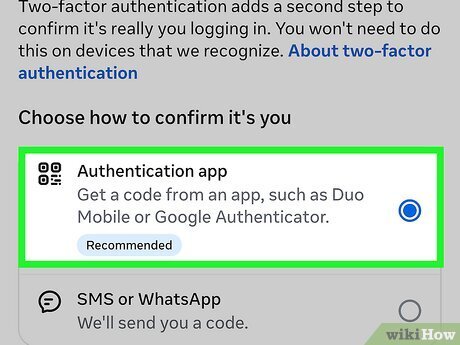
    Enable authentication using:

    • Authenticator apps
    • Security keys
    • Backup codes

    Step 2: Use a Business-Grade VPN

    Activate your VPN before opening Gmail, Google Drive, or Google Meet.

    This creates an encrypted tunnel between your device and Google’s servers.

    Step 3: Review Connected Devices

    Open:

    Google Account → Security → Your Devices

    Remove any unknown devices immediately.

    Step 4: Enable Security Alerts

    Configure notifications for:

    • New logins
    • Password changes
    • Suspicious activity

    Step 5: Use Strong Passwords

    Use unique passwords for each account.

    Avoid reusing credentials across multiple platforms.

    Step 6: Limit Third-Party App Access

    Review connected applications regularly.

    Remove apps that are no longer required.

    Step 7: Conduct Monthly Security Reviews

    Establish a recurring proccess to verify:

    • Device activity
    • Account permissions
    • Recovery options
    • Connected applications

    Building Multiple Defense Layers

    Public Wi-Fi security should never rely on a single solution.

    Layer 1: Secure Devices

    Install:

    • Mobile security apps
    • Endpoint protection software
    • Anti-malware tools

    Layer 2: Secure Connections

    Use:

    • VPN services
    • Encrypted DNS
    • HTTPS connections

    Layer 3: Secure Accounts

    Implement:

    • MFA
    • Password managers
    • Login monitoring

    Layer 4: Secure Cloud Services

    Review access controls regularly.

    Monitor unusual login activity.

    Layer 5: Secure Human Behavior

    Most breaches involve human mistakes.

    Provide security awareness training whenever possible.

    Public Wi-Fi Security Checklist for Digital Nomads

    Security TaskCompleted
    VPN Enabled
    MFA Activated
    Device Updated
    Firewall Enabled
    Password Manager Used
    Security Software Installed
    Cloud Accounts Reviewed
    Suspicious Networks Avoided

    Common Mistakes Digital Nomads Make

    Trusting Every Free Wi-Fi Network

    Not all hotspots are legitimate.

    Always verify the network first.

    Ignoring Security Alerts

    Security warnings exist for a reason.

    Investigate them immediately.

    Using Weak Passwords

    Your security is only as strong as your weakest credential.

    Skipping VPN Usage

    Many professionals still connect directly to public networks.

    This remains one of the biggest security risks in remote work.

    Neglecting Cloud Security

    Cloud accounts often contain more valuable information than the device itself.

    Protect them accordingly.

    The Future of Public Wi-Fi Security

    The cybersecurity landscape will continue evolving.

    Emerging technologies include:

    • AI-powered threat detection
    • Behavioral authentication
    • Zero Trust networking
    • Passwordless access systems
    • Advanced endpoint monitoring

    Digital nomads who adopt these security practices today will be far better prepared for tomorrow’s threats.

    The best ways to secure public Wi-Fi for digital nomads in Pakistan involve combining technology, awareness, and disciplined security habits. VPNs, MFA, cloud security controls, software updates, and employee awareness programs work together to create a resilient defense against cybercriminals.

    At locknet.site, we help entrepreneurs, freelancers, and remote teams build a bulletproof digital presence through practical cybersecurity guidance tailored for today’s threat landscape. Whether you’re managing client projects from a café in Lahore or running a remote business from anywhere in Pakistan, strong security practices can make the difference between safe productivity and a costly breach.

    Take action today. Audit your devices, strengthen your cloud security, subscribe to cybersecurity updates, and consult the experts at locknet.site to protect your business before the next cyberattack finds a weakness.

  • Troubleshooting “Unexpected Login Attempt” Notifications Before Cybercriminals Gain Access to Your Business

    Troubleshooting “Unexpected Login Attempt” Notifications Before Cybercriminals Gain Access to Your Business

    Protect Your Business Before an Alert Becomes a Breach: Troubleshooting “Unexpected Login Attempt” Notifications in 2026

    Learn how to investigate unexpected login attempt alerts and strengthen your business against phishing, ransomware, and account takeovers.

    In today’s cybersecurity landscape, few notifications create more anxiety for business owners than seeing an alert that says, “Unexpected Login Attempt Detected.”

    For many entrepreneurs and small business teams, the immediate reaction is confusion. Was it a hacker? An employee? A cloud synchronization issue? Or simply a false alarm?

    In 2026, these notifications have become increasingly common as cloud platforms, email providers, financial institutions, and SaaS applications deploy advanced threat detection systems to combat rising cybercrime. At the same time, attackers are leveraging artificial intelligence, automated credential theft tools, phishing campaigns, and ransomware operations to target businesses of every size.

    Understanding how to approach troubleshooting “Unexpected Login Attempt” notifications is now a critical cybersecurity skill.

    Ignoring these alerts can expose your business to account takeovers, financial loss, data breaches, and ransomware attacks. Overreacting without proper investigation can also disrupt operations and create unnecessary downtime.

    At locknet.site, we help entrepreneurs build a bulletproof digital presence by understanding both the technology and the tactics used by cybercriminals. This guide explains what these notifications mean, how to investigate them safely, and how to strengthen your defenses moving forward.

    What Does an “Unexpected Login Attempt” Notification Mean?

    Most online platforms continuously monitor account activity.

    When behavior differs from established patterns, security systems may generate alerts.

    These alerts typically indicate:

    • Login attempts from unfamiliar locations
    • Access from new devices
    • Unusual login times
    • Suspicious IP addresses
    • Automated authentication attempts
    • Credential stuffing attacks
    • Failed multi-factor authentication requests

    Importantly, not every notification means an account has been compromised.

    Sometimes legitimate activity triggers security systems.

    However, every alert deserves careful review.

    Why These Notifications Are Increasing in 2026

    Cybersecurity systems have become more sophisticated.

    At the same time, cybercriminals have become more aggressive.

    AI-powered tools now allow attackers to:

    • Launch automated password attacks
    • Test stolen credentials at scale
    • Generate realistic phishing campaigns
    • Mimic legitimate user behavior
    • Target cloud applications more effectively

    As a result, major platforms such as Microsoft 365, Google Workspace, banking portals, CRM platforms, and project management systems generate more security alerts than ever before.

    For business owners, distinguishing real threats from harmless anomalies is essential.

    Common Causes of Unexpected Login Attempt Alerts

    Understanding the cause is the first step in troubleshooting.

    Login from a New Device

    If you recently signed in using:

    • A new laptop
    • Mobile phone
    • Tablet
    • Browser

    the platform may flag the activity.

    This is often harmless.

    VPN Usage

    VPN services can make logins appear to originate from unfamiliar locations.

    This frequently triggers alerts.

    Travel or Remote Work

    Remote employees working from different cities or countries may generate security notifications.

    Many platforms interpret geographic changes as suspicious.

    Credential Stuffing Attacks

    Attackers often test usernames and passwords stolen from previous breaches.

    Even if they fail, the platform may generate a warning.

    Phishing-Related Login Attempts

    If credentials were entered into a fake website, attackers may attempt access from a different location.

    Unexpected login alerts are sometimes the first warning sign.

    Automated Application Activity

    Connected applications occasionally generate authentication behavior that appears unusual.

    Examples include:

    • Email clients
    • CRM integrations
    • Backup services
    • Automation tools

    Vulnerability Assessment: What These Alerts May Reveal

    Unexpected login attempt notifications should be treated as intelligence.

    They often expose weaknesses before attackers achieve their objectives.

    Weak Password Security

    Passwords reused across multiple accounts remain a major risk.

    If one service suffers a breach, attackers often test those credentials elsewhere.

    Inadequate Authentication Controls

    Accounts lacking strong multi-factor authentication are more vulnerable.

    Cloud Configuration Issues

    Improperly configured cloud applications may generate unnecessary access risks.

    Employee Security Awareness Gaps

    Users who cannot recognize phishing attempts may unintentionally expose credentials.

    Shared Accounts

    Shared credentials make it difficult to determine who actually initiated access.

    Comparison Table: Benign vs Malicious Login Alerts

    Alert ScenarioLikely Risk LevelInvestigation RequiredRecommended Action
    New Device LoginLowYesVerify ownership
    VPN ConnectionLowYesConfirm location
    Employee TravelMediumYesValidate activity
    Failed Password AttemptsMediumYesReview account security
    Credential Stuffing DetectionHighImmediateReset credentials
    Login from Unknown CountryHighImmediateSecure account immediately

    This comparison helps businesses prioritize response efforts.

    Step-by-Step Guide: Investigating an Unexpected Login Attempt

    When an alert appears, follow a structured response process.

    Step 1: Do Not Ignore the Alert

    Many successful breaches begin with warning signs that users dismiss.

    Treat every notification seriously.

    Step 2: Verify Whether the Activity Was Legitimate

    Ask:

    • Did you recently log in?
    • Did an employee access the account?
    • Was a VPN active?
    • Was a new device used?

    Document findings.

    Step 3: Review Login History

    Most major platforms provide login records.

    Review:

    • IP addresses
    • Device information
    • Geographic locations
    • Timestamps

    Look for unfamiliar activity.

    Step 4: Change Passwords Immediately if Unsure

    If ownership cannot be confirmed:

    1. Reset the password.
    2. Create a unique credential.
    3. Update password manager records.

    Step 5: Verify Multi-Factor Authentication

    Confirm MFA remains enabled.

    Review:

    • Authenticator apps
    • Recovery methods
    • Security keys

    Unexpected changes may indicate compromise.

    Step 6: Sign Out of Active Sessions

    Terminate all existing sessions if suspicious activity is detected.

    This prevents attackers from maintaining access.

    Step 7: Scan Endpoints for Malware

    Unexpected login attempts can sometimes originate from compromised devices.

    Run endpoint security scans on:

    • Laptops
    • Mobile devices
    • Workstations

    Step 8: Document Findings

    Record:

    • Alert details
    • Investigation results
    • Security actions taken

    This helps improve future incident response.

    Step-by-Step Guide: Securing Microsoft 365 Against Unauthorized Login Attempts

    Microsoft 365 is one of the most frequently targeted business platforms.

    Follow this proccess to strengthen protection.

    Step 1: Enable Multi-Factor Authentication

    Require MFA for all users.

    Preferred options include:

    • Microsoft Authenticator
    • Hardware security keys
    • Passkeys

    Step 2: Configure Conditional Access Policies

    Restrict access based on:

    • Device compliance
    • User risk
    • Geographic location
    • Authentication strength

    Step 3: Enable Risk-Based Sign-In Monitoring

    Use Microsoft’s security features to identify suspicious behavior automatically.

    Step 4: Audit Sign-In Logs

    Review logs weekly.

    Focus on:

    • Failed attempts
    • Unrecognized devices
    • Unusual countries

    Step 5: Limit Administrative Access

    Administrator accounts should have additional protection.

    Separate admin accounts from everyday work accounts.

    Step 6: Enable Passwordless Authentication

    Passwordless authentication significantly reduces phishing risk.

    Step 7: Monitor Security Alerts

    Investigate every alert promptly.

    Early response often prevents larger incidents.

    Defense Layers Against Modern Login Threats

    Unexpected login notifications are only one piece of the security puzzle.

    Businesses should implement multiple defense layers.

    Strong Password Management

    Here is the real talk about why your current password isn’t enough.

    Even a strong password becomes vulnerable if it is reused, exposed in a breach, or stolen through phishing.

    Use a password manager to generate unique credentials.

    Multi-Factor Authentication

    MFA remains one of the most effective protections against account compromise.

    Conditional Access Controls

    Limit access according to:

    • Device trust
    • User identity
    • Risk level

    Security Awareness Training

    Employees should recognize:

    • Phishing emails
    • Fake login pages
    • Social engineering attempts

    Endpoint Protection

    Compromised devices often serve as entry points for attackers.

    Install endpoint security software on every business device.

    Recovery Plan for Small Businesses

    Preparation is essential.

    If suspicious login activity is confirmed:

    Immediate Actions

    • Change passwords
    • Enable MFA
    • Revoke active sessions
    • Notify administrators

    Investigate Scope

    Determine:

    • Which accounts were affected
    • What data was accessed
    • Whether lateral movement occurred

    Strengthen Security Controls

    Review:

    • Authentication settings
    • User permissions
    • Cloud configurations

    Conduct Employee Awareness Reviews

    Teach staff how to identify warning signs.

    Look, I get it, cybersecurity sounds like a headache, but prevention is far easier than recovering from a breach.

    Security Checklist for Unexpected Login Attempt Notifications

    Security ControlStatus
    MFA Enabled on All AccountsRequired
    Password Manager DeployedRequired
    Login History Reviewed RegularlyRequired
    Endpoint Security InstalledRequired
    Conditional Access EnabledRecommended
    Passwordless Authentication EvaluatedRecommended
    Security Alerts Monitored DailyRecommended
    Employee Awareness Training CompletedRequired
    Administrative Accounts HardenedRequired
    Incident Response Plan DocumentedRequired

    Common Mistakes Businesses Make

    Ignoring Alerts

    Many attacks succeed because warning signs are dismissed.

    Assuming Every Alert Is a Hacker

    False positives do occur.

    Investigation is necessary before conclusions are made.

    Reusing Passwords

    Credential reuse remains a leading cause of account compromise.

    Delaying Security Updates

    Outdated software increases exposure.

    Weak Recovery Procedures

    Account recovery methods should be secured with the same care as login credentials.

    Lack of Monitoring

    Without visibility, suspicious behavior may go unnoticed for weeks.

    A small misconfigured firewal rule or neglected cloud setting can also create authentication anomalies that generate repeated alerts.

    Final Thoughts

    Troubleshooting “Unexpected Login Attempt” notifications is one of the most important cybersecurity practices for modern businesses. In a world of AI-driven phishing attacks, credential theft campaigns, cloud security risks, and ransomware threats, these alerts often provide the earliest indication that something is wrong.

    While not every notification signals a breach, every alert deserves careful investigation. Organizations that respond quickly, verify activity, strengthen authentication controls, and monitor account access consistently are far better positioned to prevent account takeovers and data loss.

    At locknet.site, we help entrepreneurs and small businesses build resilient security strategies that protect both productivity and sensitive information. By combining strong authentication, employee awareness, endpoint protection, and cloud security best practices, your business can stay ahead of emerging cyber threats.

    Ready to strengthen your defenses? Conduct a login security audit, subscribe to the latest cybersecurity insights from locknet.site, and consult a security specialist today before an unexpected login attempt becomes an unexpected business crisis.

  • How to Use a “Burner Email” for Testing New Business Tools Without Putting Your Company at Risk

    How to Use a “Burner Email” for Testing New Business Tools Without Putting Your Company at Risk

    Use Burner Emails Safely: Protect Your Business While Testing New Tools and SaaS Platforms in 2026

    Learn how to use a burner email for testing new business tools without exposing your primary accounts to security risks.

    Every year, small businesses adopt dozens of new software platforms. From AI-powered productivity tools and CRM systems to marketing automation platforms and cloud collaboration apps, companies constantly test new solutions in search of better efficiency and growth.

    But every new sign-up creates a potential cybersecurity risk.

    In 2026, cybercriminals are increasingly targeting businesses through third-party applications, fake SaaS platforms, AI-generated phishing campaigns, and compromised software vendors. Many organizations unknowingly expose their primary business email addresses while evaluating tools they may never use again.

    That is why smart businesses are increasingly learning how to use a “Burner Email” for testing new business tools.

    A burner email acts as a protective layer between your core business systems and unknown services. When used correctly, it can reduce spam, limit data exposure, improve cloud security, and help prevent account compromise.

    At locknet.site, we help entrepreneurs build a bulletproof digital presence by reducing unnecessary risk while embracing innovation. This guide explains how burner emails work, when to use them, and how to integrate them into a modern cybersecurity strategy.

    What Is a Burner Email?

    A burner email is a secondary email address created specifically for temporary use, testing, evaluations, or low-trust interactions.

    Unlike your primary business email account, a burner email is not connected to:

    • Financial systems
    • Payroll services
    • Customer records
    • Sensitive communications
    • Administrative cloud accounts

    Its primary purpose is risk isolation.

    If a tested platform becomes compromised, sells data, or generates spam, your critical business accounts remain protected.

    Why Businesses Need Burner Emails in 2026

    The software landscape has changed dramatically.

    Companies now evaluate:

    • AI productivity tools
    • Marketing platforms
    • CRM systems
    • Project management applications
    • Automation services
    • Cloud-based collaboration tools

    Many startups and SaaS vendors are legitimate.

    Some are not.

    Others may have weak security practices that expose user data through breaches or misconfigurations.

    Attackers increasingly exploit these environments using:

    • AI-generated phishing campaigns
    • Supply chain attacks
    • Fake software offerings
    • Credential harvesting websites

    A burner email provides an additional layer of separation that limits exposure.

    Common Risks of Using Your Primary Business Email

    Many organizations register every new service using their primary company email address.

    This creates several problems.

    Increased Phishing Exposure

    Every new sign-up adds another source of incoming email.

    Over time, this increases opportunities for:

    • Phishing emails
    • Spoofed communications
    • Social engineering attacks

    Data Broker Exposure

    Some services share user information with marketing networks.

    Your business address may spread across multiple databases.

    Credential Stuffing Risks

    If a third-party platform experiences a breach, attackers may test stolen credentials elsewhere.

    Reputation Damage

    Compromised accounts can damage customer trust and brand credibility.

    Vulnerability Assessment: When Should You Use a Burner Email?

    Not every platform requires one.

    The key is understanding trust levels.

    Good Candidates for Burner Emails

    Use a burner email when testing:

    • Free software trials
    • AI tools
    • New SaaS products
    • Beta programs
    • Marketing platforms
    • Unknown vendors
    • Industry research tools

    Avoid Burner Emails For

    Do not use burner emails for:

    • Banking services
    • Payroll systems
    • Core business communications
    • Legal correspondence
    • Critical cloud infrastructure

    These systems require permanent, secure account ownership.

    Comparison Table: Primary Business Email vs Burner Email

    FeaturePrimary Business EmailBurner Email
    Sensitive CommunicationsYesNo
    Financial AccessYesNo
    SaaS TestingLimitedIdeal
    Spam ProtectionLowerHigher
    Risk IsolationLimitedStrong
    Long-Term UseYesUsually Temporary

    This comparison demonstrates why burner emails are valuable for reducing unnecessary exposure.

    Benefits of Using Burner Emails for Business Testing

    Reduced Spam

    Marketing campaigns often follow trial registrations.

    Burner emails keep unwanted messages away from critical inboxes.

    Better Threat Containment

    If a tested platform suffers a breach, exposure remains isolated.

    Improved Cloud Hygiene

    Organizations gain greater visibility into software evaluations.

    Easier Vendor Management

    Testing accounts remain separate from production systems.

    Stronger Security Posture

    Risk is compartmentalized rather than concentrated.

    This principle aligns with Zero Trust security strategies.

    Step-by-Step Guide: Creating a Secure Burner Email Strategy

    Using burner emails effectively requires planning.

    Step 1: Define Your Testing Policy

    Create internal guidelines that specify:

    • Who can create burner emails
    • Which tools require testing accounts
    • Retention periods
    • Security requirements

    Consistency reduces mistakes.

    Step 2: Choose a Reputable Email Provider

    Select providers known for strong security.

    Requirements should include:

    • Multi-factor authentication
    • Account recovery options
    • Spam filtering
    • Encryption support

    Avoid untrusted services.

    Step 3: Create Dedicated Testing Identities

    Use a naming convention such as:

    This simplifies management.

    Step 4: Enable Multi-Factor Authentication

    Even temporary accounts require protection.

    Use:

    • Authenticator apps
    • Security keys
    • Passkeys

    Avoid relying solely on SMS verification.

    Step 5: Use Unique Passwords

    Every burner account should have a unique credential.

    Here is the real talk about why your current password isn’t enough.

    If the same password protects multiple services, one breach can create multiple compromises.

    Password managers simplify this proccess significantly.

    Step 6: Restrict Access

    Only authorized team members should access testing accounts.

    Apply least-privilege principles.

    Step 7: Monitor Activity

    Review:

    • Login attempts
    • Account alerts
    • Unexpected messages

    Suspicious activity should be investigated immediately.

    Step-by-Step Guide: Securing Google Workspace Testing Accounts

    Many small businesses rely on Google Workspace.

    Follow these steps to create secure testing accounts.

    Step 1: Create a Dedicated Organizational Unit

    Separate testing users from production users.

    Step 2: Enable MFA

    Require multi-factor authentication for all testing accounts.

    Step 3: Apply Restricted Permissions

    Prevent access to:

    • Financial documents
    • Customer data
    • Administrative settings

    Step 4: Configure Security Alerts

    Monitor:

    • Failed logins
    • Suspicious locations
    • New device registrations

    Step 5: Audit Accounts Monthly

    Remove inactive testing accounts promptly.

    Unused accounts become hidden security risks.

    Defense Layers for Safe SaaS Evaluation

    Burner emails should be part of a broader security strategy.

    Password Managers

    Every testing account should use unique credentials.

    Zero Trust Access Controls

    Limit access to only necessary resources.

    Endpoint Protection

    Devices used for testing should have:

    • Antivirus software
    • Automatic updates
    • Device encryption

    Browser Isolation

    Consider using separate browser profiles for evaluations.

    This helps reduce tracking and credential exposure.

    Vendor Due Diligence

    Research vendors before registration.

    Evaluate:

    • Security policies
    • Privacy practices
    • Data handling procedures

    Recovery Plan for Burner Email Compromise

    If a testing account becomes compromised:

    Immediate Actions

    1. Reset passwords.
    2. Enable MFA if not already active.
    3. Review login history.
    4. Remove unauthorized devices.

    Assess Exposure

    Determine:

    • Which platforms were linked
    • Whether credentials were reused
    • Whether business systems were affected

    Retire the Account

    In some cases, replacing the burner email entirely is the safest option.

    Update Security Procedures

    Learn from the incident and strengthen controls.

    Security Checklist for Burner Email Usage

    Security ControlRequired
    Dedicated Testing Email UsedYes
    MFA EnabledYes
    Unique Passwords GeneratedYes
    Password Manager DeployedYes
    Testing Accounts SegregatedYes
    Vendor Security ReviewedRecommended
    Security Alerts EnabledRecommended
    Monthly Account Audits PerformedRecommended
    Separate Browser Profile UsedRecommended
    Inactive Accounts RemovedYes

    Common Mistakes Businesses Make

    Using Personal Email Accounts

    Business testing should never rely on employee personal accounts.

    Reusing Passwords

    Credential reuse remains one of the biggest security weaknesses.

    Ignoring MFA

    Temporary accounts deserve the same protection as permanent accounts.

    Linking Testing Accounts to Production Systems

    This defeats the purpose of isolation.

    Failing to Retire Old Accounts

    Unused accounts create unnecessary attack surfaces.

    Assuming Free Tools Are Safe

    Many cybercriminals create fake services specifically to collect user data.

    A poorly configured firewal or cloud permission setting can compound these risks.

    Look, I get it, cybersecurity sounds like a headache, but spending a few extra minutes securing testing environments can prevent much larger problems later.

    How Burner Emails Support Ransomware Defense

    Many ransomware attacks begin with compromised credentials.

    Burner emails reduce risk by:

    • Limiting credential exposure
    • Isolating software evaluations
    • Reducing phishing opportunities
    • Separating testing from production systems

    Combined with Zero Trust policies and strong authentication controls, burner emails help strengthen business resilience.

    Final Thoughts

    Understanding how to use a “Burner Email” for testing new business tools is a simple yet highly effective cybersecurity practice for modern organizations. As AI-driven phishing campaigns, supply chain attacks, ransomware threats, and cloud security risks continue to evolve, businesses must reduce unnecessary exposure wherever possible.

    Burner emails create valuable separation between critical business operations and unknown software providers. When combined with password managers, multi-factor authentication, Zero Trust principles, and secure cloud management, they provide an additional layer of defense that helps protect sensitive business assets.

    At locknet.site, we believe cybersecurity should enable innovation, not slow it down. By adopting secure testing practices and minimizing unnecessary risk, entrepreneurs can confidently explore new technologies while maintaining a strong security posture.

    Ready to strengthen your business security? Audit your software evaluation process, subscribe to the latest cybersecurity insights from locknet.site, and consult a security specialist today to build a safer and more resilient digital environment before your next SaaS trial becomes your next security incident.

  • How to Protect Your E-Commerce Store from Credit Card Fraud in the Age of AI-Powered Cybercrime

    How to Protect Your E-Commerce Store from Credit Card Fraud in the Age of AI-Powered Cybercrime

    Protect Your E-Commerce Store from Credit Card Fraud Before It Damages Your Revenue and Reputation

    Discover how to protect your e-commerce store from credit card fraud with proven strategies for 2026 and beyond.

    Running an e-commerce business in 2026 offers incredible opportunities, but it also exposes businesses to increasingly sophisticated cyber threats. Among the most damaging threats facing online retailers today is credit card fraud.

    What was once a relatively simple crime has evolved into a highly organized criminal industry powered by artificial intelligence, automated attack tools, stolen credentials, and global fraud networks. Small and medium-sized online stores are particularly vulnerable because cybercriminals often view them as easier targets than large enterprises with dedicated security teams.

    Credit card fraud doesn’t just result in chargebacks. It can damage customer trust, increase payment processing fees, trigger account restrictions, and even threaten the long-term viability of your business.

    Understanding how to protect your e-commerce store from credit card fraud is no longer optional. It is a critical business survival strategy.

    At locknet.site, we help entrepreneurs build a bulletproof digital presence capable of resisting modern cyber threats. This guide explores the latest fraud tactics, prevention strategies, and security frameworks every online store should implement.

    Why Credit Card Fraud Is Rising in 2026

    The digital commerce ecosystem has become more complex.

    Today’s fraudsters use:

    • AI-generated phishing campaigns
    • Stolen payment data
    • Account takeover attacks
    • Automated bot networks
    • Synthetic identities
    • Credential stuffing attacks
    • Dark web marketplaces

    Criminals can now automate fraud attempts at scale, targeting thousands of online stores simultaneously.

    Unfortunately, many small businesses still rely on outdated fraud prevention methods that are no longer sufficient.

    xr:d:DAFx88YA9Qo:143,j:3218239853018969024,t:24020708

    Understanding Modern E-Commerce Credit Card Fraud

    Credit card fraud involves unauthorized payment activity using stolen or compromised financial information.

    The goal is typically to:

    • Purchase goods
    • Steal digital products
    • Conduct resale operations
    • Launder funds
    • Test stolen payment cards

    Fraudsters often target online stores because transactions occur without face-to-face verification.

    Common Types of Credit Card Fraud Affecting Online Stores

    Card-Not-Present (CNP) Fraud

    This is the most common type of online payment fraud.

    Attackers use stolen card information without possessing the physical card.

    Since e-commerce transactions occur remotely, merchants must rely on digital verification mechanisms.

    Account Takeover Fraud

    Criminals gain access to legitimate customer accounts.

    Methods include:

    • Phishing attacks
    • Credential stuffing
    • Malware infections

    Once inside, they use saved payment information for purchases.

    Friendly Fraud

    A customer makes a legitimate purchase and later disputes the charge.

    This often results in costly chargebacks.

    Synthetic Identity Fraud

    Fraudsters combine real and fake information to create convincing identities.

    These accounts can be difficult to detect.

    Bot-Driven Fraud

    Automated systems rapidly test stolen payment cards across multiple stores.

    These attacks often occur at massive scale.

    Vulnerability Assessment: Is Your Store at Risk?

    Many businesses unknowingly create opportunities for fraud.

    Common weaknesses include:

    Weak Authentication Controls

    Customer accounts lacking MFA are more vulnerable to takeover attacks.

    Outdated E-Commerce Platforms

    Unpatched software may contain exploitable vulnerabilities.

    Poor Transaction Monitoring

    Fraud patterns often go unnoticed without proper monitoring.

    Weak Administrative Security

    Compromised administrator accounts can expose entire payment systems.

    Inadequate Employee Training

    Staff who cannot recognize phishing attempts may unknowingly expose sensitive information.

    Warning Signs of Credit Card Fraud

    Business owners should watch for:

    • Multiple failed payment attempts
    • Unusually large orders
    • Rush shipping requests
    • Mismatched billing and shipping addresses
    • Orders from high-risk regions
    • Multiple cards used by the same customer
    • Numerous small test transactions

    Recognizing these indicators early can reduce losses significantly.

    Comparison Table: Legitimate Orders vs Potential Fraud Indicators

    Transaction IndicatorLegitimate PurchasePotential Fraud Risk
    Billing and Shipping MatchCommonSafer
    Large First-Time OrderLess CommonHigher Risk
    Multiple Declined CardsRareHigh Risk
    Rush Shipping RequestPossibleElevated Risk
    New Device and LocationNormalRequires Review
    Repeated Small TransactionsUncommonCard Testing Risk

    This comparison helps merchants identify transactions that deserve additional scrutiny.

    Defense Layers Against Credit Card Fraud

    Effective protection requires multiple security layers.

    Strong Customer Authentication

    Require stronger verification where appropriate.

    Examples include:

    • Multi-factor authentication
    • One-time verification codes
    • Passkeys

    AI-Powered Fraud Detection

    Modern fraud prevention platforms analyze:

    • Purchase behavior
    • Device fingerprints
    • Transaction patterns
    • Geographic anomalies

    These systems identify suspicious activity before transactions are completed.

    Secure Payment Gateways

    Choose reputable payment processors with advanced fraud controls.

    Features should include:

    • Risk scoring
    • Velocity checks
    • Address verification
    • Chargeback monitoring

    Web Application Security

    Protect your website with:

    • Web application firewalls
    • SSL/TLS encryption
    • Security monitoring

    A properly configured firewal can stop many automated attacks before they reach your checkout process.

    Step-by-Step Guide: Securing a Shopify Store Against Credit Card Fraud

    Shopify remains one of the most popular e-commerce platforms for small businesses.

    Follow this proccess to strengthen fraud protection.

    Step 1: Enable Shopify Fraud Analysis

    Review Shopify’s fraud recommendations for every order.

    Pay attention to:

    • Medium-risk transactions
    • High-risk transactions
    • Manual review recommendations

    Step 2: Enable Multi-Factor Authentication

    Protect administrative accounts using:

    • Authenticator apps
    • Security keys
    • Passkeys

    Administrator compromise can be devastating.

    Step 3: Restrict Staff Permissions

    Employees should only have access required for their roles.

    Apply least-privilege principles.

    Step 4: Configure Address Verification Service (AVS)

    AVS compares customer billing information against card issuer records.

    Mismatches should trigger additional review.

    Step 5: Enable CVV Verification

    Require customers to provide card verification values.

    This helps reduce unauthorized card usage.

    Step 6: Review High-Risk Orders Manually

    Investigate:

    • Unusual order values
    • Shipping anomalies
    • Suspicious customer behavior

    Step 7: Monitor Login Activity

    Review administrative login records regularly.

    Unexpected login attempts may indicate compromise.

    Step 8: Audit Installed Apps

    Third-party apps can introduce security risks.

    Remove unused integrations immediately.

    How AI Is Changing Fraud Prevention

    Artificial intelligence benefits both attackers and defenders.

    Criminal Use of AI

    Cybercriminals use AI to:

    • Generate phishing emails
    • Create fake identities
    • Automate fraud campaigns
    • Mimic legitimate customers

    Defensive Use of AI

    Businesses use AI to:

    • Detect anomalies
    • Monitor transaction behavior
    • Block suspicious activity
    • Identify account takeover attempts

    Organizations that embrace intelligent fraud detection gain a significant advantage.

    Protecting Remote Teams from Fraud-Related Risks

    Remote work environments introduce additional challenges.

    Employees often access systems from:

    • Home networks
    • Public Wi-Fi
    • Personal devices

    Security controls should include:

    Endpoint Protection

    Install:

    • Antivirus software
    • Device encryption
    • Threat monitoring tools

    Zero Trust Access Controls

    Verify every user and device before granting access.

    Secure Cloud Management

    Apply strict access controls to:

    • Payment dashboards
    • CRM systems
    • Inventory platforms

    Cloud security is now inseparable from fraud prevention.

    Recovery Plan After a Fraud Incident

    Preparation reduces damage.

    Immediate Response Actions

    If fraud is detected:

    1. Suspend suspicious orders.
    2. Notify payment processors.
    3. Investigate affected accounts.
    4. Review transaction logs.
    5. Strengthen authentication controls.

    Customer Communication

    If customer information may be affected:

    • Notify impacted individuals promptly.
    • Provide clear guidance.
    • Maintain transparency.

    Security Investigation

    Determine:

    • Attack vector
    • Systems involved
    • Data exposed

    This information helps prevent future incidents.

    Security Checklist for E-Commerce Fraud Prevention

    Security ControlRequired
    Multi-Factor Authentication EnabledYes
    Secure Payment Gateway UsedYes
    Address Verification EnabledYes
    CVV Verification EnabledYes
    Administrative Accounts ProtectedYes
    Fraud Monitoring ActiveYes
    Endpoint Protection InstalledYes
    Staff Security Training CompletedYes
    Third-Party Apps AuditedRecommended
    Quarterly Security Reviews ConductedRecommended

    Common Mistakes E-Commerce Businesses Make

    Ignoring Small Fraud Attempts

    Fraudsters often test defenses using small transactions before larger attacks.

    Weak Administrator Passwords

    Here is the real talk about why your current password isn’t enough.

    A single compromised administrator account can expose your entire store.

    Use strong, unique credentials and a password manager.

    Delaying Security Updates

    Outdated platforms are easier to exploit.

    Trusting Every Customer Automatically

    Verification processes exist for a reason.

    Lack of Monitoring

    Fraud rarely happens without warning signs.

    Overlooking Employee Security

    Look, I get it, cybersecurity sounds like a headache, but employees remain one of the most important defense layers against phishing and social engineering attacks.

    How Credit Card Fraud Can Lead to Ransomware Risks

    Many business owners treat fraud and ransomware as separate threats.

    In reality, they are often connected.

    Attackers who compromise:

    • Administrative accounts
    • Customer databases
    • Payment systems

    may later deploy ransomware or steal sensitive business data.

    Strong fraud prevention strengthens overall cybersecurity resilience.

    Final Thoughts

    Learning how to protect your e-commerce store from credit card fraud is one of the most important investments an online business can make in 2026. Cybercriminals are using AI-driven attacks, stolen payment data, account takeovers, and automated fraud campaigns to target merchants of every size.

    The good news is that effective protection is achievable. By implementing strong authentication, fraud monitoring, secure payment processing, Zero Trust principles, employee awareness training, and cloud security best practices, businesses can significantly reduce fraud-related losses.

    At locknet.site, we help entrepreneurs create secure, resilient, and profitable digital businesses capable of withstanding modern cyber threats. A proactive approach today can prevent costly chargebacks, customer distrust, and security incidents tomorrow.

    Ready to strengthen your defenses? Conduct a fraud prevention audit, subscribe to the latest cybersecurity insights from locknet.site, and consult a security specialist today before the next fraudulent transaction becomes a major business crisis.

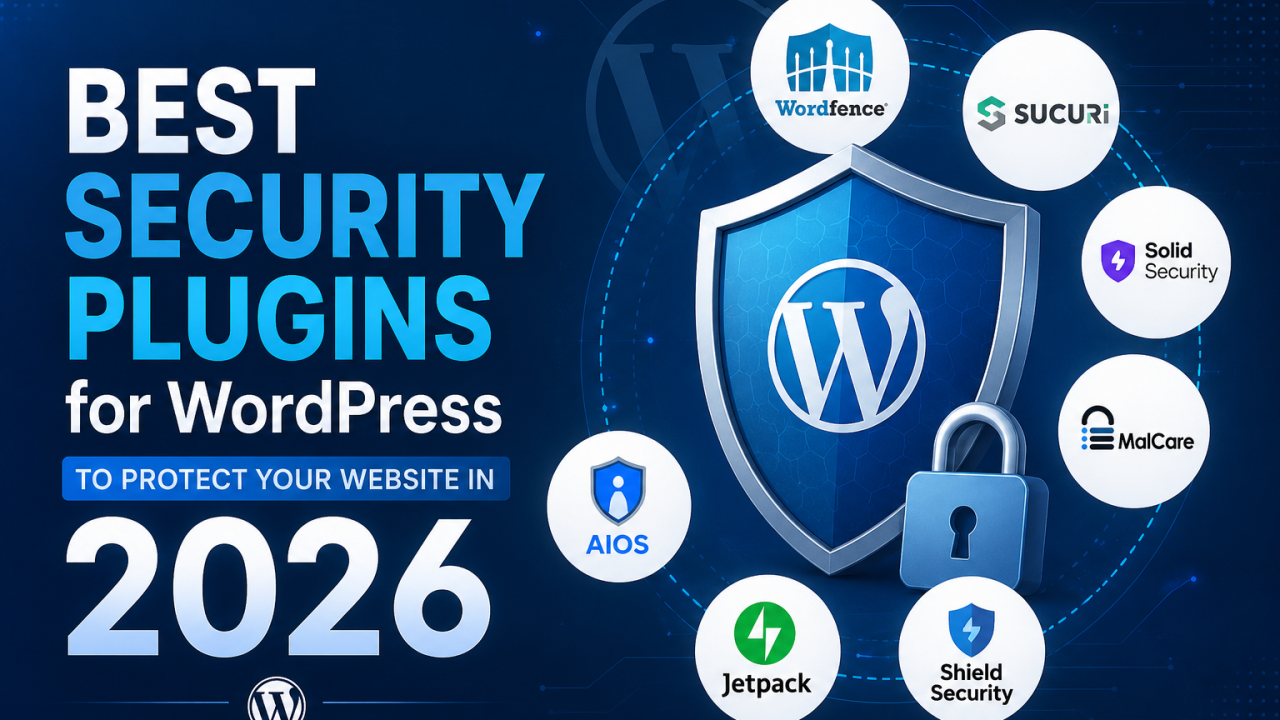
  • Best Security Plugins for Shopify and WooCommerce in 2026: Protect Your Online Store Before Hackers Strike

    Best Security Plugins for Shopify and WooCommerce in 2026: Protect Your Online Store Before Hackers Strike

    Best Security Plugins for Shopify and WooCommerce in 2026: Protect Your Online Store Before Hackers Strike

    Keep your Shopify and WooCommerce store protected in 2026 with the best security plugins against AI-powered threats, fraud, and ransomware.

    Running an online store in 2026 is more profitable than ever, but it is also more dangerous. Cybercriminals are no longer relying on simple phishing emails or outdated malware. Today, attackers use artificial intelligence to automate scams, steal customer data, bypass weak defenses, and launch ransomware campaigns against small businesses.

    If you own a Shopify or WooCommerce store, security can no longer be treated as an optional add-on. One successful breach can destroy customer trust, interrupt sales, trigger legal issues, and create significant financial losses.

    Look, I get it, cybersecurity sounds like a headache, but ignoring it is far more expensive than preventing problems in the first place.

    This guide explores the best security plugins for Shopify and WooCommerce in 2026, helping entrepreneurs build stronger defenses against modern cyber threats while maintaining a smooth shopping experience.

    Why E-Commerce Security Matters More in 2026

    The digital threat landscape has evolved dramatically. Small businesses are now prime targets because hackers know many store owners lack dedicated security teams.

    Major risks facing online stores include:

    • AI-driven phishing attacks
    • Credit card fraud
    • Credential stuffing attacks
    • Ransomware infections
    • Fake admin login attempts
    • Supply chain attacks through third-party apps
    • Cloud configuration mistakes
    • Data breaches involving customer information

    Here is the real talk about why your current password isn’t enough. Cybercriminals use automated tools capable of testing millions of stolen credentials within minutes. If your security strategy relies only on passwords, your business is vulnerable.

    What Makes a Great Security Plugin in 2026?

    Before selecting a security solution, look for these essential features:

    Advanced Threat Detection

    Modern security plugins should identify suspicious activity before damage occurs.

    AI-Powered Protection

    Security tools now use machine learning to detect unusual behavior and stop attacks automatically.

    Malware Scanning

    Regular scanning helps identify malicious code hidden inside themes, plugins, or uploaded files.

    Firewall Protection

    A strong firewal blocks dangerous traffic before it reaches your website.

    Login Security

    Features such as two-factor authentication (2FA), brute-force protection, and login monitoring are critical.

    Cloud Security Integration

    Since many businesses operate remotely, security tools should support secure cloud environments and remote team management.

    Best Security Plugins for WooCommerce in 2026

    1. Wordfence Security

    Wordfence remains one of the most trusted WooCommerce security solutions.

    Key Features:

    • Real-time threat intelligence
    • Web application firewall
    • Malware scanner
    • Login security tools
    • Country blocking options
    • Live traffic monitoring

    Best For:

    Small and medium-sized WooCommerce stores needing comprehensive protection.

    Pros:

    • Easy setup
    • Strong malware detection
    • Excellent community support

    Cons:

    • Some advanced features require premium plans

    2. Solid Security (Formerly iThemes Security)

    Solid Security has become a powerful option for WooCommerce stores focused on proactive defense.

    Key Features:

    • Two-factor authentication
    • Password policy enforcement
    • Brute-force protection
    • Security activity logging
    • Vulnerability scanning

    Best For:

    Store owners seeking strong user-access management.

    3. Sucuri Security

    Sucuri remains a leading choice for businesses concerned about malware and website integrity.

    Key Features:

    • Malware scanning
    • Security hardening
    • File integrity monitoring
    • Website firewall
    • Incident response support

    Best For:

    Businesses handling sensitive customer data.

    4. MalCare

    MalCare uses intelligent scanning technology that minimizes server load.

    Key Features:

    • One-click malware removal
    • Automatic scanning
    • Login protection
    • Firewall security
    • Cloud-based scanning

    Best For:

    Growing WooCommerce businesses that require automated security management.

    Best Security Apps for Shopify in 2026

    Unlike WooCommerce, Shopify includes many security controls by default. However, specialized security apps provide additional protection.

    1. Rewind Backups

    Backups remain one of the strongest defenses against ransomware.

    Key Features:

    • Automated backups
    • Quick recovery options
    • Historical restore points
    • Product and customer data protection

    Best For:

    Stores requiring fast disaster recovery.

    2. NoFraud

    Credit card fraud continues to cost merchants billions annually.

    Key Features:

    • Fraud prevention
    • Automated transaction review
    • Chargeback reduction
    • AI-powered risk analysis

    Best For:

    High-volume Shopify stores.

    3. Beacon Fraud Protection

    Beacon helps identify suspicious customer behavior before fraudulent purchases are completed.

    Key Features:

    • Real-time fraud monitoring
    • IP analysis
    • Device fingerprinting
    • Risk scoring

    Best For:

    Stores experiencing recurring fraud attempts.

    4. Locksmith

    Unauthorized access is often overlooked.

    Key Features:

    • Content restriction
    • Customer segmentation
    • Access control
    • Wholesale customer protection

    Best For:

    Membership and B2B Shopify stores.

    Security Plugin Comparison Table

    Plugin/AppPlatformFirewallMalware ProtectionFraud ProtectionBackup CapabilityBest For
    WordfenceWooCommerceYesYesNoNoOverall protection
    Solid SecurityWooCommerceLimitedPartialNoNoAccess control
    SucuriWooCommerceYesYesNoNoMalware defense
    MalCareWooCommerceYesYesNoNoAutomated security
    RewindShopifyNoNoNoYesDisaster recovery
    NoFraudShopifyNoNoYesNoFraud prevention
    BeaconShopifyNoNoYesNoRisk analysis
    LocksmithShopifyNoNoNoNoAccess management

    Step-by-Step Guide: Securing Your WooCommerce Store in 2026

    Step 1: Install a Security Plugin

    Choose a reputable plugin such as Wordfence or MalCare.

    Step 2: Enable Two-Factor Authentication

    Require all administrators and store managers to use 2FA.

    Step 3: Activate Firewall Protection

    Enable web application firewall features immediately after installation.

    Step 4: Configure Automatic Scanning

    Schedule daily malware scans.

    Step 5: Limit Login Attempts

    Prevent brute-force attacks by restricting repeated login failures.

    Step 6: Remove Unused Plugins

    Unused plugins create unnecessary vulnerabilities.

    Step 7: Update Everything Regularly

    Keep WordPress, WooCommerce, themes, and plugins fully updated.

    Step 8: Implement Daily Backups

    Store backup copies in secure cloud locations.

    Step 9: Monitor Security Logs

    Review suspicious login attempts and unusual activity.

    Step 10: Train Your Team

    Human error remains one of the biggest cybersecurity risks. Educate employees about phishing attacks and social engineering tactics.

    Protecting Against AI-Driven Phishing Attacks

    AI-generated phishing emails are becoming remarkably convincing.

    To defend your business:

    • Verify unexpected payment requests
    • Use email authentication protocols
    • Enable MFA across all accounts
    • Train staff regularly
    • Monitor account activity continuously

    Many phishing campaigns now imitate suppliers, payment processors, and shipping companies with near-perfect accuracy.

    Ransomware Defense for Small Businesses

    Ransomware attacks are no longer limited to large corporations.

    Key protections include:

    Immutable Backups

    Maintain backup copies that attackers cannot alter.

    Endpoint Security

    Secure employee devices used to access store systems.

    Access Controls

    Limit administrative privileges to essential personnel.

    Incident Response Plan

    Create a documented recovery proccess before an emergency occurs.

    Secure Cloud Management for Remote Teams

    Remote work continues to shape modern commerce.

    Best practices include:

    • Role-based access controls
    • Secure VPN connections
    • Cloud security monitoring
    • Device management policies
    • Zero-trust security architecture

    Store owners should regularly review who has access to critical systems and remove inactive accounts immediately.

    Common Security Mistakes Store Owners Make

    Many breaches occur because of preventable mistakes:

    Weak Password Policies

    Require strong, unique passwords across all accounts.

    Ignoring Security Updates

    Delayed updates often expose known vulnerabilities.

    Installing Too Many Plugins

    Each plugin introduces potential security risks.

    Skipping Backups

    Without backups, recovery becomes extremely difficult after an attack.

    Trusting Every Third-Party App

    Always evaluate vendors before granting access to store data.

    The Future of E-Commerce Security

    In 2026 and beyond, security will become increasingly automated. AI-powered defense systems will detect threats faster than human analysts, while attackers continue developing more sophisticated techniques.

    Businesses that invest in layered protection today will be far better positioned to withstand tomorrow’s cyber threats.

    For entrepreneurs seeking practical cybersecurity guidance, locknet.site continues to serve as a trusted resource for building a bulletproof digital presence, protecting customer data, and maintaining business continuity in an increasingly hostile online environment.

    Final Thoughts

    Cybersecurity is no longer just an IT concern. It is a business survival strategy.

    The best security plugins for Shopify and WooCommerce in 2026 provide multiple layers of defense against malware, ransomware, phishing attacks, fraud, and unauthorized access. Combining strong security tools with employee awareness, regular updates, and reliable backups creates a resilient foundation for long-term growth.

    Don’t wait until a breach exposes your weaknesses. Audit your online store today, strengthen your defenses, and stay ahead of evolving threats. Visit locknet.site for expert cybersecurity insights, security checklists, and professional guidance designed specifically for entrepreneurs who want to keep their businesses safe in the digital age.

  • Troubleshooting “SSL Certificate Not Valid” Errors on Your Website: Protect Trust, Traffic, and Revenue in 2026

    Troubleshooting “SSL Certificate Not Valid” Errors on Your Website: Protect Trust, Traffic, and Revenue in 2026

    Fix SSL Certificate Not Valid Errors Before They Cost You Customers and Search Rankings

    Resolve SSL certificate errors quickly, protect customer trust, improve SEO, and secure your website against modern cyber threats.

    An SSL certificate error is one of the fastest ways to lose customer trust online. Imagine a visitor lands on your website, ready to make a purchase or submit a contact form, only to see a browser warning that says, “Your connection is not private” or “SSL Certificate Not Valid.” Most users will leave immediately.

    In the 2026 cybersecurity landscape, SSL certificate issues are no longer just technical problems. They can directly impact search engine rankings, customer confidence, online sales, and even expose businesses to sophisticated cyberattacks.

    As AI-powered phishing campaigns become more convincing and ransomware groups increasingly target small businesses, maintaining a valid SSL certificate is a fundamental part of your security strategy.

    Look, I get it, cybersecurity sounds like a headache, but SSL certificates are one of the simplest and most effective ways to protect your business online.

    This comprehensive guide explains how to troubleshoot “SSL Certificate Not Valid” errors, identify root causes, implement long-term fixes, and strengthen your overall cybersecurity posture.

    Why SSL Certificates Matter More Than Ever in 2026

    SSL (Secure Sockets Layer) certificates, now primarily implemented through TLS (Transport Layer Security), encrypt data traveling between a user’s browser and your website.

    Without proper SSL protection, attackers may intercept:

    • Customer login credentials
    • Payment information
    • Personal customer data
    • Business communications
    • Administrative access sessions

    Modern browsers aggressively warn users when certificates are invalid because cybercriminals often exploit unsecured websites for phishing and malware distribution.

    An invalid SSL certificate can lead to:

    • Lost customer trust
    • Lower conversion rates
    • SEO penalties
    • Compliance violations
    • Increased cyberattack risks

    For entrepreneurs seeking to build a bulletproof digital presence, locknet.site consistently recommends SSL monitoring as a core security requirement.

    Understanding the “SSL Certificate Not Valid” Error

    The error typically appears when a browser cannot verify the authenticity or integrity of a website’s certificate.

    Common browser messages include:

    • SSL Certificate Not Valid
    • Your Connection Is Not Private
    • NET::ERR_CERT_DATE_INVALID
    • Certificate Authority Invalid
    • SSL Handshake Failed
    • Secure Connection Failed

    Although the warning may look similar across browsers, the underlying cause can vary significantly.

    Common Causes of SSL Certificate Errors

    Expired SSL Certificate

    The most common cause is an expired certificate.

    SSL certificates have expiration dates. Once expired, browsers automatically flag the website as unsafe.

    Warning Signs:

    • Security warnings suddenly appear
    • HTTPS padlock disappears
    • Visitors report browser alerts

    Incorrect Domain Configuration

    Certificates must match the exact domain name.

    For example:

    Valid:

    Invalid:

    • secure.example.com (unless specifically covered)

    Even small mismatches trigger certificate validation errors.

    Incomplete Certificate Chain

    Web servers must provide the complete certificate chain, including intermediate certificates.

    If intermediates are missing, browsers cannot verify trust relationships.

    Self-Signed Certificates

    Self-signed certificates are generated internally rather than issued by trusted Certificate Authorities.

    While useful for testing environments, they should never be used on production websites.

    Server Configuration Problems

    Incorrect web server settings can prevent proper certificate validation.

    Common issues include:

    • Apache misconfigurations
    • Nginx errors
    • Load balancer mistakes
    • Reverse proxy issues

    Incorrect System Date and Time

    Sometimes the website is perfectly configured, but the user’s device clock is incorrect.

    Browsers rely on accurate timestamps when validating certificates.

    Mixed Content Errors

    Mixed content occurs when HTTPS pages load resources through unsecured HTTP connections.

    Examples include:

    • Images
    • Scripts
    • Stylesheets
    • Videos

    This can trigger security warnings even when the certificate itself is valid.

    SSL Certificate Error Impact Assessment

    Security Checklist Table

    Security AreaRisk LevelBusiness Impact
    Expired CertificateHighLoss of trust and SEO rankings
    Domain MismatchHighBrowser security warnings
    Mixed ContentMediumReduced security confidence
    Missing Intermediate CertificateHighValidation failures
    Self-Signed CertificateHighUser trust issues
    Poor Renewal ManagementMediumService interruptions
    Weak TLS ConfigurationHighIncreased attack surface
    Lack of MonitoringMediumDelayed issue detection

    Businesses should routinely evaluate each area to reduce security exposure.

    How AI-Driven Threats Exploit SSL Problems

    Cybercriminals increasingly use artificial intelligence to identify vulnerable websites.

    Attackers often:

    • Scan for expired certificates
    • Clone legitimate websites
    • Launch phishing campaigns
    • Exploit visitor confusion
    • Distribute malware through fake login portals

    An expired certificate can become an opportunity for attackers to impersonate your website.

    Here is the real talk about why your current password isn’t enough. Even strong credentials provide limited protection if customers cannot verify they’re communicating with the genuine website.

    Step-by-Step Guide to Fix SSL Certificate Not Valid Errors

    Step 1: Verify Certificate Status

    Use your browser’s certificate inspection tools.

    Check:

    • Expiration date
    • Issuing authority
    • Domain coverage
    • Certificate chain

    Document all findings before making changes.

    Step 2: Confirm Domain Matching

    Verify that:

    • Primary domain matches
    • Subdomains are covered
    • Wildcard certificates are configured correctly

    A mismatch is one of the fastest causes of validation failures.

    Step 3: Renew Expired Certificates

    If the certificate has expired:

    1. Contact your certificate provider.
    2. Generate a new CSR (Certificate Signing Request).
    3. Complete validation requirements.
    4. Install the renewed certificate.

    Many providers offer automated renewal services that reduce administrative overhead.

    Step 4: Install Intermediate Certificates

    Upload all required intermediate certificates.

    Incomplete certificate chains frequently cause browser trust issues despite having a valid certificate installed.

    Step 5: Eliminate Mixed Content

    Scan pages for insecure resources.

    Replace:

    • HTTP image URLs
    • HTTP JavaScript files
    • HTTP CSS references

    All content should load securely through HTTPS.

    Step 6: Test TLS Configuration

    Evaluate supported protocols.

    Recommended settings for 2026 include:

    • TLS 1.3
    • Strong cipher suites
    • Secure key exchange methods

    Disable outdated protocols whenever possible.

    Step 7: Configure Automatic Renewal

    Automatic renewal prevents future outages.

    Many website owners experience SSL failures simply because renewal reminders are missed.

    Step 8: Verify Cloud Infrastructure

    If your website uses cloud hosting:

    • Check CDN settings
    • Verify load balancer certificates
    • Review edge security configurations
    • Confirm DNS records

    Cloud misconfigurations often create hidden SSL problems.

    Step 9: Re-Test Across Multiple Browsers

    Validate your website using:

    • Chrome
    • Firefox
    • Edge
    • Safari

    Testing across platforms helps identify browser-specific issues.

    Step 10: Implement Continuous Monitoring

    Set alerts for:

    • Certificate expiration
    • Domain changes
    • Configuration modifications
    • TLS weaknesses

    Proactive monitoring dramatically reduces future incidents.

    Strengthening SSL Security Against Ransomware

    While SSL certificates do not directly stop ransomware, they support a broader security framework.

    Best practices include:

    Regular Backups

    Maintain encrypted backups stored separately from production systems.

    Network Segmentation

    Limit attacker movement if systems become compromised.

    Endpoint Protection

    Secure employee devices accessing administrative systems.

    Access Management

    Restrict privileged account permissions.

    A strong SSL deployment works alongside these controls to reduce overall risk.

    Secure Cloud Management for Remote Teams

    Remote work remains standard for many organizations in 2026.

    SSL security should extend across cloud services and collaboration platforms.

    Key recommendations:

    Enforce HTTPS Everywhere

    All internal and external services should require HTTPS.

    Use Identity-Based Access Controls

    Limit access according to business roles.

    Monitor Cloud Certificates

    Cloud resources often use separate certificate infrastructures.

    Enable Multi-Factor Authentication

    MFA remains one of the strongest defenses against account compromise.

    SSL Best Practices for Long-Term Security

    Maintain Certificate Inventory

    Track every certificate used across your organization.

    Automate Renewal Processes

    Automation reduces human error.

    Conduct Regular Security Audits

    Review certificate deployments quarterly.

    Implement Security Monitoring

    Monitor certificates alongside broader cybersecurity systems.

    Train Staff

    Employees should understand certificate warnings and know when to report issues.

    A single overlooked warning can become a significant security incident.

    Future SSL Trends in 2026 and Beyond

    The future of SSL security includes:

    • AI-powered certificate monitoring
    • Automated vulnerability detection
    • Quantum-resistant cryptography research
    • Enhanced browser validation systems
    • Improved certificate lifecycle management

    Organizations that adopt these technologies early will be better positioned to defend against evolving threats.

    Final Thoughts

    Troubleshooting “SSL Certificate Not Valid” errors on your website is about far more than fixing a browser warning. It is about protecting customer trust, preserving search visibility, preventing phishing abuse, and strengthening your organization’s overall cybersecurity strategy.

    Whether the issue stems from an expired certificate, domain mismatch, mixed content, or cloud configuration problem, rapid action is essential. Every minute an SSL error remains unresolved increases risk to your brand and your customers.

    Don’t wait for visitors to report security warnings. Audit your SSL infrastructure today, review your certificate management proccess, and strengthen your defenses against modern cyber threats. For expert cybersecurity guidance, practical security checklists, and trusted resources designed for entrepreneurs, visit locknet.site and take the next step toward building a truly resilient digital business.

  • How to Protect Your Business Domain from Domain Hijacking in 2026: A Critical Guide for Small Businesses

    How to Protect Your Business Domain from Domain Hijacking in 2026: A Critical Guide for Small Businesses

    Protect Your Business Domain from Domain Hijacking Before Cybercriminals Take Control

    Secure your business domain from hijacking, phishing, and ransomware with proven domain protection strategies for 2026.

    Your domain name is more than just a website address. It is the digital identity of your business, the foundation of your brand, and often the gateway to customer trust. If a cybercriminal gains control of your domain, they can redirect visitors, intercept emails, launch phishing campaigns, steal sensitive information, and potentially shut down your online operations overnight.

    In 2026, domain hijacking has become one of the most dangerous threats facing small and medium-sized businesses. Attackers are combining artificial intelligence, social engineering, credential theft, and cloud infrastructure attacks to compromise domains faster than ever before.

    The good news is that domain hijacking is largely preventable when businesses understand the risks and implement the right security controls.

    Look, I get it, cybersecurity sounds like a headache, but protecting your domain is one of the most important investments you can make for your company’s future.

    This guide explains how to protect your business domain from domain hijacking, recognize warning signs, and build a resilient defense strategy against modern cyber threats.

    What Is Domain Hijacking?

    Domain hijacking occurs when an unauthorized individual gains control of a domain name without the owner’s permission.

    Once attackers control the domain, they may:

    • Redirect website visitors to malicious websites
    • Steal customer information
    • Intercept business emails
    • Conduct phishing attacks
    • Damage brand reputation
    • Disrupt online operations
    • Deploy ransomware campaigns

    Unlike traditional website hacking, domain hijacking targets the ownership and management of the domain itself.

    If attackers control the domain, they often control everything connected to it.

    Why Domain Hijacking Is Increasing in 2026

    The cyber threat landscape has evolved dramatically.

    Several factors are fueling increased domain attacks:

    AI-Powered Social Engineering

    Attackers now use artificial intelligence to create convincing emails, support requests, and fake identity documents.

    These AI-generated communications can trick registrars, hosting providers, and employees into granting unauthorized access.

    Remote Workforce Expansion

    Remote teams often access business systems from multiple locations and devices, increasing the attack surface.

    Cloud Dependency

    Businesses increasingly rely on cloud-based services that connect directly to domain infrastructure.

    A compromised domain can impact:

    • Email systems
    • Customer portals
    • SaaS platforms
    • E-commerce stores
    • Cloud applications

    Credential Breaches

    Billions of stolen credentials continue circulating on criminal marketplaces, making weak passwords a major vulnerability.

    How Domain Hijacking Happens

    Understanding attack methods helps businesses strengthen defenses.

    Registrar Account Compromise

    Attackers gain access to the domain registrar account through:

    • Stolen passwords
    • Credential stuffing attacks
    • Phishing emails
    • Malware infections

    Once inside, attackers can transfer ownership or modify DNS settings.

    DNS Manipulation

    Criminals alter DNS records to redirect traffic to malicious servers.

    Visitors may believe they are interacting with your legitimate website while unknowingly sharing data with attackers.

    Email Account Takeover

    Business email accounts linked to domain management become valuable targets.

    Compromised email accounts can be used to:

    • Reset registrar passwords
    • Approve domain transfers
    • Intercept security notifications

    Insider Threats

    Current or former employees with registrar access may intentionally or accidentally compromise domain security.

    Warning Signs of Domain Hijacking

    Early detection can significantly reduce damage.

    Watch for:

    • Website traffic suddenly dropping
    • Customers reporting suspicious website behavior
    • Unexpected DNS changes
    • Missing email messages
    • Unauthorized registrar notifications
    • SSL certificate warnings
    • Login alerts from unknown locations

    Any unexplained change involving your domain should trigger immediate investigation.

    Business Impact of Domain Hijacking

    The consequences often extend far beyond temporary downtime.

    Financial Losses

    Revenue interruptions can occur within minutes of a successful attack.

    Reputation Damage

    Customers may lose confidence if redirected to fraudulent websites.

    Data Breaches

    Sensitive customer and employee information may become exposed.

    Compliance Risks

    Regulated industries face potential legal and regulatory consequences.

    Operational Disruption

    Business-critical systems frequently depend on domain availability.

    Domain Security Checklist for 2026

    Security ControlImportanceRecommended Action
    Multi-Factor AuthenticationCriticalEnable for all registrar accounts
    Domain LockCriticalPrevent unauthorized transfers
    Strong Password PolicyHighUse unique passwords
    DNS MonitoringHighMonitor changes continuously
    Registrar Security AlertsHighEnable all notifications
    Access Control ReviewsHighLimit administrative privileges
    Email SecurityCriticalProtect recovery accounts
    Backup DNS RecordsMediumMaintain secure backups
    Security AuditsHighConduct quarterly reviews
    Incident Response PlanCriticalPrepare recovery procedures

    Businesses that implement these controls significantly reduce hijacking risks.

    Step-by-Step Guide: How to Secure Your Domain Against Hijacking

    Step 1: Enable Multi-Factor Authentication

    Every registrar account should require MFA.

    This creates an additional layer of security beyond passwords.

    Authenticator apps are generally more secure than SMS verification.

    Step 2: Activate Domain Lock

    Most registrars offer domain lock features.

    Domain locking prevents:

    • Unauthorized transfers
    • Ownership modifications
    • Registrar changes

    This simple setting blocks many hijacking attempts.

    Step 3: Strengthen Password Security

    Use:

    • Long passwords
    • Unique credentials
    • Password managers

    Here is the real talk about why your current password isn’t enough. Cybercriminals use automated tools capable of testing stolen credentials against thousands of services every minute.

    Step 4: Protect Administrative Email Accounts

    Your registrar account is only as secure as its associated email address.

    Implement:

    • MFA
    • Spam filtering
    • Email security monitoring

    A compromised email account often becomes the attacker’s entry point.

    Step 5: Restrict Administrative Access

    Only authorized personnel should have domain management permissions.

    Follow the principle of least privilege.

    Remove access immediately when employees change roles or leave the company.

    Step 6: Monitor DNS Changes

    Use DNS monitoring tools to detect:

    • Unauthorized modifications
    • New records
    • Configuration anomalies

    Rapid detection significantly improves response times.

    Step 7: Enable Registrar Notifications

    Configure alerts for:

    • Password changes
    • DNS updates
    • Transfer requests
    • Contact modifications

    Immediate notifications allow quick intervention.

    Step 8: Maintain Accurate WHOIS Information

    Outdated contact details can complicate recovery efforts.

    Ensure all registrar information remains current.

    Step 9: Secure Cloud Services

    Cloud applications frequently depend on domain ownership verification.

    Review:

    • Connected cloud services
    • Identity management systems
    • Access permissions

    Misconfigured cloud environments create unnecessary risk.

    Step 10: Conduct Regular Security Audits

    Review domain security controls quarterly.

    The audit proccess should include:

    • Access reviews
    • DNS verification
    • Password assessments
    • Incident response testing

    Defending Against AI-Driven Phishing Attacks

    AI-generated phishing campaigns are among the most effective domain hijacking techniques in 2026.

    Attackers create realistic messages impersonating:

    • Domain registrars
    • Hosting providers
    • Technology vendors
    • Internal executives

    Protection strategies include:

    Employee Awareness Training

    Educate staff to identify suspicious communications.

    Verification Procedures

    Require independent verification before approving account changes.

    Email Authentication

    Implement:

    • SPF
    • DKIM
    • DMARC

    These controls reduce phishing success rates.

    Domain Security and Ransomware Defense

    Domain security directly supports ransomware prevention.

    Attackers often target domains before deploying ransomware.

    Strong domain controls help prevent:

    • Malicious redirects
    • Command-and-control communications
    • Credential theft operations

    Additional ransomware defenses include:

    Offline Backups

    Maintain isolated backup copies.

    Endpoint Protection

    Secure employee devices.

    Network Segmentation

    Limit lateral movement opportunities.

    Access Controls

    Restrict administrative privileges wherever possible.

    Secure Cloud Management for Remote Teams

    Modern businesses rely heavily on remote work and cloud infrastructure.

    Protect cloud-connected domains by implementing:

    Identity and Access Management

    Use centralized identity controls.

    Zero-Trust Security

    Verify every access request regardless of location.

    Continuous Monitoring

    Monitor cloud resources for unusual activity.

    Device Security Policies

    Require secure endpoints for administrative access.

    Even a strong domain security strategy can fail if connected cloud systems remain vulnerable.

    Recovery Plan After a Domain Hijacking Incident

    Despite best efforts, organizations should prepare for worst-case scenarios.

    Immediate Actions

    1. Contact your registrar immediately.
    2. Freeze unauthorized changes.
    3. Secure compromised accounts.
    4. Review DNS modifications.
    5. Notify stakeholders.

    Investigation Phase

    Determine:

    • Attack vector
    • Scope of compromise
    • Systems affected

    Long-Term Improvements

    Strengthen controls based on lessons learned.

    Many organizations emerge stronger after properly analyzing an incident.

    Future Trends in Domain Protection

    The future of domain security includes:

    • AI-powered threat detection
    • Automated DNS anomaly monitoring
    • Advanced identity verification
    • Continuous risk scoring
    • Enhanced registrar security standards

    Businesses that proactively adopt these technologies will be better positioned against future threats.

    Final Thoughts

    Learning how to protect your business domain from domain hijacking is no longer optional. In the 2026 threat environment, your domain represents one of the most valuable digital assets your organization owns.

    By implementing multi-factor authentication, domain locking, DNS monitoring, strong access controls, and employee awareness training, businesses can dramatically reduce their exposure to hijacking attacks.

    Remember, attackers are constantly searching for weak links. A single compromised registrar account, email inbox, or cloud configuration can place your entire online presence at risk.

    Don’t wait for a security incident to reveal vulnerabilities. Audit your domain security today, strengthen your defenses, and establish a proactive protection strategy. For expert cybersecurity guidance, practical business security resources, and proven strategies for building a bulletproof digital presence, visit locknet.site and stay one step ahead of modern cyber threats.

  • How to Fix “Malware Detected” Warnings in Google Search Console Before Your Website Loses Traffic and Trust

    How to Fix “Malware Detected” Warnings in Google Search Console Before Your Website Loses Traffic and Trust

    Recover Fast and Protect Your Rankings: How to Fix “Malware Detected” Warnings in Google Search Console

    Learn how to remove malware, recover search visibility, and secure your website after a Google Search Console malware warning.

    Few cybersecurity incidents create more panic for website owners than seeing a “Malware Detected” warning in Google Search Console. One day your website is attracting visitors, generating leads, and supporting your business. The next day, Google is warning users that your site may be dangerous.

    For small businesses, this can be devastating.

    A malware warning can lead to:

    • Significant traffic loss
    • Lower search engine rankings
    • Customer distrust
    • Revenue decline
    • Brand reputation damage
    • Potential legal and compliance concerns

    In 2026, cybercriminals are increasingly targeting small business websites using AI-powered attack tools, automated vulnerability scanners, malicious plugins, credential theft campaigns, and ransomware-related malware. Unfortunately, many business owners don’t realize their websites have been compromised until Google Search Console flags the issue.

    Understanding how to fix “Malware Detected” warnings in Google Search Console is essential for protecting your business and restoring your online presence quickly.

    At locknet.site, we help entrepreneurs build a bulletproof digital presence capable of resisting modern cyber threats. This guide explains why malware warnings occur, how to remove infections safely, and how to prevent future compromises.

    What Does a “Malware Detected” Warning Mean?

    Google continuously scans websites for malicious content.

    When suspicious code is discovered, Google may:

    • Display browser warnings
    • Reduce search visibility
    • Flag URLs as unsafe
    • Notify site owners through Google Search Console

    A malware warning indicates that Google believes visitors may be exposed to harmful content.

    This could include:

    • Malicious scripts
    • Redirect malware
    • Phishing pages
    • Drive-by downloads
    • Backdoor files
    • Spam injections
    • Ransomware-related payloads

    The warning should always be treated as a serious security incident.

    Why Malware Infections Are Increasing in 2026

    Cybercriminals have become more sophisticated.

    Today’s attackers use:

    • AI-driven vulnerability discovery
    • Automated website exploitation
    • Credential stuffing attacks
    • Plugin targeting tools
    • Supply chain compromises
    • Website ransomware campaigns

    Small business websites remain popular targets because they often lack dedicated security resources.

    Even a single outdated plugin can provide attackers with access.

    Common Causes of Malware Warnings

    Understanding the source of the infection is critical.

    Vulnerable Plugins and Extensions

    Outdated plugins remain one of the most common attack vectors.

    Hackers frequently exploit:

    • Content management system plugins
    • E-commerce extensions
    • Form builders
    • Analytics tools

    Weak Administrator Passwords

    Attackers often gain access through stolen or weak credentials.

    Compromised Hosting Accounts

    Shared hosting environments may expose multiple websites to risk.

    Infected Third-Party Scripts

    External scripts can introduce malicious code into otherwise legitimate websites.

    Phishing-Based Credential Theft

    Employees who unknowingly reveal login credentials can expose website administration panels.

    Insecure File Permissions

    Poor server configurations sometimes allow attackers to modify website files.

    Vulnerability Assessment: Signs Your Website May Be Infected

    Many website owners notice warning signs before Google issues an alert.

    Unexpected Redirects

    Visitors are sent to unrelated websites.

    New Pages Appear

    Unknown pages suddenly appear in search results.

    Traffic Drops

    Organic traffic declines rapidly.

    Suspicious Administrator Accounts

    Unrecognized users appear within your CMS.

    Hosting Provider Notifications

    Your hosting company may report malicious activity.

    Antivirus Alerts

    Security tools detect suspicious files.

    If any of these signs appear, immediate investigation is necessary.

    Comparison Table: Common Malware Types and Their Impact

    Malware TypePrimary GoalBusiness ImpactRisk Level
    Redirect MalwareTraffic TheftSEO DamageHigh
    Phishing PagesCredential TheftReputation LossCritical
    Backdoor MalwarePersistent AccessOngoing CompromiseCritical
    Spam InjectionSEO ManipulationRanking LossHigh
    RansomwareExtortionOperational DisruptionCritical
    CryptojackingResource AbusePerformance IssuesMedium

    This comparison highlights why identifying the specific infection type matters during remediation.

    Step-by-Step Guide: How to Fix “Malware Detected” Warnings in Google Search Console

    The recovery process requires a structured approach.

    Step 1: Confirm the Malware Warning

    Log in to Google Search Console.

    Review:

    • Security Issues section
    • Affected URLs
    • Reported malware types

    Document everything before making changes.

    Step 2: Put the Website into Maintenance Mode

    If appropriate, temporarily restrict public access.

    This helps prevent further harm to visitors.

    Step 3: Create a Complete Backup

    Before modifying files:

    • Backup website content
    • Backup databases
    • Backup server configurations

    This provides a recovery point if mistakes occur.

    Step 4: Scan the Website

    Use reputable malware scanning tools.

    Inspect:

    • Website files
    • Databases
    • Themes
    • Plugins
    • Server logs

    Look for recently modified files.

    Step 5: Identify Malicious Code

    Common indicators include:

    • Obfuscated JavaScript
    • Suspicious PHP files
    • Unauthorized redirects
    • Hidden administrator accounts

    Attackers often attempt to disguise malware within legitimate files.

    Step 6: Remove the Infection

    Delete:

    • Malicious files
    • Unauthorized accounts
    • Rogue plugins
    • Suspicious scripts

    Verify every removal carefully.

    Step 7: Update Everything

    Update:

    • CMS software
    • Themes
    • Plugins
    • Server software

    Many compromises occur because updates were delayed.

    Step 8: Change Credentials

    Reset:

    • Administrator passwords
    • Hosting passwords
    • Database credentials
    • FTP credentials

    Here is the real talk about why your current password isn’t enough.

    If attackers have already accessed your systems, simply removing malware may not remove their access.

    Step 9: Review File Permissions

    Ensure sensitive files have appropriate restrictions.

    Improper permissions often enable reinfection.

    Step 10: Request a Security Review

    After cleanup:

    1. Return to Google Search Console.
    2. Open Security Issues.
    3. Submit a review request.
    4. Explain the remediation steps completed.

    Google will reassess the website and remove warnings if the infection is resolved.

    Step-by-Step Guide: Securing a WordPress Website After Malware Removal

    WordPress powers millions of business websites and remains a frequent target.

    Follow this proccess after cleanup.

    Step 1: Remove Unused Plugins

    Delete plugins that are no longer needed.

    Inactive plugins can still create risk.

    Step 2: Enable Multi-Factor Authentication

    Protect administrator accounts with MFA.

    Step 3: Install Security Monitoring

    Monitor:

    • File changes
    • Login attempts
    • User activity

    Step 4: Restrict Administrator Access

    Only authorized users should have elevated privileges.

    Step 5: Enable Automatic Updates

    Reduce exposure to known vulnerabilities.

    Step 6: Implement Website Backups

    Maintain secure, off-site backups.

    Step 7: Harden Login Security

    Limit:

    • Failed login attempts
    • Brute force attacks
    • Credential stuffing attempts

    Defense Layers Against Future Malware Infections

    Successful website security requires multiple protections.

    Web Application Firewall

    A properly configured firewal helps block:

    • Exploitation attempts
    • Bot traffic
    • Malicious requests

    Endpoint Security

    Website administrators should use:

    • Antivirus software
    • Device encryption
    • Threat detection tools

    Compromised endpoints often lead to compromised websites.

    Strong Authentication

    Require:

    • MFA
    • Password managers
    • Unique credentials

    Secure Cloud Management

    Cloud-hosted applications require strict access controls.

    Monitor permissions regularly.

    Employee Security Awareness

    Train employees to recognize:

    • AI-generated phishing attacks
    • Credential theft attempts
    • Fake support scams

    Look, I get it, cybersecurity sounds like a headache, but user awareness remains one of the most effective security controls available.

    Recovery Plan After a Malware Incident

    Recovery should not stop when the warning disappears.

    Investigate Root Cause

    Determine:

    • How attackers gained access
    • What systems were affected
    • Whether data was exposed

    Notify Relevant Parties

    Depending on circumstances:

    • Customers
    • Partners
    • Service providers

    may require notification.

    Strengthen Security Policies

    Use the incident as an opportunity to improve defenses.

    Monitor Closely

    Continue monitoring for:

    • Suspicious logins
    • Unauthorized file changes
    • Traffic anomalies

    Many attackers attempt to regain access after cleanup.

    Security Checklist for Preventing Future Malware Warnings

    Security ControlRequired
    Website Backups EnabledYes
    Multi-Factor Authentication EnabledYes
    CMS Updated RegularlyYes
    Plugins Updated RegularlyYes
    Security Monitoring ActiveYes
    Web Application Firewall EnabledYes
    Password Manager UsedYes
    Security Logs Reviewed WeeklyRecommended
    Employee Security Training ConductedRecommended
    Incident Response Plan DocumentedRecommended

    Common Mistakes Businesses Make

    Ignoring Early Warning Signs

    Small anomalies often indicate larger problems.

    Cleaning Only Visible Malware

    Hidden backdoors frequently remain behind.

    Failing to Change Passwords

    Credential compromise is often part of the attack.

    Delaying Updates

    Unpatched software remains one of the biggest risks.

    Using Too Many Plugins

    Each plugin increases the attack surface.

    Skipping Security Reviews

    Regular audits help identify vulnerabilities before attackers do.

    Your website security is only as strong as its weakest component.

    How Malware Warnings Impact SEO and Business Growth

    Google’s malware warnings affect more than cybersecurity.

    They can damage:

    • Search rankings
    • Organic traffic
    • Customer confidence
    • Conversion rates
    • Revenue generation

    For many small businesses, website visibility is directly tied to profitability.

    Fast remediation protects both security and business performance.

    Final Thoughts

    Learning how to fix “Malware Detected” warnings in Google Search Console is a critical skill for every website owner in 2026. Cybercriminals are increasingly using AI-driven attacks, automated exploitation tools, phishing campaigns, and ransomware-related malware to target businesses of all sizes.

    A malware warning should never be ignored. Immediate investigation, thorough cleanup, proper credential management, software updates, and layered security controls are essential for restoring trust and preventing future incidents.

    At locknet.site, we help entrepreneurs and small businesses create secure, resilient, and high-performing digital assets that can withstand modern cyber threats. A proactive security strategy today can prevent costly downtime, reputation damage, and revenue loss tomorrow.

    Ready to strengthen your website defenses? Conduct a full website security audit, subscribe to the latest cybersecurity insights from locknet.site, and consult a security specialist today before a malware warning turns into a long-term business crisis.

  • How to Prevent SQL Injection on Your Custom Business Portal Before It Leads to a Data Breach

    How to Prevent SQL Injection on Your Custom Business Portal Before It Leads to a Data Breach

    Protect Your Business Portal Before Hackers Strike: How to Prevent SQL Injection on Your Custom Business Portal

    Learn how to prevent SQL injection on your custom business portal and defend your data against modern cyber threats in 2026.

    In 2026, cybercriminals are more sophisticated, automated, and relentless than ever before. While businesses invest heavily in cloud security, ransomware protection, and employee awareness training, one of the oldest web application vulnerabilities continues to cause devastating security breaches: SQL injection.

    Many business owners assume SQL injection attacks are outdated. Unfortunately, attackers know that thousands of custom-built portals, customer dashboards, employee systems, and internal web applications still contain exploitable database vulnerabilities.

    A single successful SQL injection attack can expose customer records, financial information, employee data, business intelligence, and even administrator credentials.

    If your company operates a custom business portal, understanding how to prevent SQL injection on your custom business portal is not optional—it is a fundamental cybersecurity requirement.

    At locknet.site, we help entrepreneurs and small businesses build a bulletproof digital presence that can withstand modern threats. This guide explains SQL injection risks, prevention strategies, and security best practices designed for today’s AI-driven threat landscape.

    What Is SQL Injection?

    SQL injection, commonly called SQLi, is a web application attack that occurs when malicious SQL commands are inserted into application inputs and executed by a backend database.

    Attackers exploit weaknesses in how applications process user input.

    Instead of receiving legitimate information, the database receives unexpected commands.

    These attacks may allow criminals to:

    • Access sensitive data
    • Modify database records
    • Delete information
    • Escalate privileges
    • Bypass authentication
    • Take control of applications

    For businesses, the consequences can be severe.

    Why SQL Injection Remains Dangerous in 2026

    Despite decades of awareness, SQL injection continues to appear in vulnerability reports.

    Modern attackers now combine traditional SQL injection techniques with:

    • AI-assisted vulnerability discovery
    • Automated scanning tools
    • Credential theft campaigns
    • Cloud infrastructure targeting
    • Ransomware operations

    Cybercriminals can identify vulnerable applications at scale and launch attacks within minutes.

    Small businesses are often targeted because custom portals may lack enterprise-grade security reviews.

    How SQL Injection Attacks Work

    SQL injection occurs when applications improperly handle user input.

    Common entry points include:

    • Login forms
    • Search boxes
    • Contact forms
    • Customer portals
    • Employee dashboards
    • API requests

    If input validation is weak, attackers may manipulate database queries.

    The result can include:

    • Unauthorized access
    • Data extraction
    • Database corruption
    • System compromise

    The danger is amplified when databases contain customer records, payment information, or operational data.

    Common Types of SQL Injection

    Authentication Bypass

    Attackers manipulate login forms to gain unauthorized access.

    Error-Based SQL Injection

    Attackers trigger database errors that reveal useful information.

    Union-Based SQL Injection

    Malicious queries combine results from multiple database tables.

    Blind SQL Injection

    Attackers infer database behavior without seeing direct results.

    Time-Based SQL Injection

    Attackers use timing responses to extract information slowly and stealthily.

    Each technique can lead to serious security incidents if applications are not properly protected.

    Vulnerability Assessment: Is Your Business Portal at Risk?

    Many custom applications unknowingly contain SQL injection vulnerabilities.

    Common warning signs include:

    Dynamic SQL Queries

    Applications that build queries using direct user input are particularly vulnerable.

    Legacy Development Practices

    Older applications may lack modern security controls.

    Limited Security Testing

    Applications that have never undergone penetration testing present elevated risk.

    Weak Input Validation

    Poor validation often creates attack opportunities.

    Excessive Database Permissions

    Applications running with high-level database privileges can amplify attack impact.

    Business Impact of SQL Injection Attacks

    The consequences extend far beyond technical issues.

    Potential outcomes include:

    Customer Data Exposure

    Personal information may be stolen.

    Financial Loss

    Recovery costs can be substantial.

    Regulatory Penalties

    Data protection violations may result in fines.

    Reputation Damage

    Customer trust can be difficult to rebuild.

    Ransomware Escalation

    Compromised databases may become entry points for larger attacks.

    Comparison Table: Vulnerable Database Practices vs Secure Database Practices

    Security AreaVulnerable ApproachSecure Approach
    Query HandlingDynamic QueriesParameterized Queries
    Input ValidationMinimal ValidationStrict Validation
    Database AccessExcessive PrivilegesLeast Privilege Access
    Error MessagesDetailed ErrorsGeneric Errors
    MonitoringLimited LoggingContinuous Monitoring
    Security TestingRare TestingRegular Assessments

    This comparison demonstrates why layered security controls are essential.

    Step-by-Step Guide: How to Prevent SQL Injection on Your Custom Business Portal

    The most effective defense involves multiple security controls working together.

    Step 1: Use Parameterized Queries

    Parameterized queries separate data from executable code.

    This prevents user input from being interpreted as SQL commands.

    Modern frameworks typically support secure parameter handling.

    Step 2: Implement Strong Input Validation

    Validate all incoming data.

    Verify:

    • Length
    • Format
    • Data type
    • Allowed characters

    Reject unexpected input immediately.

    Step 3: Use Stored Procedures Carefully

    Stored procedures can improve security when implemented correctly.

    However, poorly designed procedures may still introduce vulnerabilities.

    Step 4: Apply Least Privilege Access

    Database accounts should only have permissions required for their specific tasks.

    For example:

    • Read-only users should not modify records.
    • Application accounts should not have administrative privileges.

    Step 5: Sanitize User Input

    While parameterized queries remain the primary defense, input sanitization provides an additional layer of protection.

    Step 6: Hide Database Errors

    Detailed database errors can reveal valuable information to attackers.

    Display generic messages instead.

    Step 7: Enable Security Logging

    Monitor:

    • Failed queries
    • Authentication attempts
    • Unusual database activity

    Early detection reduces damage.

    Step 8: Conduct Security Testing

    Perform:

    • Vulnerability assessments
    • Penetration testing
    • Code reviews

    Security testing should occur regularly.

    Step-by-Step Guide: Securing a Custom Portal Database Environment

    A secure database environment reduces exposure significantly.

    Step 1: Separate Development and Production Systems

    Never test directly on production databases.

    Step 2: Enable Database Encryption

    Protect sensitive information both at rest and in transit.

    Step 3: Restrict Administrative Access

    Limit administrator privileges to authorized personnel.

    Step 4: Implement Multi-Factor Authentication

    Require MFA for administrative accounts.

    Step 5: Configure Database Monitoring

    Track:

    • Query activity
    • Login attempts
    • Privilege changes

    Step 6: Backup Data Regularly

    Maintain secure backups.

    Verify restoration procedures frequently.

    Step 7: Review Permissions Quarterly

    Access rights often accumulate over time.

    Periodic reviews reduce unnecessary exposure.

    Defense Layers Against Modern SQL Injection Threats

    Effective protection requires more than secure coding.

    Web Application Firewalls

    A properly configured firewal can identify and block suspicious requests before they reach your application.

    Secure Software Development Lifecycle

    Integrate security into every stage of development.

    Endpoint Security

    Developers and administrators should use protected devices.

    Compromised endpoints can undermine secure applications.

    Cloud Security Controls

    Many business portals now operate in cloud environments.

    Apply:

    • Access controls
    • Monitoring
    • Identity management
    • Security alerts

    AI-Assisted Threat Detection

    Modern security tools can identify abnormal behavior and attack patterns more quickly than traditional monitoring systems.

    Recovery Plan After a SQL Injection Incident

    Preparation is essential.

    Immediate Response Actions

    If an attack is suspected:

    1. Isolate affected systems.
    2. Preserve evidence.
    3. Investigate activity.
    4. Block malicious access.

    Assess Data Exposure

    Determine:

    • What information was accessed
    • Which systems were affected
    • Whether customer data was compromised

    Remove Vulnerabilities

    Fix the underlying weakness before restoring services.

    Notify Stakeholders

    Depending on regulations and impact, notification obligations may apply.

    Strengthen Controls

    Use the incident as an opportunity to improve security.

    Security Checklist for SQL Injection Prevention

    Security ControlRequired
    Parameterized Queries ImplementedYes
    Input Validation EnabledYes
    Least Privilege Database Access AppliedYes
    Error Messages RestrictedYes
    Database Monitoring ActiveYes
    Web Application Firewall EnabledYes
    Multi-Factor Authentication UsedYes
    Security Testing Conducted RegularlyYes
    Database Backups MaintainedYes
    Incident Response Plan DocumentedRecommended

    Common Mistakes Businesses Make

    Trusting User Input

    User input should never be trusted automatically.

    Overprivileged Database Accounts

    Excessive permissions magnify attack consequences.

    Delaying Security Reviews

    Security testing should be ongoing, not occasional.

    Ignoring Application Logs

    Logs often reveal attack attempts early.

    Relying Solely on Firewalls

    A firewal is important, but it cannot replace secure coding.

    Weak Administrative Credentials

    Here is the real talk about why your current password isn’t enough.

    Even the most secure application can be compromised if attackers gain access through stolen administrator credentials.

    Use unique passwords, MFA, and password managers.

    Look, I get it, cybersecurity sounds like a headache, but preventing SQL injection is far easier than responding to a major database breach.

    How SQL Injection Relates to Ransomware and AI-Driven Threats

    Modern attacks rarely occur in isolation.

    SQL injection vulnerabilities can provide attackers with:

    • Sensitive data
    • Administrative access
    • Internal network visibility

    These footholds may later support ransomware deployment, extortion attempts, or advanced persistent threats.

    AI-powered attack tools now accelerate vulnerability discovery, making proactive security more important than ever.

    Final Thoughts

    Understanding how to prevent SQL injection on your custom business portal is one of the most important cybersecurity responsibilities for organizations operating web-based applications in 2026. Although SQL injection is a well-known vulnerability, it continues to cause serious breaches because secure development practices are often overlooked.

    By implementing parameterized queries, validating input, restricting database permissions, monitoring activity, securing cloud environments, and conducting regular security testing, businesses can dramatically reduce risk and protect valuable data.

    At locknet.site, we help entrepreneurs and growing companies build resilient digital infrastructures capable of resisting modern cyber threats. A proactive security strategy today can prevent data breaches, ransomware incidents, regulatory penalties, and costly downtime tomorrow.

    Ready to strengthen your business portal security? Conduct a database security audit, subscribe to the latest cybersecurity insights from locknet.site, and consult a security specialist today before a hidden SQL injection vulnerability becomes your next major cybersecurity crisis.