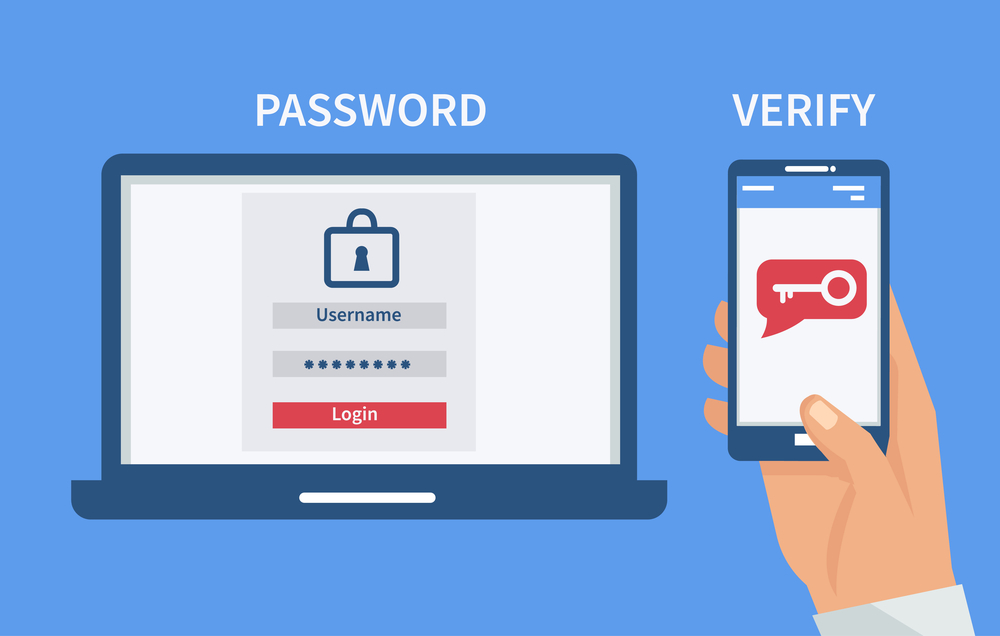
Protect Your Business Before Lockouts Become Breaches: Troubleshooting Common 2FA (Two-Factor Authentication) Login Issues in 2026
Solve 2FA login problems fast and keep your business protected from phishing, ransomware, and account takeovers in 2026.
In 2026, cybercriminals are leveraging artificial intelligence, automated phishing campaigns, and credential theft techniques at an unprecedented scale. While passwords remain an essential layer of security, they are no longer enough on their own.
That is why Two-Factor Authentication (2FA) has become one of the most important security controls for small businesses, remote teams, and cloud-based organizations.
However, many business owners encounter frustrating login problems that can disrupt productivity, lock employees out of critical systems, and create security risks when handled incorrectly.
Troubleshooting common 2FA (Two-Factor Authentication) login issues is no longer just an IT task—it is a business continuity requirement.
At locknet.site, we regularly help entrepreneurs strengthen their defenses while minimizing the operational headaches that often come with modern cybersecurity tools.
This guide explains the most common 2FA problems, how to fix them safely, and how to prevent future authentication failures in today’s evolving threat landscape.
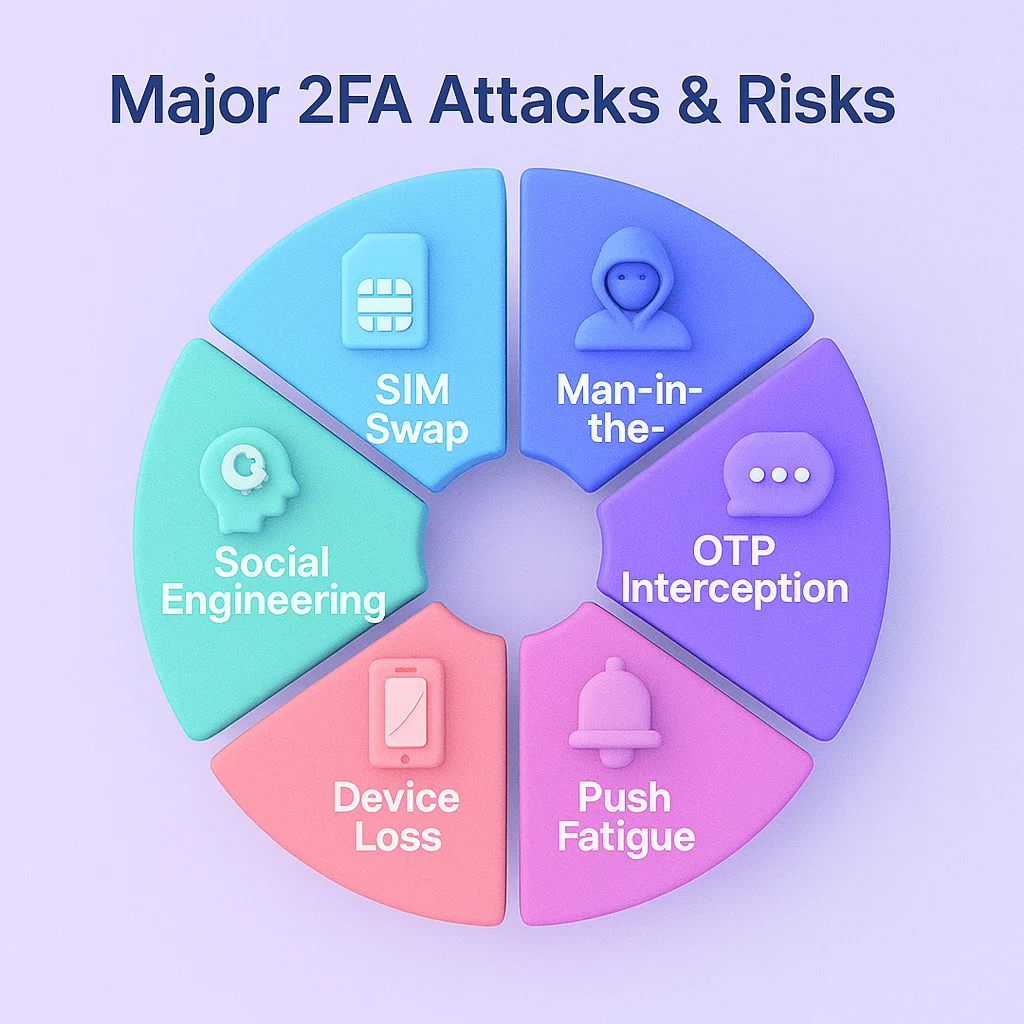
Why 2FA Matters More Than Ever in 2026
The rise of AI-powered cyberattacks has changed the game.
Attackers can now generate highly convincing phishing emails, fake login portals, and social engineering messages that closely imitate trusted vendors, colleagues, and customers.
Even strong passwords can be stolen.
2FA adds a second verification step that dramatically reduces the risk of unauthorized access.
Common second factors include:
- Authentication apps
- Hardware security keys
- Biometrics
- Email verification codes
- SMS verification codes
- Passkeys
Without 2FA, a stolen password can quickly lead to:
- Business email compromise
- Cloud account takeovers
- Financial fraud
- Customer data theft
- Ransomware deployment
The Most Common 2FA Login Issues
Understanding the root cause helps organizations resolve issues faster and more securely.
Expired Authentication Codes
Most authentication codes remain valid for only 30 to 60 seconds.
Employees often:
- Delay entering codes
- Switch between devices
- Accidentally refresh login pages
Result: The code expires before use.
Device Time Synchronization Problems
Authenticator apps rely on accurate system time.
Even a small clock mismatch can generate invalid codes.
Symptoms include:
- “Incorrect code” errors
- Repeated authentication failures
- Successful password entry but rejected 2FA verification
Lost or Replaced Mobile Devices
Employees frequently upgrade phones without transferring authentication settings.
This is one of the most common support requests businesses face.
Backup Codes Not Available
Many users skip saving recovery codes during setup.
When devices are lost, account recovery becomes significantly harder.
SMS Delivery Delays
SMS-based authentication can experience:
- Carrier delays
- Roaming issues
- Network outages
- SIM-related problems
Codes may arrive too late to be useful.
Corporate Firewall Restrictions
Some organizations accidentally block authentication traffic.
An incorrectly configured firewal can prevent verification requests from reaching authentication servers.
Cloud Service Synchronization Issues
Modern businesses rely heavily on:
- Microsoft 365
- Google Workspace
- Salesforce
- Slack
- Zoom
Synchronization problems can occasionally interfere with authentication workflows.

Comparison Table: Common 2FA Issues and Solutions
| Issue | Likely Cause | Business Impact | Recommended Fix |
|---|---|---|---|
| Invalid Authenticator Code | Incorrect device time | User lockout | Sync device clock |
| Lost Phone | Missing authenticator access | Access disruption | Use backup codes |
| SMS Not Received | Carrier delays | Login failure | Switch to authenticator app |
| Security Key Not Working | Browser compatibility issue | Authentication failure | Update browser |
| Account Locked | Multiple failed attempts | Productivity loss | Admin reset process |
| Cloud Login Errors | Service synchronization issue | Team disruption | Verify identity provider settings |
Vulnerability Assessment: Are Your 2FA Systems Actually Secure?
Many businesses assume enabling 2FA automatically makes them secure.
Unfortunately, attackers are adapting.
AI-Driven Phishing Against 2FA
Modern phishing kits can intercept credentials and session tokens.
Cybercriminals may:
- Capture passwords
- Steal authentication cookies
- Hijack authenticated sessions
This means businesses must combine 2FA with additional controls.
Weak Recovery Procedures
Attackers often target account recovery workflows rather than authentication itself.
Questions to ask:
- Who can reset accounts?
- How are identities verified?
- Are recovery requests audited?
Weak recovery procedures can undermine otherwise strong security.
Step-by-Step Guide: Fixing Authenticator App Login Problems
One of the most common troubleshooting scenarios involves authenticator apps.
Follow this secure proccess when users cannot log in.
Step 1: Verify Internet Connectivity
Confirm both:
- The device generating codes
- The device attempting login
have stable internet access.
Step 2: Check Device Time Settings
On Android:
- Open Settings
- Select Date & Time
- Enable Automatic Time
On iPhone:
- Open Settings
- Select General
- Tap Date & Time
- Enable Set Automatically
This resolves a large percentage of invalid code errors.
Step 3: Confirm Correct Account Selection
Many users maintain multiple accounts within the same authenticator app.
Verify they are entering the code from the correct profile.
Step 4: Test Backup Codes
If backup codes were saved:
- Access recovery options
- Enter a recovery code
- Regain account access
- Reconfigure 2FA
Step 5: Re-Enroll the Authenticator Device
If authentication remains broken:
- Log in using recovery methods
- Remove existing 2FA registration
- Generate a new QR code
- Pair the authenticator again
Step 6: Audit Security Logs
Review:
- Failed login attempts
- Unrecognized locations
- Device registrations
- Suspicious activity
Authentication problems can occasionally indicate attempted compromise.
Building Stronger Defense Layers Around 2FA
2FA should never be the only security measure.
Use Password Managers
Strong password managers reduce credential theft risks.
They also eliminate password reuse.
Here is the real talk about why your current password isn’t enough.
Even a complex password can become a liability if used across multiple accounts.
Deploy Conditional Access Controls
Restrict logins based on:
- Device trust
- Geographic location
- User role
- Risk score
This adds another layer of protection.
Implement Passkeys
Passkeys are becoming a major advancement in authentication security.
Benefits include:
- Phishing resistance
- Faster login experience
- Reduced password dependence
Many cloud providers now support passkey deployment.
Use Hardware Security Keys
For administrators and sensitive accounts, hardware security keys remain one of the strongest defenses available.
Recovery Planning for Remote Teams
Remote work environments create unique authentication challenges.
Look, I get it, cybersecurity sounds like a headache, but remote teams often experience login issues outside normal support hours.
Organizations should establish:
Emergency Access Procedures
Document:
- Recovery contacts
- Escalation paths
- Verification requirements
Secure Backup Storage
Store recovery codes in:
- Encrypted password managers
- Secure vault systems
Never store them in unprotected spreadsheets.
Administrative Recovery Accounts
Maintain highly protected recovery accounts with:
- Separate credentials
- Strong MFA
- Limited use policies
These accounts can restore access during emergencies.
Security Checklist for Reliable 2FA Deployment
| Security Control | Status |
|---|---|
| MFA Enabled on All Critical Accounts | Required |
| Backup Codes Stored Securely | Required |
| Device Time Synchronization Enabled | Required |
| Password Manager Deployed | Recommended |
| Security Key for Administrators | Recommended |
| Authentication Logs Monitored | Recommended |
| Recovery Procedures Documented | Required |
| Employee Security Training Completed | Required |
| Passkey Support Evaluated | Recommended |
| Quarterly Authentication Audit Conducted | Recommended |
Common Mistakes Small Businesses Make
Many organizations unknowingly create authentication weaknesses.
Relying Solely on SMS
SMS remains better than no 2FA, but it is not ideal.
Authenticator apps and security keys offer stronger protection.
Ignoring Failed Login Reports
Repeated failures may indicate:
- User confusion
- Brute force attacks
- Phishing attempts
Skipping Employee Training
Technology alone cannot stop cybercrime.
Users must understand authentication best practices.
Failing to Test Recovery Methods
Your recovery plan is useless if nobody verifies it works.
Test recovery procedures regularly.
Delaying Security Updates
Outdated software increases authentication vulnerabilities and compatibility issues.
Final Thoughts
Troubleshooting common 2FA (Two-Factor Authentication) login issues is a critical part of modern cybersecurity management. As AI-driven phishing attacks become more sophisticated and ransomware operators continue targeting small businesses, reliable authentication systems are essential for protecting sensitive data and cloud resources.
The good news is that most 2FA problems are preventable. Proper planning, employee training, secure recovery methods, and regular audits can dramatically reduce authentication failures while improving overall security.
Businesses that combine strong passwords, password managers, passkeys, hardware security keys, and robust 2FA policies create a significantly stronger defense against today’s cyber threats.
At locknet.site, our mission is to help entrepreneurs and growing organizations build a bulletproof digital presence without sacrificing productivity or peace of mind.
Ready to strengthen your authentication security? Audit your current 2FA deployment, subscribe to cybersecurity updates, and connect with a security specialist through locknet.site before a login issue becomes a business-threatening security incident.
Leave a Reply