Protect Your Business Email Reputation Before It’s Too Late: Troubleshooting “IP Address Blacklisted” Issues for Business Emails
Resolve IP address blacklist problems, restore email deliverability, and protect your business communications from costly disruptions.
Email remains one of the most important communication tools for modern businesses. Whether you’re sending invoices, customer support responses, marketing campaigns, sales proposals, or internal updates, email is the backbone of daily operations.
But what happens when your emails suddenly stop reaching customers?
You start receiving bounce-back messages. Clients report missing emails. Marketing campaigns experience unusually low engagement. Important business communications disappear into spam folders.
In many cases, the culprit is an IP address blacklist.
For small businesses, being blacklisted can have serious consequences. Lost sales opportunities, damaged reputation, reduced customer trust, and disrupted operations can quickly become costly problems.
Understanding and troubleshooting “IP Address Blacklisted” issues for business emails is now a critical part of maintaining a secure and reliable digital presence.
At locknet.site, we help entrepreneurs build a bulletproof digital presence capable of withstanding modern cybersecurity threats and communication challenges. This guide explains why blacklisting occurs, how to fix it, and how to prevent it from happening again.
What Does “IP Address Blacklisted” Mean?
Every email server sends messages from a specific IP address.
Email providers such as Gmail, Outlook, Yahoo, and corporate mail systems evaluate the reputation of those IP addresses before deciding whether to deliver messages.
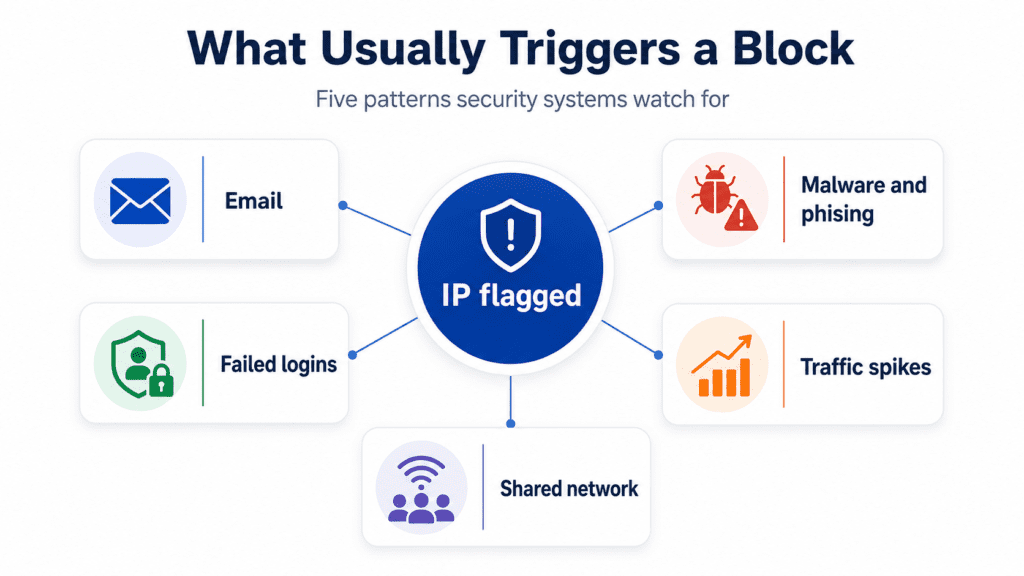
When suspicious behavior is detected, the IP address may be added to a blacklist.
Once listed, emails sent from that IP address may be:
- Rejected entirely
- Sent to spam folders
- Delayed significantly
- Flagged as suspicious
The result is reduced email deliverability and damaged business communications.
Why Email Blacklisting Is a Growing Problem in 2026
The email threat landscape has evolved dramatically.
Today’s attackers use:
- AI-generated phishing campaigns
- Automated spam distribution
- Credential theft attacks
- Compromised business accounts
- Malware-infected mail servers
To combat these threats, email providers continuously monitor sending behavior and aggressively block suspicious sources.
Unfortunately, legitimate businesses can also become victims.
A compromised account, misconfigured server, or infected device can trigger blacklist placement.
Common Signs Your Business IP Address Has Been Blacklisted
Many businesses do not immediately realize they have a problem.
Watch for these warning signs:
Increased Bounce Messages
Messages may include:
- Blocked sender errors
- Reputation failures
- Spam-related rejection notices
Sudden Drop in Email Deliverability
Customers stop receiving emails despite successful sending attempts.
Marketing Campaign Performance Declines
Open rates and engagement metrics decrease unexpectedly.
Customer Complaints
Clients report missing communications.
Emails Landing in Spam Folders
Even legitimate messages may be filtered.
If multiple symptoms appear simultaneously, blacklist investigation should begin immediately.
Vulnerability Assessment: Why Did Your IP Get Blacklisted?
Understanding the cause is essential before attempting remediation.
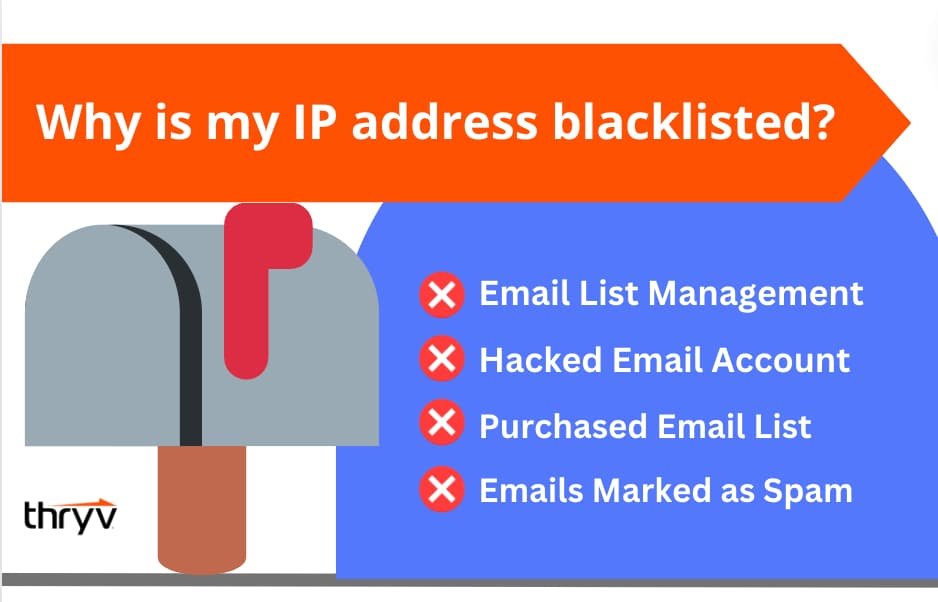
Compromised Email Accounts
Attackers may gain access to accounts and send spam.
Malware Infections
Infected devices can generate unauthorized email traffic.
Misconfigured Mail Servers
Improper authentication settings frequently trigger reputation issues.
Bulk Email Abuse
Excessive outbound messaging can appear suspicious.
Shared Hosting Risks
Businesses using shared infrastructure may be affected by other users’ behavior.
Weak Security Controls
Poor authentication practices increase the likelihood of abuse.
Look, I get it, cybersecurity sounds like a headache, but most blacklist incidents begin with preventable security weaknesses.
Comparison Table: Healthy Email Reputation vs Blacklisted Email Environment
| Security Factor | Healthy Email Reputation | Blacklisted Environment |
|---|---|---|
| Email Delivery | Consistent | Frequently Blocked |
| Customer Communication | Reliable | Disrupted |
| Spam Complaints | Low | Elevated |
| Authentication Records | Properly Configured | Missing or Incorrect |
| Server Security | Strong | Weak |
| Business Reputation | Protected | Damaged |
This comparison highlights the importance of proactive email security.
Understanding Major Email Blacklists
Various reputation services track suspicious IP addresses.
Common blacklist categories include:
Spam Blacklists
Identify sources associated with spam activity.
Malware Blacklists
Track systems linked to malware distribution.
Botnet Blacklists
Monitor compromised devices participating in malicious campaigns.
Domain Reputation Lists
Evaluate the trustworthiness of sending domains.
A single listing can significantly impact email deliverability.
Step-by-Step Guide: Troubleshooting “IP Address Blacklisted” Issues for Business Emails
Follow this structured recovery process.
Step 1: Confirm the Blacklist Status
Review bounce-back messages carefully.
Identify:
- Which blacklist is involved
- Which IP address is affected
- When the issue started
Accurate diagnosis prevents wasted effort.
Step 2: Investigate Account Activity
Review:
- Login history
- Authentication logs
- User activity
Look for:
- Unknown devices
- Suspicious locations
- Unusual sending patterns
Step 3: Scan for Malware
Perform comprehensive endpoint scans.
Check:
- Workstations
- Mail servers
- Remote devices
Malware infections often trigger blacklist events.
Step 4: Review Outbound Email Traffic
Analyze:
- Email volumes
- Sending frequency
- Recipient lists
Sudden spikes may indicate compromise.
Step 5: Verify Email Authentication Records
Confirm proper implementation of:
- SPF
- DKIM
- DMARC
Authentication failures frequently contribute to reputation problems.
Step 6: Secure Compromised Accounts
Immediately:
- Reset passwords
- Enable MFA
- Revoke suspicious sessions
Step 7: Request Delisting
After resolving root causes, submit removal requests to affected blacklist providers.
Never request removal before fixing the underlying problem.
Step 8: Monitor Email Reputation
Continue monitoring after recovery.
Reputation restoration may take time.
Step-by-Step Guide: Securing Microsoft 365 and Google Workspace Email Environments
Most small businesses use cloud email platforms.
Follow this proccess to improve security.
Step 1: Enable Multi-Factor Authentication
Require MFA for every user.
Step 2: Disable Legacy Authentication
Older authentication methods create unnecessary risk.
Step 3: Configure Email Authentication Standards
Implement:
- SPF
- DKIM
- DMARC
These controls improve trustworthiness.
Step 4: Monitor Login Events
Review:
- Failed logins
- New devices
- Geographic anomalies
Step 5: Restrict Administrative Privileges
Limit access to critical settings.
Step 6: Implement Security Alerts
Receive notifications for:
- Suspicious activity
- Permission changes
- Account compromises
Step 7: Train Employees
Users remain a critical defense layer.
Defense Layers That Prevent Blacklisting
Preventing future issues requires multiple security controls.
Strong Password Policies
Use:
- Unique passwords
- Long passphrases
- Password managers
Here is the real talk about why your current password isn’t enough.
AI-assisted credential attacks make password reuse especially dangerous.
Multi-Factor Authentication
MFA dramatically reduces account takeover risk.
Endpoint Security
Protect devices with:
- Antivirus software
- Endpoint detection tools
- Regular updates
Email Authentication Standards
SPF, DKIM, and DMARC provide essential protection.
Security Monitoring
Monitor:
- Outbound traffic
- Login activity
- User behavior
Employee Awareness Training
Teach staff to recognize:
- Phishing attempts
- Suspicious attachments
- Credential theft tactics
Security Checklist for Preventing Email Blacklisting
| Security Control | Required |
|---|---|
| SPF Configured | Yes |
| DKIM Enabled | Yes |
| DMARC Implemented | Yes |
| MFA Enabled | Yes |
| Malware Protection Active | Yes |
| Security Monitoring Enabled | Yes |
| Password Manager Used | Recommended |
| User Training Conducted | Recommended |
| Email Logs Reviewed Regularly | Recommended |
| Incident Response Plan Created | Recommended |
Recovery Plan After a Blacklist Incident
A blacklist event should trigger a formal response process.
Immediate Actions
- Identify affected systems.
- Contain suspicious activity.
- Secure compromised accounts.
- Stop unauthorized email transmission.
Root Cause Analysis
Determine:
- How the incident occurred
- What systems were affected
- What controls failed
Security Improvements
Implement corrective actions.
Reputation Monitoring
Track deliverability and reputation metrics continuously.
How AI-Driven Threats Impact Email Reputation
Artificial intelligence has dramatically increased the sophistication of email-based attacks.
Attackers now use AI to:
- Create convincing phishing messages
- Automate credential theft
- Generate spam campaigns
- Bypass traditional defenses
Compromised accounts may be abused rapidly and at scale.
This makes early detection essential.
Email Security, Ransomware, and Business Continuity
Email often serves as the initial entry point for ransomware attacks.
A compromised account can:
- Distribute malicious links
- Deliver malware
- Spread phishing campaigns internally
Strong email security helps prevent both blacklist incidents and ransomware infections.
A poorly configured firewal can expose network services, but compromised email systems can expose an entire organization.
Remote Teams and Email Reputation Management
Remote work environments introduce additional challenges.
Employees connect from:
- Home networks
- Mobile devices
- Public locations
Security controls must extend beyond the office.
Organizations should implement:
- Device security standards
- MFA enforcement
- Continuous monitoring
- Access controls
These measures help maintain a positive sending reputation.
Final Thoughts
Troubleshooting “IP Address Blacklisted” issues for business emails requires more than simply requesting removal from a blacklist. Successful recovery depends on identifying root causes, securing email systems, implementing authentication standards, and strengthening overall cybersecurity defenses.
In 2026, AI-driven phishing campaigns, ransomware threats, account takeovers, and cloud-based attacks continue to challenge organizations of all sizes. Businesses that invest in email security, continuous monitoring, employee awareness training, and strong authentication controls are far less likely to experience blacklist-related disruptions.
At locknet.site, we help entrepreneurs and growing businesses create resilient cybersecurity strategies that protect communications, customer trust, and operational continuity. Your email reputation is a valuable business asset—and protecting it should be a priority.
Ready to strengthen your email security? Conduct a full email infrastructure audit, subscribe to the latest cybersecurity insights from locknet.site, and consult a security specialist today before a blacklist incident impacts your customers, revenue, and reputation.
Leave a Reply