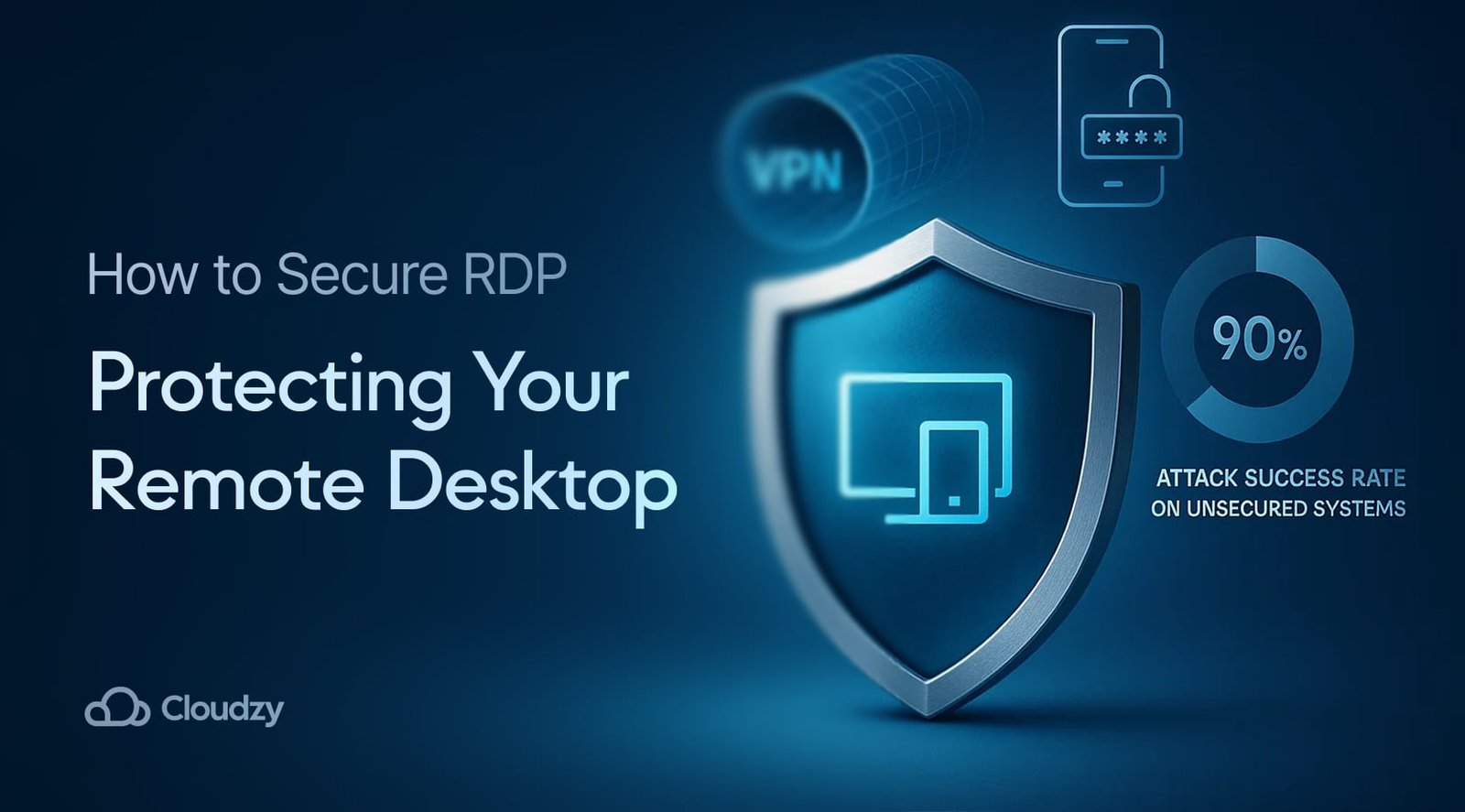
Protect Your Business Before It’s Too Late: Best Practices for Secure Remote Desktop (RDP) Connections in 2026
Learn the best practices for secure Remote Desktop (RDP) connections in 2026 to stop ransomware, phishing, and unauthorized access.
Remote work has become a permanent part of modern business operations. Small businesses, startups, managed service providers, and distributed teams rely heavily on Remote Desktop Protocol (RDP) to access systems, manage servers, support employees, and maintain productivity from virtually anywhere.
However, there is a serious security challenge that many organizations continue to underestimate.
Remote Desktop Protocol remains one of the most targeted attack vectors used by cybercriminals worldwide. In 2026, attackers are leveraging AI-powered reconnaissance tools, automated credential attacks, ransomware deployment frameworks, and sophisticated phishing campaigns to compromise poorly secured RDP environments.
For small businesses, a single exposed RDP connection can lead to devastating consequences including ransomware infections, customer data breaches, financial losses, operational downtime, and reputational damage.
Look, I get it, cybersecurity sounds like a headache, but securing RDP access is no longer optional. It is one of the most important defensive measures any organization can implement.
This guide explores the best practices for secure Remote Desktop (RDP) connections, helping business owners, IT administrators, and remote teams reduce risk while maintaining productivity in the evolving cybersecurity landscape of 2026.
Why RDP Remains a Major Cybersecurity Target
Remote Desktop Protocol allows users to remotely control another computer over a network connection.
The convenience is undeniable.
Employees can:
- Access office systems from home
- Manage servers remotely
- Support customers
- Maintain cloud infrastructure
- Collaborate across locations
Unfortunately, attackers appreciate these benefits as well.
When improperly secured, RDP can provide direct access to critical business systems.
Cybercriminals commonly use:
AI-Powered Password Attacks
Artificial intelligence enables attackers to optimize password-cracking strategies faster than ever before.
Credential Stuffing
Stolen usernames and passwords from previous breaches are automatically tested against exposed RDP services.
Phishing Campaigns
Employees are tricked into revealing credentials that provide RDP access.
Ransomware Deployment
Compromised RDP sessions frequently become the entry point for ransomware attacks.
Privilege Escalation
Attackers often use an initial RDP compromise to gain administrative control over entire networks.
Understanding the Risks of Exposed RDP Services
Many small businesses unknowingly expose RDP directly to the internet.
This creates significant risk.
Common consequences include:
- Unauthorized system access
- Data theft
- Business interruption
- Ransomware infection
- Regulatory compliance violations
- Cloud account compromise
In 2026, cybercriminal groups actively scan the internet looking for exposed RDP ports around the clock.
An unprotected system can become a target within minutes.
Best Practices for Secure Remote Desktop (RDP) Connections
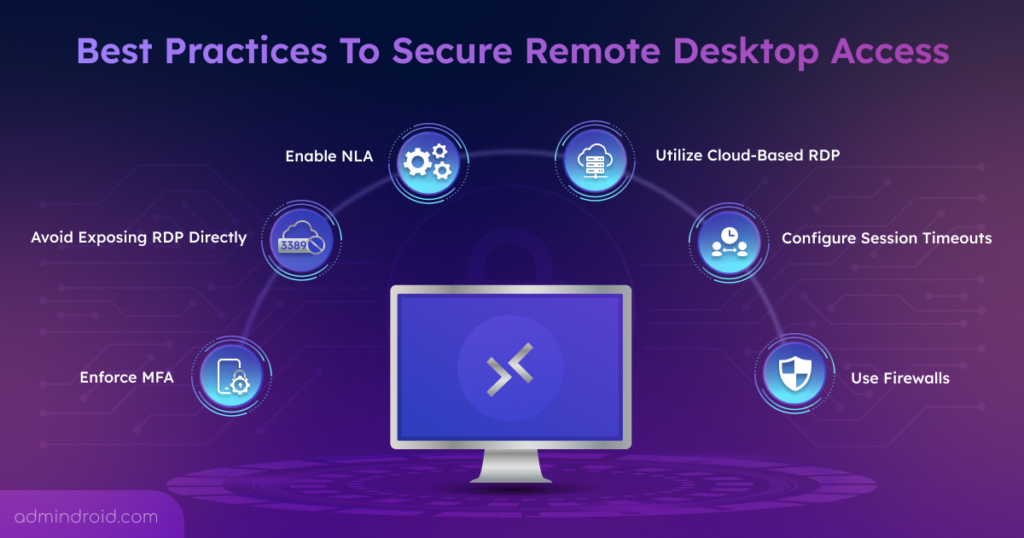
Never Expose RDP Directly to the Internet
This is the single most important recommendation.
Instead of allowing direct public access:
- Use a VPN
- Deploy Zero Trust access controls
- Utilize secure gateways
- Restrict access to authorized users
Exposed RDP services remain one of the leading causes of ransomware incidents.
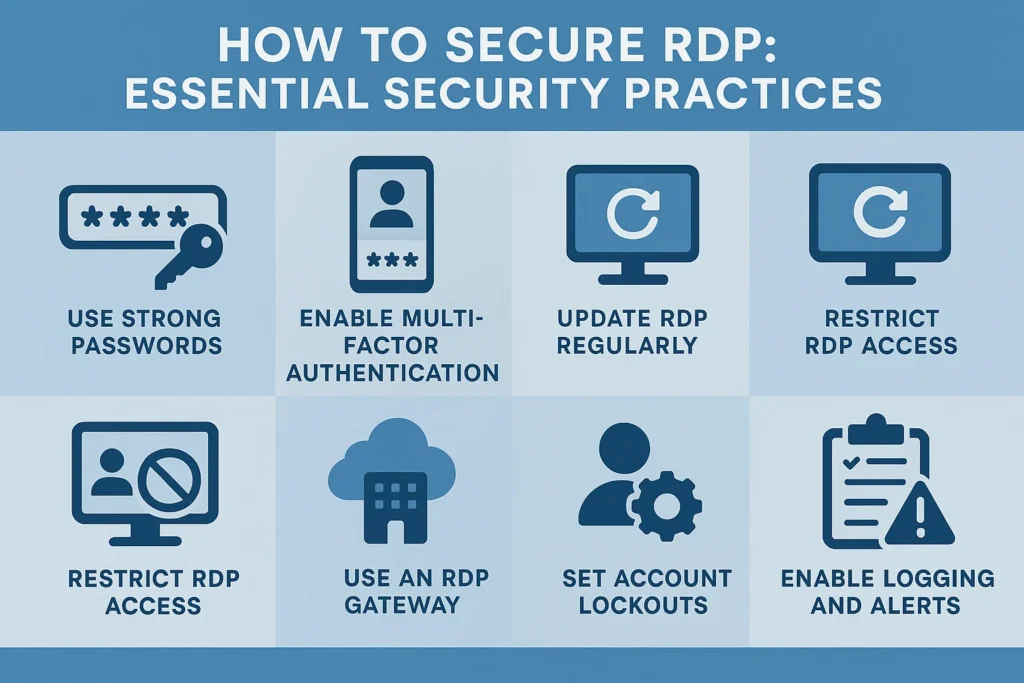
Enforce Multi-Factor Authentication
Passwords alone are no longer sufficient.
Enable MFA for:
- Administrators
- Employees
- Contractors
- Remote support staff
Even if credentials are stolen, MFA significantly reduces the likelihood of unauthorized access.
Change Default RDP Ports
While not a complete security solution, changing the default RDP port can reduce automated scanning attempts.
This should be viewed as a supplementary control rather than primary protection.
Implement Strong Password Policies
Require:
- Minimum 16-character passwords
- Unique credentials
- Password manager usage
- Regular credential reviews
Here is the real talk about why your current password isn’t enough.
Modern AI-driven password attacks can test enormous numbers of password combinations with incredible speed.
Restrict Access by IP Address
Allow only approved locations and trusted networks to connect.
This significantly reduces the attack surface.
Enable Account Lockout Policies
Configure systems to temporarily lock accounts after repeated failed login attempts.
This limits brute-force attack effectiveness.
Building Multiple Layers of RDP Defense
Effective cybersecurity relies on layered protection.
Layer 1: Identity Security
Protect user accounts through:
- MFA
- Password managers
- Conditional access policies
Layer 2: Network Security
Deploy:
- VPN services
- Firewalls
- Intrusion prevention systems
Layer 3: Endpoint Security
Install:
- Endpoint Detection and Response (EDR)
- Antivirus solutions
- Behavioral monitoring tools
Layer 4: Cloud Security
Protect cloud-connected systems using:
- Access monitoring
- Security alerts
- Cloud workload protection
Layer 5: Human Awareness
Employees remain a critical defense layer.
Provide regular cybersecurity awareness training.
Comparison Table: Direct RDP vs VPN-Protected RDP
| Security Factor | Direct RDP Access | VPN-Protected RDP |
|---|---|---|
| Exposure to Internet | High | Low |
| Brute Force Risk | High | Low |
| Encryption Strength | Moderate | Strong |
| Ransomware Resistance | Weak | Strong |
| Access Control | Limited | Advanced |
| Recommended for Business | No | Yes |
Defending Against AI-Driven Phishing Attacks
In 2026, attackers increasingly combine phishing with RDP exploitation.
Their objective is simple:
Steal credentials and gain remote access.
Modern phishing attacks may include:
- Fake Microsoft login pages
- Cloud storage alerts
- Security notifications
- Invoice scams
- Executive impersonation emails
Security awareness training should teach employees to:
- Verify URLs carefully
- Avoid unexpected attachments
- Report suspicious messages
- Use MFA consistently
Even the best technical controls can fail if users unknowingly surrender their credentials.
Step-by-Step Guide: Securing Microsoft Remote Desktop Access
Follow this process to strengthen Microsoft Remote Desktop environments.
Step 1: Enable Network Level Authentication (NLA)
Network Level Authentication requires users to authenticate before a full RDP session is established.
Benefits include:
- Reduced attack surface
- Better authentication security
- Improved resource protection
Step 2: Disable Unnecessary User Access
Review all accounts with RDP permissions.
Remove:
- Former employees
- Unused service accounts
- Temporary contractors
Step 3: Configure a VPN
Require users to connect through a secure VPN before accessing RDP services.
This creates an additional protective layer.
Step 4: Enable Multi-Factor Authentication
Integrate MFA with:
- Microsoft Entra ID
- Remote Desktop Gateway
- Third-party identity providers
Step 5: Activate Logging and Monitoring
Monitor:
- Failed login attempts
- Privilege escalation events
- Unusual connection times
- Geographic anomalies
Step 6: Patch Systems Regularly
Update:
- Windows servers
- Workstations
- Security software
- Remote access infrastructure
A delayed update can leave systems vulnerable to known exploits.
Step 7: Conduct Security Reviews
Establish a recurring proccess for reviewing:
- User permissions
- Login activity
- Firewall rules
- Security policies
Regular assessments help identify weaknesses before attackers do.
Security Checklist for Remote Desktop Environments
| Security Control | Status |
|---|---|
| MFA Enabled | ✓ |
| VPN Required | ✓ |
| NLA Enabled | ✓ |
| Firewall Configured | ✓ |
| RDP Port Restricted | ✓ |
| Logging Enabled | ✓ |
| Endpoint Protection Active | ✓ |
| Regular Audits Scheduled | ✓ |
Common RDP Security Mistakes
Leaving Port 3389 Exposed
Publicly accessible RDP services attract attackers immediately.
Using Weak Passwords
Weak credentials remain one of the easiest ways for attackers to gain access.
Ignoring Security Logs
Failed login attempts often reveal active attack campaigns.
Delaying Updates
Unpatched systems continue to be a favorite target for cybercriminals.
Overlooking Remote Employees
Remote workers require the same level of protection as office-based staff.
Ransomware Defense Strategies for Small Businesses
Many ransomware incidents begin with compromised remote access.
To reduce risk:
Limit Administrative Privileges
Users should only receive access necessary for their role.
Segment Critical Systems
Separate sensitive systems from general user environments.
Maintain Offline Backups
Backups remain one of the strongest defenses against ransomware.
Monitor User Behavior
Behavioral analytics can identify suspicious activity before damage occurs.
Develop an Incident Response Plan
Prepare for potential security incidents before they happen.
A prepared organization recovers far faster than one reacting under pressure.
Secure Cloud Management for Remote Teams
RDP security should also extend into cloud environments.
Best practices include:
Implement Zero Trust Access
Never automatically trust any device or user.
Monitor Cloud Logins
Track unusual activity and unauthorized access attempts.
Use Conditional Access Policies
Restrict access based on:
- Device health
- Geographic location
- User risk level
Integrate Security Monitoring
Combine RDP monitoring with cloud security platforms for complete visibility.
The Future of Secure Remote Access
The cybersecurity landscape continues evolving rapidly.
Emerging technologies include:
- AI-driven threat detection
- Passwordless authentication
- Zero Trust Network Access (ZTNA)
- Behavioral analytics
- Automated incident response
Organizations that adopt these technologies early will be better positioned to withstand future threats.
The best practices for secure Remote Desktop (RDP) connections involve far more than simply enabling remote access. Businesses must implement layered security controls, enforce strong authentication, monitor activity, secure cloud integrations, and continuously educate users about evolving cyber threats.
At locknet.site, we help entrepreneurs, IT professionals, and small business owners build a bulletproof digital presence through practical cybersecurity guidance designed for the realities of 2026. Whether you manage a single remote server or support an entire distributed workforce, securing RDP should be a top priority.
Don’t wait for a ransomware attack or credential breach to expose weaknesses in your environment. Conduct a security audit today, subscribe to cybersecurity updates, and consult the experts at locknet.site to strengthen your defenses before cybercriminals find the next opening.
Leave a Reply